


Mods & Map for MCPE Minecraft review
 Analysis by Appsdrops
I treat any app that installs community-made Minecraft content as a small trust decision, not just a shortcut to a new map. Mods & Map for MCPE is aimed at people who want Minecraft Pocket Edition add-ons, maps, skins, and shaders collected in one place. My view is that its appeal is convenience: it can help you discover content without searching across scattered sources, but you should still make deliberate choices about what you download and install.
Convenience is useful, but trust still matters
This is a free Android app in the Libraries & Demo category, developed by RETRO GAMING LABS. It has a 4.5 average from around 18,000 ratings and more than a million installs. Those figures suggest a sizeable audience, but popularity alone does not tell me whether a particular add-on will suit my game or whether I should install it. I would use the app as a browsing and discovery tool, then judge each item on its own merits.
The app is rated Teen, which is worth keeping in mind if a younger player uses the device. That label is not a substitute for checking the content being selected: maps and add-ons can differ in tone and complexity. I would browse alongside a younger player rather than assume every item in a catalog is appropriate simply because the app itself has an age rating.
The current version is 1.2.8, and the app supports Android 7.0 and later. It is free to download, with optional in-app purchases priced from $1.99 to $19.99 per item. I would make that distinction clear before handing over a device: free access does not necessarily mean every paid option is irrelevant. If purchases matter in your household, check the purchase controls on the device and avoid treating an attractive preview as a reason to buy immediately.
What the all-in-one approach changes
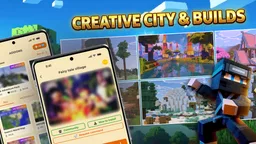
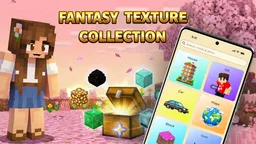
Mods, maps, skins, and shaders serve different purposes, so putting them together can save time but also encourages browsing across very different kinds of content. A map changes where you play; a skin changes how a character looks; a shader affects the visual presentation; and an add-on can alter or extend what appears in a world. I find it helpful to decide what I want before opening a catalog. That simple step keeps a quick search for a map from turning into an unplanned tour of unrelated downloads.
Compared with searching the web or relying on separate creator pages, a dedicated catalog can make discovery feel more direct. The trade-off is that a convenient catalog should not be mistaken for a guarantee that every item is compatible with every game setup. Minecraft editions and versions can matter. Before installing something, I would check its stated requirements and keep a note of the world or profile I intend to use it with. If the app does not make a compatibility detail clear, I would avoid assuming it will work.
Make installation a considered choice
The one-tap idea sounds appealing, especially when I am on a phone and want to get from browsing to trying a new world quickly. I would still treat the final installation step as a decision point rather than tap through automatically. Read the item’s description, look at any available preview, and make sure it is the content you meant to select. A few seconds of checking can prevent confusion later if a map, skin, or visual change does not behave as expected.
A practical routine is to try one item at a time. If you install several changes before opening Minecraft, it becomes harder to identify which one caused a problem or which download you actually enjoy. For a new map, I would start a separate world rather than risk changing a world I care about. For a shader or add-on, I would test it in a low-stakes session first. These habits are especially useful when exploring unfamiliar community content, regardless of how simple the installer makes the process.
I would also keep track of what I have installed. A short note with the item name and the world where I tried it can save a frustrating round of guesswork later. This is a small workflow improvement, not a feature I assume the app provides. It matters because an all-in-one catalog can make it easy to browse several categories in one sitting, and memory is not always enough to distinguish similar downloads.
Privacy and permissions deserve a pause
When an app helps install files or content, I pay attention to the permissions Android requests and the choices shown during setup. I would grant only permissions that make sense for the action I am taking, and I would stop to read any prompt whose purpose is unclear. I cannot judge the app’s data practices from its content catalog alone, so I would review the privacy information presented in the app store and Android settings rather than infer how information is handled.
That caution is not a reason to assume something is wrong. It is simply a good habit for any content browser or installer. A permission prompt is a concrete moment where the user can make a choice; the app’s general purpose does not, by itself, explain every permission. If a request seems unrelated to browsing or installing the item I selected, I would decline it and reconsider whether I want to continue.
Likewise, I would avoid entering personal details unless the app clearly explains why they are needed and gives me a choice. If an account step appears, pause and decide whether the benefit is worth sharing information. Do not reuse a sensitive password, and use the device’s purchase protections if you are concerned about accidental spending. These are practical safeguards, not claims about particular account or privacy controls inside this app.
Everyday use: choosing a map for a short session
Imagine I have a free evening and want a new Minecraft experience without spending half of it hunting through search results. I would open the catalog with a specific goal—perhaps a map for a short session—then compare a few candidates by description and preview. I would pick one, install only that item, and launch a separate world to see whether it fits the time and play style I had in mind. If it does not, I can move on without wondering which of several simultaneous changes caused the mismatch.
For a group playing together, I would be more cautious. A map or add-on that works on one person’s device may not be a good choice for everyone’s setup. Before asking friends to install the same content, I would share the exact item name and check that each person can use it. If the group wants a predictable session with no setup, the standard game or a familiar world may be the better option.
For a younger player, the app can be a convenient place to explore different kinds of Minecraft content, but I would set expectations around purchases and downloads first. Agree on what they are allowed to install, whether paid items are off limits, and when to ask for help. That conversation gives the player room to explore while keeping the important decisions visible to the adult responsible for the device.
Where the app may not be the best fit
If you already follow specific creators and prefer to evaluate their work directly, a general catalog may add an unnecessary step. Creator pages can be better when you want context about how an item was made, what it requires, or how it is maintained. Likewise, experienced players who carefully manage their own files may prefer their existing workflow over a one-tap installer.
This app is also less compelling if you only want one kind of content and already know where to find it. Its mixed catalog is most useful when you want to browse across maps, skins, add-ons, and shaders; that breadth can feel distracting when you have a narrow task. And if your priority is a tightly controlled setup with no experimentation, sticking to content you already trust is a sensible choice.
Compatibility is another reason to be selective. A catalog can make finding an item easier, but it cannot make every community creation appropriate for every version or play situation. Check requirements before installing, test changes separately, and keep important worlds untouched until you know what to expect. I would rather spend a little longer checking than troubleshoot a session that was supposed to be relaxing.
My cautious recommendation
I see Mods & Map for MCPE as a practical discovery option for Android players who enjoy trying community-made Minecraft content and value having several content types in one place. Its large audience and strong average rating are reassuring context, not a promise that every download will be a match. The best experience comes from using the catalog with a clear goal, checking each item, and treating installation as a choice rather than a reflex.
I would recommend it to a curious player who wants to explore new maps or personalize a game, especially if searching through separate sources feels tedious. I would be more hesitant to recommend it to someone who wants a fully hands-off process, needs detailed confidence about every item before installing, or does not want to manage optional purchases. In those cases, a familiar creator source or the standard game may offer more control.
In short, the convenience is real, but it works best alongside ordinary care: review permissions when they appear, read the item details, avoid unnecessary personal information, and test one change at a time. Used that way, Mods & Map for MCPE can make discovery less of a chore without asking you to switch off your judgement. I would start with a single low-risk download and decide from that experience whether its catalog fits how you play.
What we like
- Browse mod and map options in one dedicated catalog
- Find themed content for different Minecraft play styles
- Preview listings before choosing a download
- Discover community-made additions beyond the base game
- Useful for players seeking fresh worlds and gameplay ideas
What could be better
- Some downloads may require manual installation
- Compatibility can vary across Minecraft versions
- Third-party content may not be officially supported by Mojang
- Listing details may not fully explain setup requirements
- Ads or external links may interrupt browsing





