MirrorLink App for Car review
 Analysis by Appsdrops
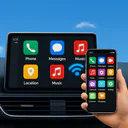
I would treat MirrorLink as a compatibility tool, not as a way to add a full infotainment system to any car. Its aim is to connect a phone with a car display, and that narrow purpose is also its main test: the app is useful only if your phone and vehicle can work with the kind of mirroring it offers. If you are hoping to replace a built-in navigation or media setup, I would first check what your car already supports and whether this app fits that setup.
What the free price does—and does not—tell you
MirrorLink is free to install, which makes it easy to try before deciding whether it belongs in your driving routine. The app is published by Boss Inc and sits among practical library and demo-style tools rather than games or a broad phone-customization suite. Its current version is 200.1.1, and it supports devices running Android 7.0 or later.
There are also in-app purchases listed at $14.99 per item. That is a meaningful distinction: installing the app costs nothing, but some purchase options may cost extra. I would not assume the free download includes every paid element, or that paying guarantees compatibility with a particular car. Check the purchase details in the app before spending, and decide based on what is actually offered to your device.
The app is rated 4.3 on average from around 20,000 ratings, with roughly 1,200 written reviews and over one million installs. Those figures suggest that plenty of people have tried it, but they cannot tell you whether it will work with your exact phone-and-car combination. For a mirroring app, compatibility matters more than popularity.
Value depends on your existing setup
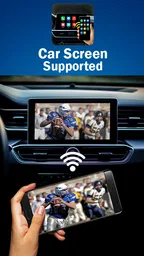
The practical value is straightforward: if your car can accept the connection and the app behaves well on your phone, it may give you a more convenient way to use phone content on the car screen. That can be worthwhile even without a long feature list, because the point is to make an existing drive setup easier to use rather than to provide entertainment on its own.
On the other hand, a free install is not automatically good value if it does not connect to your equipment. Before relying on it, check your car’s manual or infotainment settings for MirrorLink support, then confirm that your phone has the required connection options. A quick compatibility check can save you from troubleshooting an app that cannot solve a limitation in the car itself.
Try it as a short, controlled setup
I would test the connection while parked, not for the first time in traffic. Start with the car’s own screen and connection settings, then open the app and follow the prompts it presents. If nothing happens, check the phone’s connection mode and the vehicle’s input selection before repeatedly reconnecting. This simple order helps distinguish an app issue from a car that is waiting for a different input.
A useful everyday test is a familiar commute with a known destination, rather than a long trip where a failed connection would be stressful. See whether the screen stays connected through a stop and restart, whether the interface remains readable from the driver’s seat, and whether you can return to the car’s normal controls without confusion. Those observations matter more than a successful first launch.
One trade-off is that phone mirroring can make a car screen feel more flexible while also adding another point of failure: the phone, cable or connection method, app, and vehicle all have to cooperate. If the link drops, you need a safe fallback such as the car’s built-in system or voice guidance. I would not plan a drive around a feature until I had tested it on the same equipment and connection method I intend to use regularly.
How it compares with built-in systems and other options
Compared with a car’s built-in infotainment features, a mirroring app may be appealing when you prefer the phone interface or want to use content already organized there. But built-in controls are often the simpler choice when they already cover your needs: there is less setup to repeat and no separate app connection to depend on. If your vehicle has a native phone-integration option, I would compare that experience before adding another layer.
Compared with ordinary phone mounts, a car-screen connection can keep the display integrated into the dashboard rather than placing a second screen on the windshield or console. A mount is still the more dependable alternative if the car does not support mirroring, or if you want a straightforward way to view a phone without troubleshooting vehicle compatibility. Neither option is universally better; the deciding factor is what your car can handle and which display you can operate safely.
There is also a useful distinction between mirroring and a dedicated driving interface. Seeing a phone on a larger screen does not necessarily make every phone app suitable for use while moving. I would set up destinations and playlists before starting, keep interaction brief, and avoid treating the car display as permission to browse or type while driving. Convenience is only a benefit when it does not distract from the road.
Who is most likely to get value
This app makes the most sense for someone who has a compatible car display, uses an Android phone on version 7.0 or later, and wants to test phone-to-car mirroring without paying just to install the app. It may also suit a driver who is comfortable checking connection settings and trying a careful parked setup rather than expecting a one-tap result.
For example, imagine leaving for a familiar morning commute and wanting the phone’s chosen navigation view on the dashboard. I would connect before setting off, confirm the destination while parked, and then leave the phone alone during the drive. If the screen does not connect quickly, I would switch to the car’s existing navigation or another safe option instead of troubleshooting on the road. That is the kind of practical routine in which a working mirror link can help without becoming a distraction.
I would skip it if your car has no compatible mirroring support, if you need a guaranteed connection for every trip, or if the built-in system already does everything you want. It is also a poor fit if you expect the app itself to supply navigation, media, or a complete replacement for the vehicle’s interface. Its purpose is the link between phone and car screen; the value depends on the devices and services on either side.
What the audience figures can tell you
The app’s Everyone content rating makes it broadly suitable from a content standpoint, but it does not mean every vehicle or phone will be compatible. Released on May 27, 2018, it has had time to reach a substantial audience, and its rating gives a general sense of user reception. I would use that context as a reason to investigate it, not as a substitute for checking my own setup.
When reading user feedback, I would pay special attention to comments that describe the same car, phone, and connection approach I use. A report that simply says “works” or “doesn’t work” may not help much, because a different vehicle or phone can change the outcome. Look for practical details about setup and connection stability, while remembering that another person’s success does not guarantee yours.
My verdict: worth a careful free trial
MirrorLink is worth trying when your car already supports the connection it needs. The free download lowers the barrier, while the paid items mean I would review any purchase carefully rather than assuming every part of the experience is included. I would test the app in a parked car, verify that the connection survives an ordinary short drive, and keep a built-in or mount-based fallback available.
If that test works reliably, the app could be a useful bridge between your Android phone and the car screen. If it does not, the better choice is usually the vehicle’s native interface or a phone mount, not more time spent hoping an app can overcome a compatibility mismatch. My recommendation is therefore conditional but practical: try it if your equipment is a match, and skip it if you need a dependable solution before confirming that match.
What we like
- Provides a hands-free way to access compatible phone features while driving.
- Can display selected apps on a compatible car screen.
- May reduce the need to handle a phone during short trips.
- Works with some existing car infotainment systems.
- Offers a familiar interface for drivers using supported devices.
What could be better
- Requires a compatible phone and vehicle to work as intended.
- App support can vary by phone model and car manufacturer.
- Some features may be unavailable while the vehicle is moving.
- Setup can require extra permissions or connection steps.
- The app may not work with newer phones or infotainment systems.





