


IHOP® review
 Analysis by Appsdrops
I think of the IHOP® app less as a general restaurant-discovery tool and more as a companion for people who already know they enjoy IHOP and want to make a visit easier. It is a free Food & Drink app from Dine Brands Global, Inc., and its appeal is straightforward: keep the restaurant’s ordering and visit-planning experience close at hand. That focus is useful, but it also sets a limit. If you want to compare lots of local restaurants or plan a meal around independent venues, a broader maps or dining app will serve you better.
What the app is useful for today
The app’s strongest reason to exist is convenience around a familiar restaurant. Instead of starting with a web search every time you want pancakes, you can begin in IHOP’s own app and see what it offers for your visit. For regular customers, that can make the small steps around deciding and ordering feel more direct. For someone who visits only occasionally, it can still be handy when IHOP is already the chosen destination, rather than a way to discover where to eat.
I would approach it as a restaurant-specific tool, not as a complete dining planner. The distinction matters: a dedicated app can keep the experience centered on one brand, while a general restaurant app is better for comparing cuisines, locations, and independent businesses. If my priority is “IHOP tonight,” the brand-specific approach makes sense. If my priority is “find the best breakfast near me,” I would start somewhere broader and use this app only after narrowing the choice.
The product is listed at version 4.8.45, and it has been available since December 20, 2017. That gives it a long-running place in IHOP’s digital offering, though a version number alone does not tell me exactly what changed in a particular update. I’d treat it as a maintained app whose current experience should be judged by what it does on my device now, not as proof that every older inconvenience has been resolved.
Its scale suggests that plenty of people have found a reason to keep it around: the app has over one million installs and an average rating of 4.6 from around 47,000 ratings. Those figures are reassuring as a broad signal of interest, not a guarantee that every feature will fit every restaurant visit or work identically for every user. Individual experiences can depend on what someone needs from a particular location and how they prefer to order.
A practical choice for regular IHOP visits
Where I see the clearest value is in a familiar routine. Suppose I’m leaving home on a weekend and the family has already agreed on IHOP. I can use the app as the starting point for that restaurant-specific task instead of reopening a search engine, checking several unrelated menus, and then switching to a different service. The useful insight is to decide first whether IHOP is the destination; this app is most relevant after that decision, not before it.
It may also make sense for someone who often visits the same branch and wants to keep IHOP-related tasks together. A dedicated app can reduce the mental clutter of searching for the same brand again and again. Still, I would not assume that using an app automatically saves time: if I’m already standing at the restaurant, or if I only need a quick answer that a map search can provide, opening another app may be an unnecessary step.
The app is free, which makes it easy to try without committing to a subscription. It carries an Everyone content rating, and the listed minimum operating system is 10. Those details are useful when deciding whether it is suitable for a shared family device or compatible with an older phone. I would check the app store’s compatibility information on the device itself before relying on it for a planned visit.
How it compares with maps and general food apps
Compared with a maps app, IHOP’s own app is naturally more focused on the brand. A map is usually the better first stop when I need to judge distance, compare nearby places, or see whether another restaurant is more convenient. IHOP’s app makes more sense once I have settled on IHOP and want to keep the next steps within that brand’s experience. These tools answer different questions, so I would use them in sequence rather than expect one to replace the other.
Compared with broad food-ordering services, a restaurant-specific app has a narrower scope. That can be a benefit if I value a direct connection to IHOP, but it is a disadvantage if I want to compare several restaurants in one place or place different orders through a single service. The choice is less about which app is universally better and more about whether I am choosing a restaurant or already committed to one.
One practical trade-off is that brand focus can make a simple task feel more contained while making the app less useful for everything outside that brand. I would keep it installed if IHOP is a regular stop or if I want a direct way to handle IHOP-related planning. If I am trying to reduce the number of apps on my phone and visit only rarely, using the app store or a general search when needed may be enough.
What the long-running version tells me—and what it doesn’t
The app’s release history begins in 2017, and its present listing shows version 4.8.45. To me, that is evidence of an established product rather than a newly launched experiment. It does not reveal which particular improvements arrived over time, so I would avoid reading a story of specific feature changes into the version number. What matters to an existing user is whether the current build fits today’s routine better than the method they already use.
If I have used an earlier version, I would update through the app store and then check the current screens before an important meal or pickup. That is a sensible habit with any restaurant app: interfaces can change, and a familiar workflow may not look exactly as remembered. I would not make a first attempt while hungry and in a hurry if a simpler option is available; trying it at home gives me room to learn where the relevant choices are.
For a new user, the easiest evaluation is equally practical. Install it, look for the specific IHOP task you want to handle, and decide whether the steps feel more convenient than your usual alternative. There is little reason to keep an app simply because its rating is high if it does not match your habits. On the other hand, if you return to IHOP often, even a modest reduction in repeated searching can make a dedicated tool worthwhile.
Where I’d expect friction
The most important limitation is also the obvious one: this is not a universal restaurant app. It is tied to IHOP, so it cannot help me decide between IHOP and a nearby café in the same way a broader dining tool can. That narrowness is not a flaw for a loyal customer, but it is a reason to skip the app if I mostly explore new places or want one service to handle every restaurant.
There is also a useful distinction between a restaurant’s digital experience and the restaurant visit itself. An app can help organize the steps around choosing or ordering, but it cannot remove the practical uncertainties of a meal out, such as how busy a location feels or whether a particular plan suits everyone in the group. I would keep a backup plan for time-sensitive outings and avoid assuming that the app alone settles every detail of a visit.
Another small source of friction is app dependence. A dedicated app requires space, an up-to-date device, and a willingness to manage another account or interface if the experience calls for it. For someone who values a minimal home screen, rarely eats at IHOP, or prefers speaking with restaurant staff, those costs may outweigh the convenience. In that case, a phone call, a map search, or simply visiting in person may feel more natural.
My practical tip is to separate planning from the final decision. Use a general search or maps tool when location and alternatives matter; use the IHOP app when the brand is already the plan. That two-step approach prevents the common mistake of expecting a single restaurant app to do discovery, comparison, and brand-specific tasks equally well.
Who should try it, and what I’d keep an eye on
I would recommend giving it a try to people who visit IHOP regularly, make decisions with family or friends, or simply prefer a brand’s own app for restaurant-related tasks. It is less compelling for occasional visitors who already have a smooth routine, people who primarily want local restaurant comparisons, and anyone whose device does not meet the listed operating-system requirement. The app’s Everyone rating makes it broadly suitable in content terms, but practical usefulness still depends on the user’s habits.
With around 15,000 written reviews, the app has a substantial body of public feedback as well as its broader rating history. I would read recent comments in the app store if I were deciding whether to depend on a particular workflow, since older experiences may describe earlier versions. That is especially sensible before an event or a meal with a tight schedule: test the app casually first, then rely on it only if it works smoothly for you.
What I would watch over time is whether updates make the core IHOP experience easier to use without making the app feel heavier or more complicated. The current version gives me a point of reference, while the long-running release history indicates that the product has continued beyond its original launch. Future improvements are a possibility, not something I would count on until they appear in the app itself.
My overall view is that IHOP’s app earns its place when IHOP is already part of your routine. It is free, focused, and backed by a large user base, but its value depends on how often you want a dedicated route to this one restaurant. I’d install it if I were a regular customer and keep a maps or general dining app for discovery. If I rarely visit IHOP, I would skip the extra app and use the tools already on my phone.
What we like
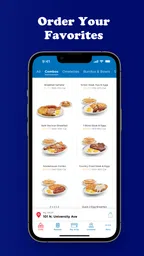
- The menu offers a broad mix of breakfast favorites and all-day meals.
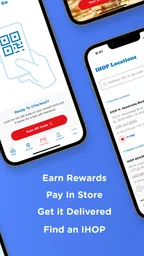
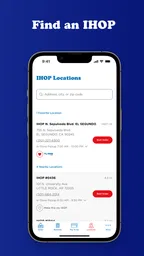
- Location search helps users find nearby IHOP restaurants.
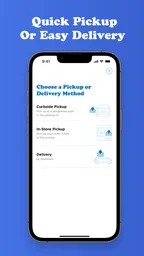
- Online ordering is available at participating locations.
- Users can browse menu items and prices before visiting.
- The app provides access to IHOP rewards and member offers.
What could be better
- Menu availability and prices can vary by restaurant.
- Online ordering is not offered at every location.
- Some app features may require creating an account.
- Rewards benefits may depend on purchase eligibility.
- Restaurant hours and service options can change by location.





