



Hudl review
 Analysis by Appsdrops
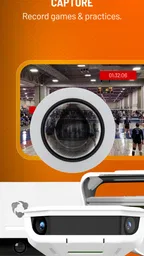
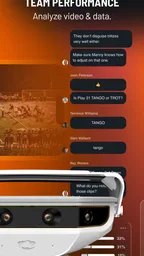
When I think about a team trying to learn from its own games, the difficult part is rarely finding something to watch. It is turning a long recording into a useful conversation before the next practice. Hudl is built around that coaching-and-athlete workflow: video is the shared reference, and the value comes from reviewing it with a specific question in mind. I see it as a sports tool for teams that want film to be part of preparation, not just a record of what happened.
From game footage to a useful question
The most productive way to approach a video review is to begin with a narrow question. A coach might want to examine how a team handles a particular kind of play; an athlete might want to understand a repeated mistake or check whether a movement is improving. Starting with one point of focus makes a review feel manageable. Trying to rewatch an entire game without a purpose can turn video into homework rather than feedback.
That distinction matters because Hudl is not a general-purpose video player with a sports label attached. Its identity is closely tied to coaches and athletes using video to improve. The app is published by Hudl, Inc., and its sports focus makes it most relevant when the people watching share a team, a training goal, or a common language for discussing performance.
For a player, the practical benefit is the chance to revisit an event after the pace and emotion of competition have passed. On the field, a decision may happen too quickly to evaluate clearly. Reviewing the footage can help an athlete separate what they remember from what the video actually shows. I find that kind of self-review most useful when it leads to one concrete adjustment for the next session, rather than a vague verdict that the performance was good or bad.
A review works best when it has a purpose
A coach can make the same footage more valuable by giving the group a clear task: watch for spacing, decision-making, or a moment when communication affected the outcome. That keeps attention on the issue at hand and gives athletes a reason to discuss what they see. Video can support a conversation, but it does not automatically explain a play. The coach still has to connect the image to the team’s intended approach.
One useful habit is to keep the discussion selective. If every error becomes a lesson, players may leave with too many things to fix. I would rather use Hudl to revisit a small number of moments and ask what option was available, what the athlete noticed, and what they might try next time. The app’s central role is to make video review part of that process; the quality of the coaching still depends on the questions people bring to it.
Moving from the coach’s review to the athlete’s takeaway
The handoff between coach and player is where a shared video workflow can earn its place. A coach may see a tactical pattern across a team, while an athlete is concerned with their own timing or decision. Looking at the same footage gives them a common starting point, which can make feedback more specific than a conversation based only on memory.
In an everyday scenario, imagine a team returning from a match and meeting before its next practice. The coach wants to address a recurring breakdown, while one player is unsure why a promising move did not create an advantage. Rather than revisiting every minute, they can use the video as evidence for those two questions. The player can listen to the team-level explanation, then connect it to their own choice. The useful outcome is not simply having watched footage; it is leaving with a clear point to test in practice.
Athletes who review independently can also bring better questions back to a coach. Instead of asking for a broad judgment on a whole performance, a player can point to a moment they found confusing and ask what they missed. That makes review more collaborative and can help a coach spend time on the issue that matters most to the athlete.
Where it differs from ordinary video tools
The usual alternative is to share a recording through a general video app or group chat. That may be perfectly adequate when the goal is simply to send a clip to a few people. It can also be easier for a family member or casual viewer who has no interest in a team’s review process. Hudl makes more sense when video is intended to support coaching and athlete development, rather than serve as a one-off share.
The trade-off is that a sports-specific tool is only helpful when the group actually uses video as part of its routine. If a team rarely reviews footage, or if everyone prefers a quick verbal debrief, adding a dedicated app may create another place to check without changing how the team learns. I would not choose Hudl simply because a team has recordings; I would choose it when coaches and athletes are prepared to make those recordings part of their regular feedback loop.
That also affects who should skip it. A person looking for live scores, sports news, workout plans, or a broad fan experience is unlikely to find the core appeal here. Hudl is aimed at the work around team video, so its strengths matter most to people who have footage to review and a coach or teammate to discuss it with.
What can interrupt the workflow
The biggest friction is not a dramatic technical problem; it is the effort of making review purposeful and consistent. Someone has to decide what the team should learn from the footage, and athletes need enough time and attention to engage with it. If video arrives without context, a player may not know what to look for. If the review becomes a long replay session, the important lessons can get lost in the volume of material.
There is also a social side to the process. Not every athlete enjoys watching their own performance, particularly when they are already disappointed with a result. A coach can help by treating footage as a way to identify options and next steps, rather than as a public scorecard. In my view, that distinction is essential: video is most constructive when it supports learning instead of embarrassment.
Teams should also agree on how a review fits into their routine. If the coach expects athletes to study footage before practice, the players need to understand what they are supposed to notice. If the review is meant to happen together, the discussion needs room for questions. Without that shared expectation, even a useful video tool can become an extra task that athletes complete mechanically.
Access, expectations, and who gets the most from it
The app is free, carries an Everyone age rating, and is listed for iOS 12 or later. Its current version is 8.50.0. Those details make it straightforward to consider for a broad range of users, although the app’s practical value still depends on whether a person has a team or coaching context in which video review is relevant.
Hudl has an average rating of 3.2 from around 20,000 ratings, with about 3,200 written reviews, and it has over a million installs. I would treat that rating as a reason to set sensible expectations rather than as a verdict on every team’s experience. A coach who needs video for an established review routine may judge the app by how well it fits that routine; a casual user expecting a polished general sports hub is measuring it against a different need.
For a small team deciding whether to adopt it, I would start by agreeing on one repeatable use: a short review after a match, a player-led question before practice, or a coach-guided discussion of a team pattern. If that routine helps people arrive at training with a more specific idea of what to work on, the app is serving a purpose. If nobody has time to review footage or act on the feedback, the team may be better off with a simpler way to talk through the game.
My verdict on Hudl’s place in a team
I recommend Hudl to coaches and athletes who want video to do more than document a game. Its strongest case is the shared workflow: a coach can frame a question, a player can examine the same evidence, and the next practice can turn that discussion into an adjustment. The most important tip is to keep each review focused, so people leave with something they can actually try.
I would be more cautious about recommending it to someone who only wants to watch occasional clips or who has no coach, team, or training goal to connect them to the footage. A general video-sharing option may be less effort for that situation. For a team willing to build a thoughtful review habit, though, Hudl offers a sports-centered place to bring coach and athlete perspectives together. The result depends less on watching more video than on asking better questions about the video already in front of you.
What we like
- Video analysis tools help teams review performance.
- Coaches can share clips and feedback with players.
- Team communication is organized in one place.
- Practice plans are easy to access on mobile.
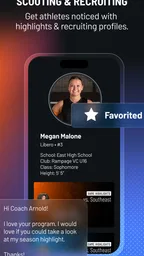
- Player profiles keep performance details available.
What could be better
- Some features require a paid team subscription.
- Setup can take time for new teams.
- Video uploads may be slow on weak connections.
- The interface can feel crowded for first-time users.
- Access to features depends on team permissions.





