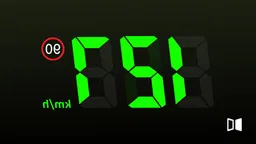
GPS Speedometer & Odometer review
 Analysis by Appsdrops
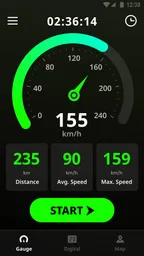
I like a speedometer that answers a straightforward question without making me decipher a dashboard: how fast am I moving right now? GPS Speedometer & Odometer is built around that practical job, using GPS to show speed and track distance, with speed-limit checking also part of its stated purpose. It is a focused Maps & Navigation app rather than a full navigation system, so I’d consider it a companion for journeys where seeing speed clearly matters more than getting turn-by-turn directions.
A focused tool for checking speed and distance
The app’s appeal is its narrow scope. Instead of asking me to plan a route or browse a map, it centers on speed and trip distance. That can be useful on a bicycle, during a walk, or in a vehicle where I want a separate readout to glance at. The app is free to download, and its Everyone content rating makes it broadly suitable for everyday users. The developer is QR & Barcode Scanner, a name that may be unexpected for a navigation utility, but the product itself is clearly aimed at GPS-based speed checks.
In ordinary use, the key distinction is between a GPS reading and a vehicle’s built-in speed display. GPS estimates movement from location changes, while a car’s dashboard uses its own sensors. Those readings can differ, especially when reception is weak or the vehicle is changing speed quickly. I would treat this app as a helpful reference, not as a replacement for the speedometer required to operate a vehicle safely or comply with local rules.
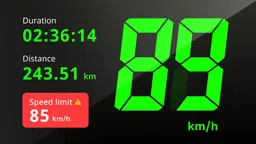
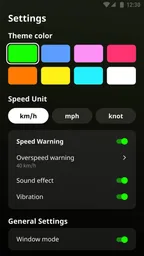
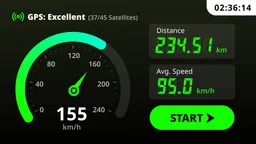
The store summary describes speed, distance, and speed-limit checking, which gives the app a more useful role than a number-only display. A speed limit can add context to a reading, while distance helps make a session useful for tracking a commute or outing. Still, the most important practical question is whether the phone has a clear view of the sky and can maintain a reliable GPS signal. Tunnels, dense buildings, covered parking, and indoor use can all make GPS-based readings less dependable.
Where it fits among navigation apps
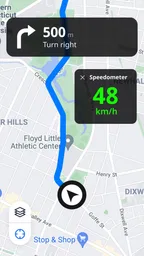
Compared with a conventional navigation app, this is a simpler instrument. Navigation apps are better when I need route guidance, traffic context, or a map that helps me make the next turn. A dedicated speedometer is a better fit when I already know where I’m going and want a prominent speed and distance view without a route taking over the screen. If all I need is to check speed once, a phone’s existing tools or a vehicle display may be enough; this app makes more sense when I want to keep an eye on a trip as it unfolds.
Its focused approach also has a trade-off: it should not be mistaken for a complete driving assistant. Speed-limit information is useful only when it is relevant and accurate for the road in front of me, and a GPS tool is not a substitute for watching road signs. I’d use the limit feature as a prompt to pay attention, not as permission to stop checking the surroundings.
Everyday situations where it earns a place
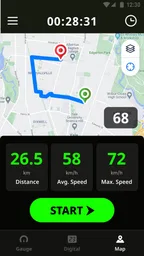
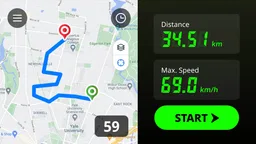
Imagine cycling a familiar route and wanting to compare the distance of two possible paths. I could start a session before setting off, keep the phone securely mounted, and check the distance when I stop. That workflow is more sensible than trying to interact with the screen while moving. For a driver, a passenger can monitor the display or handle setup before departure; the driver should not be tapping through menus on the road.
On a walk or run, a speed readout can satisfy curiosity, while accumulated distance can help distinguish a short loop from a longer outing. Here, GPS limitations matter in a different way: tree cover, tall buildings, or a phone tucked deep in a bag may affect the quality of the track. If a clean exercise record with pace charts, coaching, and long-term training history is the goal, a dedicated fitness tracker is likely the better choice. This app’s strength is the direct speed-and-distance task, not a comprehensive workout plan.
A useful habit is to let GPS settle before treating the first displayed reading as meaningful. Starting while stationary in an open area gives the phone a better chance to establish a location than launching it under a roof and immediately moving away. If a number looks implausible, I would pause and check the signal conditions rather than assuming the app or the road has changed dramatically. That simple check helps avoid overreacting to a momentary GPS wobble.
What the current release tells me
The app is currently at version 1.2.4, following its release on August 16, 2023. That establishes a clear point in its product history, but a version number alone does not tell me what changed between releases. I wouldn’t infer a particular redesign, new feature, or performance improvement from it. What matters to someone considering installation is that this is an established product with a defined current version, while its day-to-day value still depends on whether its focused functions match the way they travel.
For existing users, the practical takeaway is to judge the current build by the basics: whether GPS obtains a usable signal, whether the speed display is easy to read in the intended setting, and whether distance tracking suits the trip. I would not assume that an update has changed the interface or corrected a specific issue unless the app itself makes that clear. If the app already works well for a familiar route, it is sensible to check the current version and permissions after updating before relying on it for an important journey.
There is a substantial audience for the app: it has over five million installs, an average rating of 4.6 from around seventy-nine thousand ratings, and roughly two thousand four hundred written reviews. Those figures suggest many people have tried it, but they don’t guarantee that it will behave identically on every phone. GPS hardware, operating-system behavior, and the environment all affect the experience, so I’d treat other users’ broad approval as encouraging rather than as a promise of perfect readings.
What I would check before relying on it
First, I’d test the display in a safe, stationary setting and confirm that the units and readout make sense for my needs. Then I’d take a short trip on a route I know, comparing the distance at the end with a familiar reference. This is a better way to learn how the app behaves on my phone than making its first use a long drive or an unfamiliar ride. It also reveals whether the screen is legible where I plan to mount the device.
Second, I’d decide whether speed-limit checking is a convenience or a core requirement. If I need authoritative, dependable road-limit guidance for every stretch of a route, I would choose a full navigation service that is specifically designed for that job and continue to follow posted signs. A speedometer app can help me stay aware, but a GPS-based tool should not be treated as the final authority on changing road rules or temporary restrictions.
Third, I’d consider battery and screen use. Keeping GPS active and the display visible for a whole outing can be more demanding than checking speed briefly. I’d start with a charged phone and, for a longer trip, plan a safe way to power it rather than assuming a short test predicts all-day use. This is especially relevant on a bike or in a vehicle where the phone may already be running other apps.
Costs, compatibility, and practical limits
The app is free, with in-app purchases listed from $0.99 to $39.99 per item. That range is worth noticing before making a purchase, but it does not by itself explain which options are included or whether a particular paid item is useful to a given person. I’d try the free experience first and only consider spending if the app presents a clear benefit that matches a need I actually have.
It supports Android 8.0 and later. That gives users of older compatible phones a chance to try it, though compatibility alone does not guarantee equal GPS performance across devices. The phone’s receiver, placement, and surroundings still make a difference. I would also avoid placing a handset where it blocks visibility or distracts the driver; a simple speed display is not worth compromising safe operation.
One remaining limitation is inherent to the format: GPS speed and distance are estimates, not precision instruments for every setting. For a controlled measurement task, professional equipment is more appropriate. For navigation with route planning, traffic, and spoken directions, a full navigation app is more suitable. And for detailed fitness analysis, a sports-focused tracker will generally serve better. This product makes the most sense when the priority is a readable, GPS-based speed check and a straightforward distance record.
Who I’d recommend it to
I’d recommend GPS Speedometer & Odometer to someone who wants a separate speed-and-distance tool for occasional trips, cycling, or checking movement on foot, and who understands that GPS conditions affect the reading. It is especially appealing if the usual map app feels unnecessarily busy for a simple speed check. I would skip it if I needed guaranteed precision, a complete navigation suite, or rich workout analysis; those needs call for tools built specifically around them.
My overall view is positive but measured. The app has a clear purpose, a free starting point, and enough reach to show that many people find the idea useful. Its best use is as a convenient reference, with sensible expectations about signal quality and speed-limit information. I’d test it on a short, familiar outing, learn how it behaves on my phone, and then decide whether its focused display deserves a regular place in my travel routine. Watch for changes in future versions, but judge them by what the app actually does rather than by the version number alone.
What we like
- Shows your current speed clearly while you travel.
- Tracks trip distance with an odometer.
- Can help monitor speed without relying on the vehicle dashboard.
- Useful for cycling and walking as well as driving.
- A simple interface makes key readings easy to find.
What could be better
- GPS readings may be less accurate in tunnels or between tall buildings.
- Location access is required for speed and distance tracking.
- Background GPS use can drain your battery.
- Distance readings may differ from your vehicle's odometer.
- The app cannot replace a certified speed-measuring device.





