
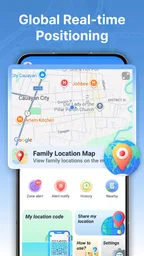
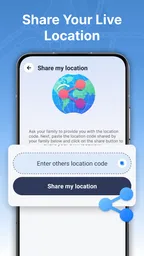
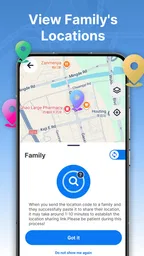
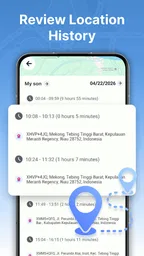
GPS Location Tracker Plus review
 Analysis by Appsdrops
GPS Location Tracker Plus is built around a simple family need: knowing where the people who have chosen to share their location are, and having a way to mark a place as a safety boundary. I find that focus useful because location apps can become cluttered with route planning, travel details, and social extras that are beside the point when someone just wants reassurance. The important question here is whether real-time location, sharing, and safe-area alerts fit comfortably into different routines and abilities.
Finding the information without extra clutter
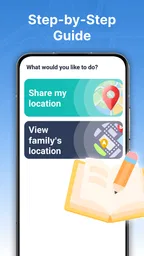
As a maps and navigation app, this tool is more about checking on people than getting from one place to another. That distinction matters: I would consider it alongside a map app for family awareness, not as a replacement for turn-by-turn directions or public transport planning. Its central idea is easy to explain—share a location, check it, and use a safe area alert—so a new user can understand the purpose before exploring the screens.
The name, GPS Location Tracker Plus, says what sort of tool it is, while the developer is Anuoluwapo Product Limited. The app is free, has an Everyone age rating, and has reached over one million installs. Its average rating is 3.9 from around 3,200 ratings, with 53 written reviews. Those figures suggest a product many people have tried, but they do not tell me whether it will suit a particular family’s needs; the practical fit depends on how comfortably everyone involved can use location sharing.
In a family setting, clarity is not just about readable labels. People need to understand whose location they are viewing and what an alert means, especially when they are tired or in a hurry. I would introduce the app when everyone has time to agree on how sharing will be used, rather than handing it to someone during a stressful moment. A short, calm walkthrough can help each person learn where to look and what to do if a location appears unexpected.
Make the map serve the decision
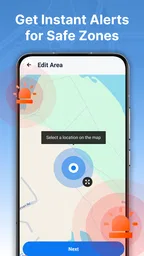
A useful habit is to decide in advance what a location check is meant to answer. “Has my relative arrived at the agreed area?” is a clearer question than repeatedly watching a moving marker. Safe-area alerts are most helpful when tied to a practical routine, such as a child reaching a familiar destination or an older relative leaving a place where support is expected. I would avoid setting up boundaries without discussing them with the person being tracked; shared expectations make alerts feel supportive rather than like surveillance.
Location information can also be hard to interpret if a person is in a large building, a busy street, or an unfamiliar part of town. A map can narrow down where someone may be, but it cannot explain why they stopped or whether they need help. I would treat the app as a prompt to check in, not as proof of someone’s exact circumstances. That is a small but important distinction for families who may be anxious about a late arrival.
Different abilities, different ways of checking
For someone with limited hand mobility, repeated map gestures can be tiring in any location app. A family member who finds small touch targets difficult may prefer to check at planned moments instead of navigating the map frequently. Before relying on the app for a time-sensitive routine, I would ask that person to try the basic tasks themselves: opening the location view, finding the relevant person, and understanding an alert. That reveals friction that a relative setting up the app on someone else’s phone might miss.
For people with low vision, map details can be demanding even when an app is otherwise straightforward. Streets, markers, and labels compete for attention, and a visual map is not always the easiest way to answer a simple “Have they arrived?” question. I would pair location checks with a direct call or message when the visual information is unclear, and I would not assume that the app offers particular screen-reader behavior or display adjustments without testing those options on the actual device.
Hearing differences change how families should think about alerts. A sound by itself may not reach everyone, so I would not make a safe-area notification the only signal that matters. Agreeing on a backup—such as a check-in message or a planned call—makes the routine more dependable across different hearing needs and noisy environments. The same principle applies when someone cannot safely look at a phone while walking, caring for a child, or assisting another person.
There is also an emotional side to accessibility. Continuous attention to a family member’s whereabouts can make some people feel protected, while others may find it intrusive or stressful. I would make participation a real conversation, not a default imposed on the least confident person in the group. A location-sharing app is most useful when everyone understands who can see the information and when checking it is appropriate.
Useful in ordinary routines, with limits
One realistic use is a caregiver waiting for an older relative to reach a familiar appointment area. Rather than calling repeatedly while the person is travelling, the caregiver can check the shared location and use an agreed safe area as one part of the routine. If the person is late, the app can help guide a sensible follow-up call. It cannot tell the caregiver whether the person is comfortable, has found the entrance, or wants assistance, so a human check-in still matters.
Another practical workflow is setting a boundary around a place that matters to the family, then agreeing what action follows an alert. For example, an alert might mean “send a quick message” rather than “assume something is wrong.” This avoids turning every notification into an emergency. I would keep the plan simple: one or two meaningful places, a clear response, and a backup contact method. Too many boundaries can create noise and make the important signal easier to overlook.
For a family member who has difficulty remembering to send an arrival message, location sharing may reduce the number of manual check-ins. That can be a genuine relief, particularly when the person is comfortable with sharing and the family already has a routine for interpreting what they see. But if the main need is navigation assistance for the person travelling, a dedicated directions app is usually the better choice. GPS Location Tracker Plus is centered on family location awareness, not a full travel-planning experience.
Compared with relying on occasional calls, a shared map can offer a quicker sense of where someone is. Compared with a general-purpose map app, its appeal is the family-tracking emphasis and safe-area alerts. Those are different jobs, though: calls and messages provide context, while a navigation app helps someone choose a route. I would use each tool for the question it can answer rather than expecting one app to cover every part of a journey.
Where access can become difficult
The biggest practical barrier is that location sharing depends on more than the person checking the screen. The people being followed must be part of the arrangement, and a family needs a shared understanding of when checks and alerts are appropriate. If one person does not want to share, this is not the right tool for resolving that disagreement. I would choose a consensual check-in plan instead of treating tracking as a substitute for trust.
Another limitation is the nature of map-based information itself. Someone who struggles with visual detail, touch interaction, or interpreting a marker may need another person to help at first. That support should not become a reason to take over their choices. Let them practise the steps, decide what information they are comfortable sharing, and say whether the alert routine works for them. A tool that is technically available can still be a poor fit if using it creates more stress than reassurance.
For a shared family setup, I would also test the actual routine before depending on it: confirm that everyone can find the right person, understand the safe-area alert, and know whom to contact if the map is confusing. This is more valuable than assuming that a successful installation means the system is ready for an urgent situation. The app’s current version is 1.3.0.0, and it supports Android 9 or later; those details help with basic device compatibility, but the experience should still be checked on each person’s phone.
GPS Location Tracker Plus is not the best fit for someone seeking a private, offline map, a detailed navigation guide, or a way to track people who have not agreed to share. Nor would I recommend relying on it as an emergency service. Its place is narrower and more ordinary: helping consenting family members coordinate and check whether someone appears to have reached an agreed area.
A considered choice for family reassurance
I see the strongest case for this app in households that want a straightforward location-sharing routine and can talk openly about boundaries. Its focus on checking a person’s location and using safe areas gives families a practical starting point, particularly when a short check can replace repeated calls. The app is free, but the real cost to consider is attention: someone must interpret the map sensibly, respond to alerts proportionately, and keep communication open.
For accessibility, I would approach it as a tool to test together rather than assume it will suit everyone equally. Ask the person who will use it to try the important tasks, consider whether visual and touch-based map interaction is comfortable, and create a backup for alerts that might be missed. If those steps work for your family, GPS Location Tracker Plus can be a useful layer of reassurance. If the map is hard to read, the tracking feels unwelcome, or what you really need is route guidance, a different approach will serve you better.
What we like
- Tracks location in real time for easier check-ins.
- Location history helps review recent trips.
- Can make it easier to coordinate family meetups.
- Map view helps identify a tracked device's position.
- May help locate a misplaced phone when tracking is enabled.
What could be better
- Accurate tracking depends on GPS and network coverage.
- Continuous location sharing can reduce battery life.
- Location access raises privacy concerns for tracked users.
- Background tracking may require extra permission settings.
- The app may not locate a device that is powered off.





