
GoFan: Buy Tickets to Events review
 Analysis by Appsdrops
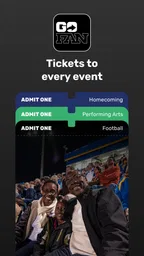
When I’m choosing a ticketing app, I want to know what it’s meant for, whether it fits the kind of event I’m attending, and how much effort it takes to use alongside other options. GoFan: Buy Tickets to Events is built around sports, theater, and fundraisers, giving it a clear focus rather than trying to be an all-purpose events guide. That focus is the main thing to consider: it may be a natural match for people looking for tickets in those settings, while someone planning a different kind of outing may prefer to start elsewhere.
What to consider before choosing a ticketing app
I find it useful to begin with the event itself. A ticketing app is only helpful if it serves the sort of occasion I’m trying to attend. GoFan’s stated scope covers sports, theater, and fundraisers, so its appeal is easiest to understand when one of those is on my calendar. Rather than judging it as a universal ticket marketplace, I’d treat it as a focused option for those event categories.
The next question is how often I expect to use it. Someone who regularly looks for sporting events, performances, or fundraising events may appreciate having an app centered on those occasions. If I only need tickets for an unrelated event, a broader event-finding service or a venue’s own ticketing option might fit that particular search better. The right choice depends less on a single app being best for everyone and more on whether its focus matches my plans.
I also weigh familiarity and confidence. GoFan has an average rating of 4.8 from around 9,200 ratings, alongside roughly 299 written reviews. Those figures suggest many people have shared positive experiences, although ratings are only one part of a decision. I’d still consider whether the app’s event focus suits my needs rather than treating its popularity as proof that it is the right choice for every ticket buyer.
Practical fit matters too. The app is free to download and has an Everyone content rating, making the basic decision to try it fairly straightforward. It was released on June 12, 2023, and its current version is 6.4.22. It requires Android 7.0 or later, so I’d check that my device meets the requirement before installing it. These details help set expectations without changing the central question: are the events I care about part of GoFan’s world?
A focused place to start
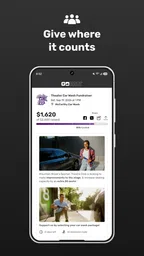
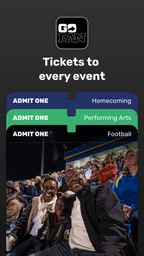
GoFan’s strongest distinction is its clear positioning around sports, theater, and fundraisers. That can be useful when I don’t want to begin with a wide-ranging search that covers every possible kind of event. A focused app gives me a sensible starting point if I already know the general category I’m interested in, and it makes the product’s purpose easy to grasp from the outset.
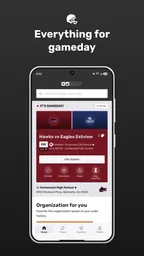
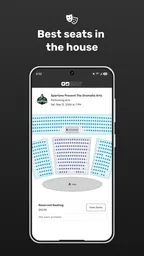
For sports fans, the app’s scope is especially easy to understand: sports are not a side note but one of the core event types it serves. Theatergoers and people attending fundraisers are also within that stated focus. I’d view this combination as the reason to consider GoFan, not as a claim that it covers every event in those fields. The useful takeaway is that the app is oriented toward these categories, so it is worth checking when my plans fall within them.
Its free price also lowers the barrier to trying it. I can consider the app without an upfront purchase, which makes sense if I’m simply exploring whether it suits my event-search routine. Free access does not, by itself, tell me what any particular ticket will cost or what the purchase process will involve, so I would evaluate those details when looking for a specific event. Still, being free to install makes it easier to see whether the app belongs in my toolkit.
GoFan has reached over 500,000 installs, another sign that it has an established audience. I don’t take install totals as a guarantee of a perfect experience, but they do show that the app is being used by a meaningful number of people. Combined with its strong average rating, this gives me a reasonable basis to give it a look if I’m searching for the kinds of events it is designed around.
Where other options can make more sense
There are plenty of reasons to choose a different route, and they don’t require GoFan to be a poor fit. If I’m looking for a concert, a museum visit, a comedy show, or another type of outing outside the app’s stated focus, I would compare it with a broader event discovery service or search through the venue’s own ticketing channels. Those alternatives may be more directly aligned with the event I have in mind.
Likewise, someone who prefers to keep every purchase in one familiar service may favor a platform they already use across multiple event types. That convenience can matter more than having a dedicated destination for sports, theater, and fundraisers. I wouldn’t switch systems just because a specialized app exists; I’d ask whether the events I actually attend justify adding another app to my phone.
It’s also worth distinguishing between finding an event and completing a ticket purchase. A category-focused app may be a useful place to begin, but my plans can involve venue-specific details or requirements that influence where I ultimately buy. I’d compare the available options for the event I want and choose the route that feels clear and appropriate. This is a practical habit for any ticketing service, not a criticism unique to GoFan.
For users who rarely attend sports, theater, or fundraisers, the app’s focused identity may simply not offer enough reason to become a regular part of their routine. A general event platform can be a better everyday fit if their interests span a wider range. On the other hand, if these categories come up often, a focused option can be more relevant than a broad service that is less tailored to their usual plans.
Making room for it in your routine
Switching ticketing habits has a small but real cost: I have to remember which app to check, become familiar with another service, and decide whether it is worth keeping installed. Since GoFan is free, the financial commitment to trying it is low, but attention and convenience still count. I’d avoid treating every new app as an automatic replacement for the tools I already use.
A sensible approach is to use GoFan when I’m looking for a sports event, theater outing, or fundraiser, then rely on another source when my plans fall outside those areas. That doesn’t demand an all-or-nothing choice. It lets the app earn a place in my routine through relevance, rather than requiring me to reorganize every ticket search around it.
Before settling on any option, I’d look at the specific event and consider the ticketing route that best fits it. An app’s overall reputation is useful context, but the event I want is what matters most. GoFan’s 4.8 average rating is encouraging, yet my own decision should still rest on whether its event categories match my needs and whether I’m comfortable using it for that purpose.
Device compatibility is another simple part of the switch. With Android 7.0 as the minimum operating system requirement, users on older devices should make sure their system qualifies. For supported devices, the free download makes a trial relatively easy. I’d install it when I have a relevant event in mind, rather than adding it just because it has a good reputation.
My recommendation
I’d recommend GoFan: Buy Tickets to Events to people whose plans regularly involve sports, theater, or fundraisers. Its focused purpose is easy to understand, it is free to download, and its audience ratings provide a reassuring signal that many users have had a positive impression. For this audience, it is a reasonable ticketing app to try and compare with the options they already know.
If your event calendar is broader or centers on categories beyond those three, I’d treat GoFan as a possible specialist rather than a complete replacement for other ticketing services. Start with the event you want, compare the relevant ways to find and purchase tickets, and keep the option that fits your habits. That decision-first approach avoids switching for its own sake and helps you choose based on actual use.
Overall, GoFan makes the most sense when its event focus lines up with your interests. I like the clarity of that positioning: sports, theater, and fundraisers are the reasons to look at it, while a different kind of event may call for a different service. If those are the occasions you care about, it’s worth giving the app a try; if not, a broader alternative may be a better match for your everyday searches.
What we like
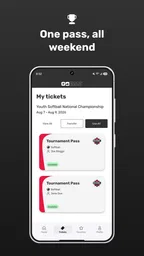
- Mobile tickets are easy to access at the venue.
- The app covers school sports and local events.
- Saved tickets can be found again without searching email.
- Event listings help users discover nearby activities.
- Ticket transfers make sharing with friends convenient.
What could be better
- Event availability depends on participating schools and venues.
- Some tickets may include service fees at checkout.
- Refund rules vary by event and organizer.
- Venue entry may require a stable internet connection.
- Ticket transfer options may be restricted by the organizer.





