
Gmocker: Location Changer review
 Analysis by Appsdrops
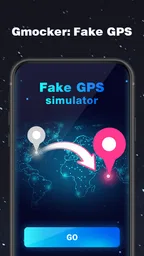
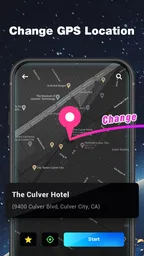
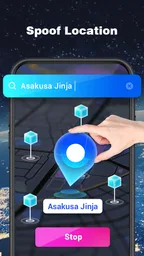
I see Gmocker: Location Changer as a specialist tool rather than a replacement for everyday navigation. It is built around changing the GPS location reported by a device, which can be useful for testing location-aware apps or checking how a service behaves in another place. That focus makes it quite different from a conventional maps app: it changes the location signal, but it is not, by itself, a route planner or a guide to getting somewhere.
Where the app stands today
VidaTech’s Maps & Navigation app has a clear, narrow purpose: let you set a different GPS position when you need one. The current version is 2.4.5, and the app is free to install, with optional in-app purchases priced from $2.49 to $39.99 per item. Its Everyone age rating makes it broadly accessible, though the practical value depends much more on why you want to alter location than on age.
The app has an average rating of 4.5 from around 50,000 ratings, and it has passed one million installs. Those figures suggest that location changing is a familiar, useful task for a substantial group of users. They do not mean it will suit every phone or every app: location-aware services can respond differently to a simulated position, so I would treat Gmocker as a focused utility whose results need checking in the app you intend to use.
For a first-time user, the important distinction is between changing the reported position and changing the real one. Gmocker is concerned with the former. It cannot physically move you, improve GPS reception, or guarantee that another service will accept the location it supplies. Think of it as a way to test or simulate a location, not as a shortcut for real-world navigation.
What the version history can—and cannot—tell you
The app was released on July 15, 2021, and its current version is 2.4.5. That gives users a concrete sense of its timeline and present release, but a version number alone does not reveal which functions have changed, how they changed, or whether an update fixed a particular issue. I would not infer a specific feature or reliability improvement just from the move to this version.
For existing users, the practical way to judge an update is to check whether the tasks they already rely on still work. If you use a location changer for a repeatable testing workflow, note the places and apps involved before updating, then verify the same steps afterward. That simple comparison is more useful than assuming every version change affects everyone equally.
This is also a sensible app to evaluate in stages. First confirm that you can set a location for a low-stakes purpose; next, check whether the target app recognizes it; only then rely on it in a workflow where accuracy matters. If something changes after an update, separating those steps helps identify whether the issue is with the location tool, the other app, or the device’s location behavior.
Useful workflows beyond a quick location swap
One worthwhile use is testing an app that changes its content or behavior by region. For example, a developer or quality tester could set a location near a boundary and compare what the target app displays on either side. This can expose awkward regional transitions that a single test from home would miss. The useful insight is to test the destination app’s response, not merely whether Gmocker accepts a chosen position.
A second practical use is rehearsing a location-dependent workflow before a real trip. You might want to see whether a service presents a different local screen when a device appears to be somewhere else. I would use that as a preview, not as proof that the service will behave identically when you arrive: some apps may rely on signals beyond GPS, or may apply their own checks.
There is also a careful way to use a location changer for demonstrations. If you are showing someone how an app’s interface changes by place, prepare a small set of test locations and change only one variable at a time. That makes it easier to explain what changed and avoids confusing a location-based result with a separate account or network setting. This is especially helpful when the audience is evaluating an app rather than simply watching a quick demo.
For repeat use, I recommend keeping a short personal note of the intended location and the app you tested with. A location that works for one service may not produce the same result in another, and a remembered setup is easier to reproduce than a vague “somewhere nearby” choice. This is not an extra feature claim; it is a practical safeguard for anyone who needs consistent comparisons.
How it differs from ordinary navigation apps
Most navigation apps are designed to help you move through the real world: they focus on maps, directions, and reaching a destination. Gmocker addresses a different problem by changing the GPS location associated with the device. If your goal is to find a route, check traffic, or explore places around your actual position, a conventional navigation app is the better choice.
Compared with trying to change location through the settings of each individual service, a dedicated location-changing app offers a more direct, purpose-built approach. The trade-off is that changing the device’s reported position can affect more than the one screen you had in mind. Before using it, consider what other location-aware apps are open, and return to your normal location workflow when the test is finished. That reduces the chance of misreading results from a different app that is still responding to the simulated position.
It also differs from simply searching a map for another city. A map search lets you inspect a place while your device remains where it is; changing GPS location is intended to alter the position the device reports. Those are not interchangeable actions. If all you want is to browse a destination or plan a journey, searching the map is simpler and avoids changing the location signal at all.
Friction to expect and when I would skip it
The biggest limitation is compatibility with the app you want to test. Gmocker can provide a changed GPS position, but it cannot promise that every third-party service will use that position or accept it as valid. If the target app appears unchanged, the cause may be its own location checks rather than a failure to select a place. That uncertainty makes Gmocker a poor choice when you need guaranteed results without testing first.
I would also skip it if you only need reliable directions or accurate awareness of your real whereabouts. A location changer is not a substitute for a regular navigation app, and using a simulated position while making real-world decisions could be confusing. Likewise, if an app’s rules require your genuine location, changing it may not be appropriate. The safest approach is to respect the rules of the service you are using and avoid relying on simulated location where authenticity matters.
The free download lowers the barrier to trying it, but the presence of optional purchases means the full cost can depend on what you choose to buy. Since the available price range runs from $2.49 to $39.99 per item, I would first establish that the basic workflow fits your needs before spending money. A purchase makes little sense until you know the target app responds in the way you need.
Who is likely to get value from it
Gmocker is most relevant to people who deliberately work with location-dependent software: app testers, people demonstrating regional interfaces, or users who need to examine how a service reacts to a different GPS position. It can also suit curious users who understand that simulated location may not be treated the same way as a real one. Its value comes from having a specific test purpose, not from being installed as a general-purpose map.
It is less suitable for someone who wants a simple way to plan a trip, find nearby businesses, or improve the accuracy of their phone’s location. Those jobs call for ordinary maps and navigation tools. It is also not the right pick for someone unwilling to troubleshoot when another app ignores a changed position. The more important the outcome, the more essential it is to test the whole workflow in advance.
What I would check before relying on it
Before using Gmocker for anything important, I would start with a harmless test in the specific app I care about. Set a location, open or refresh the target app, and check whether the visible result actually changes. Then restore the usual location behavior and confirm that the target app returns to normal. This basic before-and-after check answers the most important user question: not merely whether a location can be chosen, but whether the intended service responds to it.
I would also avoid judging performance from a single app. If one service recognizes the changed position and another does not, that tells you about their different handling as much as it tells you about Gmocker. For anyone doing careful comparisons, keep the same target app, account state, and test sequence between attempts. Changing several conditions at once makes it much harder to understand why the outcome differs.
Gmocker: Location Changer is a focused option from VidaTech for people who have a real reason to simulate a GPS position. Its 4.5 average rating and broad adoption make it worth considering, but they do not remove the need to check compatibility for your own use case. I would try it when testing location-sensitive behavior, keep expectations realistic, and use a conventional navigation app whenever the goal is simply to travel or find a place.
What we like
- Lets you set a simulated location without physically traveling.
- Useful for checking location-dependent app behavior.
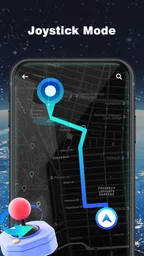
- Offers a straightforward way to move the map pin.
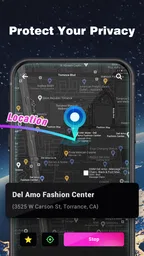
- Can help protect your real location in some situations.
- Saves time when testing apps across different locations.
What could be better
- Some apps can detect simulated locations and block access.
- Setup may require enabling developer options on Android.
- Location changes may not work consistently across all apps.
- Using a fake location can violate app terms of service.
- The app may request permissions that users find sensitive.





