







FOX Sports: Watch Live Games review
 Analysis by Appsdrops
I’d consider FOX Sports: Watch Live Games when I want a single place to follow sports coverage from Fox, especially when I’m interested in more than a final score. The app is built around news, highlights, studio programming and TV content, so it can be useful both during a game and when I’m catching up afterward. The key question is whether its coverage fits the teams and viewing habits I care about; it isn’t automatically a replacement for every sports app or TV service.
Where the first session can get stuck
Opening a sports app with a specific game in mind can make any delay feel bigger than it is. I’d start by treating FOX Sports as a mix of viewing and news rather than assuming every event will be immediately available to watch. Its focus includes TV and other video, but what appears for a particular game can depend on the coverage available to the viewer. If a live option isn’t obvious, checking the news and highlights sections is a sensible next step, not proof that the app has failed.
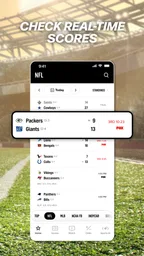
Another common source of confusion is expecting the app to behave like a simple scores utility. FOX Sports is more useful when I’m prepared to browse among video and editorial coverage. That can mean a few extra taps compared with an app designed mainly to show scores, but it also gives me a way to move from a result to a highlight or studio discussion without changing tools.
I’d also avoid judging the experience from one rushed launch. If the app opens slowly or a video does not start, I first check whether the connection is stable and whether other online apps are working. A brief interruption can look like a FOX Sports problem even when the network is the actual bottleneck. On a weak connection, reading news may be more practical than repeatedly trying to start a stream.
The app is made by Fox Digital Services, LLC, and is listed as free to install. Some in-app purchases are offered, ranging from under a dollar to around seventy-five dollars per item, so I’d pay attention to any purchase prompt rather than treating every part of the experience as automatically included. Its Teen age rating is another useful consideration for households deciding what to install on a shared device.
Make the first check about the content
Before troubleshooting, I ask what I expected to find: a live broadcast, a highlight, a studio segment or a news update. That distinction helps narrow down the issue. If I’m looking for a replay-like clip, a live broadcast page may not be the right place to search; if I’m after a game, a headline feed may not answer whether viewing is available. Being specific about the intended content saves aimless browsing.
This is one of the app’s practical trade-offs. Its range of sports media is a strength for someone who likes context around games, but it can feel less direct to someone who only wants a score or a quick schedule check. For a fast glance at results, a dedicated scores app may be more efficient. For Fox-focused video and related coverage, this app has a clearer purpose.
Setup checks that prevent avoidable frustration
FOX Sports is available for devices running version 7.0 or later of its supported mobile operating system. Before installing, I’d check the device’s software version and make sure there is enough room for an app and its updates. If installation stalls, confirming those basics is more useful than repeatedly tapping the install button.
After installation, I’d open the app on a reliable connection and give it a moment to load its sections before deciding that something is missing. If a page appears incomplete, I’d return to the main navigation and try the relevant category again. A fresh launch can also help if the app has been left open in the background for a long time. These are ordinary recovery steps, not special FOX Sports settings, but they often separate a temporary hiccup from a persistent issue.
For video, I’d check whether the device’s sound is muted and whether the connection is strong enough before changing anything else. If playback fails while other content loads, I’d try a different video or switch to a text-based story. That gives me a quick comparison: if other videos also fail, the problem is more likely to involve the connection or the device than one particular item.
One useful habit is to test the app before the exact moment I need it. If I plan to watch coverage away from home, opening it earlier lets me see whether the app loads normally and whether the content I want is available. It also avoids making the first launch during a crowded commute or just before a game, when network conditions may be less dependable.
A workflow for recovering without starting over
When I can’t find an item, I work from the broadest section toward the specific content instead of bouncing randomly between screens. I check the news or video area first, then look for the relevant game or topic, and finally try a highlight or studio segment if the live item is not what I expected. This approach is especially helpful when I’m catching up after an event: a clip or discussion can still give me useful context even if live viewing is no longer the goal.
If a page seems stuck, I back out once and reopen it before forcefully restarting the whole device. If that does not help, I close and relaunch the app, then check the connection again. I’d reserve reinstalling for a problem that persists across launches, since reinstalling takes longer and may require repeating any setup. The simplest recovery step should come first.
There’s also a useful distinction between a missing video and a broken app. If other sections load and the app responds normally, I wouldn’t assume the whole service is down just because one item is unavailable. I’d move to a related story or highlight, then revisit the original content later. That’s a practical way to keep the app useful instead of letting one failed attempt end the session.
For everyday use, I’d keep the app’s role narrow and intentional. For example, if I’m waiting for a bus and want to know what happened in a game, I can open a highlight or read the related news rather than trying to watch a long program on a patchy connection. At home, with a steadier connection and more time, I might explore studio coverage or TV content. Choosing the format to fit the moment is a better workflow than expecting every item to suit every situation.
When the app may not be the cause
Video playback depends on more than the app itself. A weak Wi-Fi or mobile connection, a device that is busy with other tasks, or muted audio can all make a viewing session feel broken. I check whether other online content works and whether sound is enabled before concluding that FOX Sports is at fault. If only one item has trouble while the rest of the app behaves normally, I treat that as a content-specific issue until I have a reason to think otherwise.
Availability is another point worth keeping in mind. The app offers sports coverage, but I wouldn’t assume that every game or program I want will be watchable in every situation. If live access is the main reason for installing it, I’d first explore what the app presents for the event I care about. Someone who needs guaranteed access to a particular broadcast may be better served by checking the relevant TV provider or another service they already use.
For users who mainly follow scores, the app can be more than they need. A lightweight results app is usually quicker for checking a score and moving on. Conversely, a general video platform may offer more varied entertainment, but it may not bring Fox sports news, highlights and studio material together in the same focused experience. FOX Sports sits between those options: it is most compelling when the Fox sports coverage itself is what I want.
What the audience response suggests
The app has an average rating of 3.7 from around sixty-one thousand ratings, with roughly seventeen thousand written reviews. That is a mixed overall signal rather than a universal endorsement. I’d read it as a reason to set realistic expectations: the app can be valuable for its particular coverage, while individual users may run into friction around playback, navigation or whether the content they wanted is available.
It has been available since August 2011 and has passed ten million installs, which suggests it has reached a substantial audience over time. Its current version is 5.162.0. Those details provide context, but they don’t tell me whether a specific device or connection will behave perfectly, so I’d still test the app with the kind of content I actually plan to use.
For a household, I’d think about both the Teen age rating and the purchase prompts. The app is free to install, but in-app purchases can cost from $0.99 to $74.99 per item. I would review any payment screen carefully, especially on a shared device, rather than assuming a prompt is simply part of watching a free clip.
My practical verdict
I’d recommend FOX Sports: Watch Live Games to someone who regularly wants Fox sports news, highlights, studio shows and TV content in one mobile destination. Its best use is not necessarily one uninterrupted live stream; it can also be a convenient way to check in before a game, catch a key moment afterward, or follow a discussion while away from a television.
I’d skip it if I only want bare scores, if I need a particular live broadcast to be available without checking first, or if I’m unwilling to troubleshoot occasional connection and playback friction. In those cases, a dedicated score tracker or a service already tied to my TV viewing may be a better fit. The choice depends less on whether this is a good sports app in the abstract and more on whether Fox’s mix of video and news matches what I follow.
My advice is to install it on a compatible device, try it on a dependable connection, and explore a few different kinds of coverage before relying on it for a time-sensitive game. If the sections I care about load and the available content suits my routine, the app earns a place on my phone. If I find myself opening it only to search for one score, I’d choose a simpler tool instead.
What we like
- The schedule makes it easy to find upcoming sports broadcasts.
- Personalized alerts can help you keep track of selected teams.
- On-demand clips offer a quick way to catch key moments.
- The interface brings scores and sports news together.
- Some content is available without a cable subscription.
What could be better
- Live access to many events requires a participating TV provider.
- Available games and channels vary by location.
- Streaming quality can suffer on a weak internet connection.
- Some features may require a paid subscription.
- Frequent alerts can become distracting if not customized.





