

Fans First Tickets review
 Analysis by Appsdrops
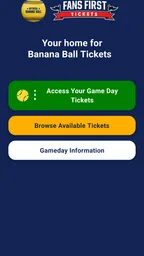
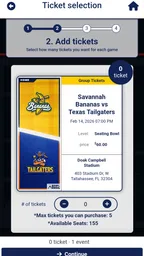
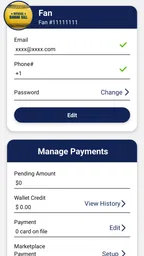
I judge a ticket app less by how many screens it has than by how calmly it handles the moment a group is trying to get into a game. Fans First Tickets is a focused sports app from Savannah Bananas, built around finding, managing, and transferring Banana Ball tickets. That narrow purpose is useful: if your plans revolve around a Savannah Bananas event, a dedicated place for ticket tasks can be simpler than searching through email, messages, and other ticketing apps. My impression is that its value depends heavily on whether you attend these events and whether the people going with you are comfortable handling tickets on a phone.
Finding your way through a ticket-focused app
The app is free, and its short description, “Fans First Tickets,” signals a fan-oriented approach rather than a general sports news or scorekeeping tool. It sits in the sports category, but it is not the sort of app I would open to follow a season or browse results. Its job is practical: help users get to their tickets, keep track of them, and pass them to someone else when needed.
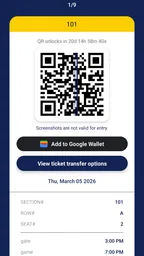
That focus can make navigation easier in a real-world sense. There is less reason to hunt through unrelated content when you open the app to prepare for an event. I would use it as the starting point for checking ticket arrangements before leaving home, rather than waiting until the entrance queue to work out who has what. A useful habit is to review the ticket situation while everyone is still together and has time to ask questions.
Still, a focused app is not automatically a clear app for every person. Someone who uses digital tickets routinely may find the purpose self-explanatory, while a first-time attendee may need more guidance about where a ticket appears and how a transfer affects the recipient. I would not assume that every member of a group understands the same ticket workflow. If you are organizing a visit, agree on who will manage the tickets before the day of the event.
The product’s footprint is substantial enough to be relevant to fans: it has passed 100,000 installs and has an average rating of 3.3 from 104 ratings. I treat those numbers as context, not a verdict on whether it will work for a particular person. A rating can reflect a mix of expectations and circumstances, and the app’s usefulness is especially tied to the ticketing task rather than broad entertainment features.
Simple purpose, but plan the handoff
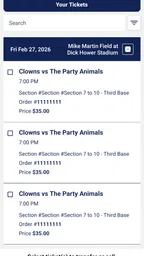
Ticket transfers are the feature that can make this app particularly handy for a group. If one person buys or manages tickets for friends, transferring a ticket can avoid the awkward routine of forwarding screenshots or asking someone to search through a long email thread. The practical insight is to settle the recipient and their preferred contact details before attempting a handoff, not while people are already travelling or standing outside.
I would also treat a transfer as a step that deserves confirmation. Don’t presume that sending a ticket means the other person has found it or is ready to use it. Ask the recipient to check their own access before you separate. That small check is useful for anyone, and especially for a person who is less comfortable switching between apps or resolving account questions under time pressure.
For someone attending alone, the app may be a straightforward place to keep the ticket task centered. For a family or a group with different levels of phone confidence, the organizer should be ready to help. This is not a criticism of ticketing itself; it is a reminder that digital entry shifts some of the work from a printed ticket to a person’s device and account.
Motor and sensory needs call for a little preparation
Digital ticket use can involve tapping through screens, reading small or changing details, and handling a phone in a busy environment. Those ordinary demands can be tiring for people with limited dexterity, low vision, cognitive disabilities, or sensitivity to bright displays and noise. I can’t establish from the app’s stated purpose alone how its individual controls behave with assistive settings, so I would avoid promising that every interaction will suit every access need.
A practical approach is to open the app and check the relevant ticket well before departure, using the phone settings that already work best for you. Increase text size or screen magnification if those are part of your usual setup, and make sure the display is comfortable to read. If navigating the app is difficult, ask a trusted companion to help with the ticket preparation while keeping the person who will attend involved in the decision and handoff.
For someone who finds touchscreens hard to operate, a companion can be the ticket manager, but that arrangement should be agreed in advance. The attendee should know who holds the ticket and how they will enter if the group gets separated. For sensory considerations, reducing last-minute phone use can help: check the ticket before reaching a loud, crowded entrance rather than trying to troubleshoot there.
These are practical precautions, not evidence of a particular accessibility feature or certification. I would evaluate the app on the person’s own device and with their usual accessibility settings before relying on it for an important outing. If a family member depends on a specific screen reader behavior or a particular interaction method, testing that workflow ahead of time is much safer than discovering a barrier at the venue.
Access in everyday situations
Consider a realistic game-day plan: one friend is travelling separately, another is meeting the group at the venue, and the organizer is responsible for keeping everyone’s tickets straight. The app’s transfer purpose can make that arrangement easier than passing a phone around, but only if each person has enough time to receive and check their ticket. I would complete the handoff while everyone has reliable phone access, then confirm that the recipient can see what they need before the group splits up.
There is a different case for a parent or caregiver helping someone attend. The person assisting can prepare the ticket, but it helps to explain the plan plainly: who will open the ticket, whose phone will be used, and what to do if the group is separated. That conversation reduces dependence on memory at a noisy entrance. It also gives the attendee a clearer role rather than leaving them unsure about whether they need to use the app themselves.
People who change plans may find ticket management more useful than fans who simply keep a single ticket on their own phone. If a friend can no longer go, a transfer-oriented workflow is relevant; if the ticket is already safely available to the attendee, a general email inbox or a familiar ticket app may feel like enough. I would choose the tool that keeps the specific event ticket easiest for the actual group to access, not add an app just because it exists.
Compared with the usual alternatives, such as an email receipt, a screenshot, or a general-purpose ticketing service, a dedicated Banana Ball app offers a more event-specific place to handle these tasks. Email can be convenient for records but cumbersome when a message is buried. Screenshots are easy to share but may not be a dependable substitute for the ticket’s intended transfer process. A general service may be familiar, yet it can mean jumping between platforms. Which option is best depends on how the tickets are issued and what the people in your group can use confidently.
Where the experience may still create friction
The main limitation is the app’s narrow audience. If you do not have a reason to manage Banana Ball tickets, it is unlikely to earn a regular place on your phone. It is not a broad sports companion, and I would not recommend it as a replacement for a general ticket wallet when your events are spread across many venues and organizers.
There is also a practical dependence on the phone. A ticket that is only ready in an app can become stressful if the device battery is low, the attendee cannot unlock the phone, or the person holding the ticket is delayed. I recommend checking the device before leaving and deciding who in the group is responsible for the ticket. Those precautions do not remove every possible problem, but they prevent avoidable confusion.
For users with access needs, the remaining question is whether the actual screens and ticket actions work with their setup. A narrow ticket flow can reduce distractions, but it can also leave fewer alternatives if a particular control is difficult to use. If you need another person to assist, agree on that arrangement early. If you need a fully independent workflow, try the relevant steps in advance and keep the app only if they are manageable for you.
The app is marked for Everyone and is free to install. It is currently version 1.0.17, with a minimum operating-system requirement of 7.0, so an older compatible phone may be able to run it. The app was released on February 16, 2026. Those details help with basic eligibility, but they do not replace checking that your own device can handle the ticket process comfortably.
My inclusive verdict for Banana Ball fans
I see Fans First Tickets as a practical, specialized option for people who need to organize or transfer Banana Ball tickets. Its strongest case is a group outing where one person coordinates access and wants a dedicated route for sharing tickets instead of relying on scattered messages. Its weaker case is a person who rarely attends these events, prefers to keep all tickets in one general service, or needs an independently usable workflow that they have not yet tested.
My advice is to set it up before game day, check the ticket while you have time, and make the transfer plan explicit with anyone joining you. If you or a companion uses assistive technology or finds phone-based tasks difficult, test the steps in the actual settings you rely on and arrange support without waiting until arrival. That preparation is more valuable than assuming a ticket app will be effortless for every user.
Overall, I would recommend it to Savannah Bananas fans who want a focused way to handle event tickets and are comfortable making a phone part of their entry plan. I would not choose it as a general sports app or assume it solves every access challenge. Its appeal is specific, and that is both its advantage and its limit: for the right event and a prepared group, it can make ticket coordination more orderly; for everyone else, a familiar alternative may be simpler.
What we like
- Mobile tickets are convenient to access at the venue.
- The app provides a dedicated place to manage ticket details.
- Digital ticket delivery can reduce the need for printed tickets.
- Event updates can help users stay informed about their plans.
- A mobile interface makes ticket information easy to check on the go.
What could be better
- Ticket availability depends on the events offered through the service.
- Users may need reliable internet access to view ticket information.
- Account setup may be required before purchasing or managing tickets.
- Ticket policies can vary by event and may limit flexibility.
- App features may not be equally useful for every venue or event.





