Drone Remote Controller review
 Analysis by Appsdrops
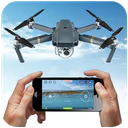
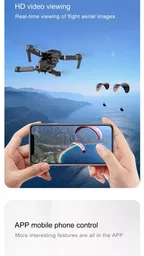
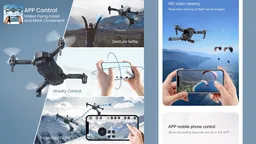
I like the idea behind Drone Remote Controller because it focuses on a clear job: turning a phone into a controller for a drone. That can be useful when you want to try flying without carrying a separate handset, or when you are learning what a mobile control setup feels like. But the idea only pays off when the app works with your particular drone, so I would treat compatibility as the first question—not assume that any aircraft will connect just because the phone has the app.
What using a phone as the controller really changes
The main appeal is convenience. A phone is already something most people take along, and a remote-control app can make it the interface for a flight rather than requiring a dedicated controller in your bag. For a casual outing, that can mean fewer things to remember and a simpler way to explore whether phone-based flying suits you.
That convenience comes with a meaningful trade-off: the phone becomes part of the control chain. You are relying on the app and your drone being compatible, and on the phone remaining available and responsive while you use it. A dedicated controller may still be the better choice for someone who flies regularly, wants familiar physical controls, or depends on a setup they have already tested.
The app is listed as a Libraries & Demo app, developed by Boss Inc. It is free to install, with in-app purchases listed at $14.99 per item. Its basic premise is easy to understand, but I would not treat the free download as proof that every control option or use case is included at no cost. Before spending anything, I would first establish whether the app can serve the role I need with my equipment.
Compatibility is the first practical test
Before planning a flight around a phone, check the drone’s own instructions and the app’s current compatibility information in the app store. The important question is not simply whether the app opens, but whether it can communicate with the specific aircraft and provide the controls that aircraft needs. A controller app that does not match the drone is not a useful backup, however convenient its premise sounds.
I would test the connection at home or in a safe, open area before taking the drone somewhere scenic. Confirm that the phone and aircraft establish the intended connection, then learn how the controls respond while the drone remains easy to recover. This small rehearsal can save a frustrating trip and, more importantly, helps avoid discovering a control problem when the aircraft is already airborne.
It is also worth separating “the phone can control it” from “the phone replaces everything.” A drone may have its own requirements, and a phone app may not reproduce every function available through a dedicated handset. I would check which controls are actually available for my model and avoid assuming that a familiar-looking screen means the whole flying experience is equivalent.
A sensible first-flight workflow
For a first session, I would keep the goal modest: connect, identify the controls, and make only a short, low-risk flight in an open space. Do not begin by trying to film a complicated moving subject or fly close to trees, buildings, people, or traffic. The point of the first outing is to learn how this particular phone-and-drone combination behaves, not to prove how far or fast it can go.
Before leaving, make sure the phone is charged and that you can keep it comfortably in hand while paying attention to the aircraft. If the same phone is also being used for navigation, calls, or photos, those competing tasks can become distractions. I find it useful to decide in advance that the flight takes priority: avoid switching apps mid-flight, and do not rely on a phone task that could interrupt your attention at the wrong moment.
After the first connection, repeat the same simple control movements in a safe place rather than changing several things at once. That makes it easier to tell whether an unexpected response comes from your own input, the app, or the drone. It is a basic troubleshooting habit, but especially valuable when you are learning a new control method through a touchscreen.
Where the phone setup makes the most sense
A realistic fit is a casual user who owns a compatible drone and wants to travel light for a short recreational flight. Imagine packing for a day outdoors: you already have your phone, and bringing a separate controller feels like extra bulk for a brief chance to fly. If the app works with the aircraft and you have tested it beforehand, using the phone may make that quick session easier to organize.
It can also be a reasonable way to explore whether you enjoy controlling a drone from a mobile device before making a habit of flying. A new user can focus on the basic relationship between input and aircraft response, rather than immediately investing in a more involved setup. I would still choose a calm practice location and allow time to learn the controls; convenience does not make a first flight effortless.
The phone approach is less compelling when a flight depends on precision, repeated use, or a familiar physical controller. Touch controls can require more visual attention than dedicated buttons or sticks, and looking down at a screen can compete with watching the aircraft. If you are trying to follow a moving subject or operate in a demanding environment, a dedicated controller may be the more comfortable and dependable choice—provided it is the supported option for your drone.
Touchscreen convenience has real limits
The biggest practical compromise is the difference between tapping a screen and using controls you can feel. With physical controls, your fingers can often make small adjustments without your eyes leaving the aircraft. On a phone, you may need to watch where you touch and interpret the controls on-screen. That is not necessarily a problem for a slow, uncomplicated flight, but it can make precise handling less natural.
Screen visibility is another everyday consideration. Glare, awkward hand position, or a phone that is difficult to hold securely can make a control session less comfortable. I would choose a position where I can see the aircraft and the display without constantly shifting my attention, and I would stop rather than push through if I cannot comfortably monitor both.
There is also a single-device trade-off: the phone is doing the controlling, so it is not as convenient to use for unrelated tasks at the same time. A call, a notification, or the temptation to change apps can interrupt concentration. I would silence avoidable distractions and keep the flight short enough that I am not tempted to use the phone for something else while the drone is in the air.
For those reasons, I would not call this a universal replacement for a drone’s usual controller. It is better understood as a phone-based option for people whose aircraft supports it and whose flying needs are modest. When dependable tactile input matters more than packing light, a compatible dedicated controller is the stronger alternative.
What the app’s standing tells me—and what it does not
Drone Remote Controller has a 3.6 average from around five thousand ratings, and it has passed one hundred thousand installs. I read that as a sign that people are interested in the phone-control idea, while the middle-of-the-road average is a reason to approach it with practical expectations. Neither figure tells me whether the app will work with a particular drone, so compatibility checks and a cautious test remain more useful than popularity alone.
It is free to download and carries an Everyone age rating. The app’s current version is 7.1, and it requires Android 8.0 or later. Those details make it straightforward to judge whether an Android phone meets the listed baseline, but meeting the minimum operating-system requirement does not by itself establish that a given drone is supported.
The app is in the Libraries & Demo area, which makes sense for a focused utility built around demonstrating or providing a specific phone-based control role rather than serving as a broad drone-planning suite. I would compare it with the official control option for my aircraft first. The manufacturer’s own app or dedicated remote is usually the more natural choice when it is designed specifically for that drone; this app is worth considering when its phone-controller approach matches the equipment and the kind of flight I actually want.
Who is likely to get the most from it
I would recommend trying Drone Remote Controller to someone who already has a compatible drone, values carrying fewer accessories, and is willing to test controls before relying on them outdoors. It is especially appealing for brief recreational use, where simplicity and using a device already in your pocket matter more than tactile precision or a specialized flight workflow.
I would skip it if I expected every drone to connect, wanted a guaranteed substitute for a dedicated controller, or needed to operate with minimal screen attention. I would also avoid paying for an in-app item until I had confirmed that the free setup works for my aircraft and understood what extra value the purchase would provide. That is a sensible way to keep the low-cost appeal from turning into an uncertain purchase.
My recommendation is cautious but positive: the core idea is genuinely convenient in the right situation, yet its usefulness depends on the match between app, phone, and drone. Treat the first outing as a controlled test, keep the flight uncomplicated, and choose a dedicated controller when precision or consistency matters most. If those conditions suit you, Drone Remote Controller is a practical option to explore; if not, the phone-as-controller concept may create more friction than it removes.
What we like
- Provides a convenient way to control a compatible drone from a phone.
- A touchscreen interface can be easier to carry than a separate controller.
- Useful for checking flight controls before taking off.
- Can make basic drone operation accessible to beginners.
- Phone-based controls keep the setup compact.
What could be better
- Compatibility may be limited to specific drone models.
- Touch controls may feel less precise than physical joysticks.
- A phone notification can interrupt the control screen.
- Using the app can drain your phone battery during a flight.
- Reliable control depends on a stable connection to the drone.





