
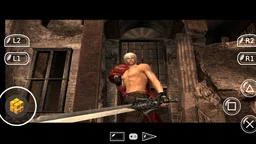
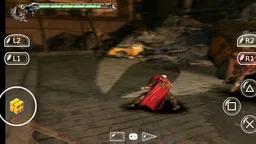
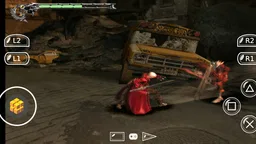
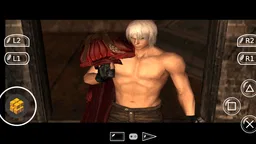
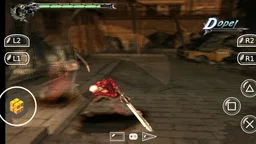
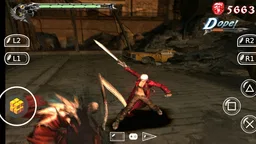
DamonSX2 Pro - PS2 Emulator review
 Analysis by Appsdrops
When I look at DamonSX2 Pro, I see an Android emulator aimed at people who want to explore PlayStation 2 software on a mobile device. That idea is appealing, but an emulator is only as useful as the whole path from getting started to actually running something: choosing compatible software, preparing it appropriately, managing controls, and seeing how well the result works on a particular device. DamonSX2 Pro is an open-source emulator released under the LGPL, and that makes its identity more specific than a general-purpose gaming app. It belongs to the libraries and demo side of the app world, where the experience is about enabling other software rather than supplying a game library of its own.
From installation to first launch
The app is free, developed by Reinferno Pvt. Limited, and available for Android devices running version 8.0 or later. It has passed the one-million-install mark, with an average rating of 3.3 from around 4,400 ratings. Those figures suggest a sizeable audience and a mixed overall reaction: plenty of people have tried it, while the experience clearly is not universally smooth. I’d treat that as a reason to approach it with realistic expectations, not as a verdict on whether it will work for you.
Before launching an emulator, I’d first think about the starting point: the Android device, the game software I’m entitled to use, and the amount of setup I’m willing to do. This is not the same as opening a casual game and immediately tapping through a tutorial. An emulator acts as a bridge between a mobile device and software designed for another platform, so getting to the first playable moment can involve more preparation than installing a typical entertainment app.
The sensible first move is to install the app from the app store and open it on a compatible device. Its store description identifies it as an open-source LGPL emulator, while the short label presents it as the Pro edition. That tells me what kind of tool I’m dealing with, but it does not make the emulator a source of games. The important distinction is that the app is an emulation tool, not a bundled PlayStation 2 game collection.
Preparing the material you want to use
Once the app is installed, the workflow depends on having suitable game material available through legitimate means. I would not assume that downloading the emulator also provides the files needed to play. Keeping those two parts separate makes the process easier to understand: the emulator is the software that attempts to run compatible content, while the user is responsible for obtaining and organizing content appropriately.
This preparation stage is where expectations matter most. Someone accustomed to a mobile game may expect a ready-made catalogue, a single download, and an immediate start. An emulator has a different job. It tries to reproduce the behavior of another system, and that means the experience can depend on the source material, the device, and the individual title. A successful installation is only the beginning; it does not guarantee that every game will run equally well.
I’d also take a careful, orderly approach to file handling. Keeping personal game files easy to find makes it less frustrating to move from installation to testing. If the app needs the user to select or locate content, having that material organized beforehand can reduce unnecessary backtracking. This is a practical recommendation rather than a promise about a particular menu or import feature: the exact controls and layout are best judged directly in the current app.
Getting from launch to a playable session
After opening the emulator, the next useful step is to explore its available interface and identify how it expects the user to choose content and interact with it. I would start with one title rather than attempting to set up a large collection all at once. That keeps the first test manageable and makes it easier to tell whether a problem comes from the app, the selected material, or the device being used.
Virtual controls are a central consideration for any emulator on a touchscreen. Buttons that were designed for a physical controller have to be represented on a phone or tablet somehow, and touch input is not identical to a traditional gamepad. Even when the software runs correctly, the feel of play may take adjustment. I’d give myself time to learn the on-screen layout and decide whether the device’s screen size makes longer sessions comfortable.
For anyone who already owns a compatible controller, it may be worth checking the app’s current settings and device behavior rather than assuming support or a particular configuration method. Controller handling can vary across Android hardware and app versions. That is one reason I prefer a short initial test: it lets me assess the controls before investing time in a longer session or treating the emulator as my main way to revisit a game.
Performance is another part of the first-run experience that should be judged on the actual device. Emulation asks a phone to reproduce a different system’s behavior, so the result can vary between devices and titles. A game that starts is not necessarily a game that feels consistently responsive. I’d pay attention to whether the experience remains comfortable during ordinary play, rather than relying on a brief launch screen as proof that everything is working perfectly.
The handoffs that shape the experience
The workflow has several handoffs: from the app store to Android, from Android to the emulator, from the user’s organized content to the app, and finally from the emulator’s output to the screen and controls. Each handoff needs to go smoothly for the experience to feel simple. A hiccup at any stage can make the whole process feel more complicated than expected, even when the emulator itself has launched successfully.
The first handoff is device compatibility. The minimum operating-system requirement is Android 8.0, so an older device below that level is not a suitable starting point. Meeting the minimum requirement still does not promise identical performance across all phones. Hardware, available resources, and the demands of a particular game can all affect the result, which is why a measured trial is more useful than assuming that one person’s experience will match another’s.
The next handoff is content selection. The emulator needs something appropriate to run, and the user needs to make sure the material is handled responsibly. That can be a less familiar step for people who have only used standard app-store games. I find it helps to think of this as part of the emulator workflow, not as a feature the app should magically remove: the tool and the game content are separate parts of the process.
Then comes the transition from a running game to comfortable input. Touch controls may be adequate for some users and less natural for others. A small phone screen can also make virtual buttons feel crowded, while a larger display may offer a more comfortable layout. These are not flaws that every player will experience in the same way, but they are real practical factors to consider before committing to lengthy sessions.
Finally, the handoff is from technical setup to enjoyment. If the game starts but the controls feel awkward or performance is inconsistent, the outcome may still disappoint. That is why I would judge DamonSX2 Pro as a complete experience rather than on whether it merely opens. The emulator’s value comes from how reliably the whole chain works for the specific device and content in front of me.
What the result feels like
When the setup falls into place, an emulator can make a mobile device feel like a convenient way to revisit older console software. The appeal is straightforward: I can explore the possibility of playing familiar titles without needing to sit in front of the original hardware. For people who enjoy experimentation and do not mind a little configuration, that flexibility is the main attraction.
Still, the word “Pro” should not be read as a promise that every part of the experience will be effortless. The practical result depends on compatibility, device performance, the content being used, and personal preference around controls. I would approach the app as a tool to test and evaluate, not as a guaranteed replacement for original hardware or a universal solution for every title.
The app has been available since July 10, 2022, and its current version is 420. Its age and continued versioning give it a place in an established emulator project, but they do not tell me how a particular game will behave today. For that, the most useful approach is still a careful hands-on trial with a compatible Android device and material the user is allowed to use.
Its Everyone content rating makes the app broadly accessible from an age-rating perspective. That label does not change the technical nature of the task: users still need to understand what an emulator does, prepare suitable content, and assess the controls and performance for themselves. I would especially keep that distinction clear when recommending it to someone who expects a conventional pick-up-and-play game.
Where the flow can become frustrating
The most likely friction comes from the gap between installing an app and having a satisfying session. People may expect the app to include games, to configure itself automatically, or to perform identically on every device. Those expectations can make an otherwise understandable setup feel like a failure. Going in knowing that an emulator is a compatibility layer helps set a fairer standard.
Another possible snag is uneven performance. Emulation is demanding in ways that ordinary mobile games may not be, and results can differ by device and title. If a game runs poorly, that does not automatically mean the app is useless; it may simply be a poor match for the current setup. On the other hand, users who want guaranteed smooth play without any troubleshooting may find that uncertainty frustrating.
Control comfort can also break the flow. Touchscreen buttons require attention to placement and timing, and that can feel very different from using a console controller. If the controls distract from the game, the technical achievement of getting it to run may not be enough. I’d make control comfort part of the decision, not an afterthought.
The mixed rating reinforces the need for a grounded approach. With a 3.3 average from around 4,400 ratings and 299 written reviews, reactions are varied rather than unanimously enthusiastic. Ratings can reflect different devices, expectations, and use cases, so I would not treat them as a substitute for a quick personal test. They do, however, make it sensible to avoid assuming that every setup will be trouble-free.
Who should give it a try?
I’d recommend DamonSX2 Pro most readily to Android users who already understand the basics of emulation and are comfortable testing a tool before relying on it. It may also interest curious users willing to learn how the pieces fit together. If you enjoy exploring software, organizing your own content, and adjusting your expectations to the device at hand, there is a clear reason to try it.
By contrast, I would be more cautious about recommending it to someone who wants an instant catalogue of games or an experience that behaves exactly like a dedicated console. The app is free, but the time and patience needed to reach a comfortable result are still part of the cost in practical terms. The best fit is someone who values flexibility enough to accept a hands-on setup process.
Overall, DamonSX2 Pro is an interesting Android emulator with a clear purpose and a substantial user base, but its appeal depends on the complete journey from installation to play. The open-source LGPL identity and free availability make it approachable, while differences in device performance, content preparation, and controls call for sensible expectations. I’d give it a try if I were curious about PS2 emulation on Android, start with one compatible title, and judge the result on my own device. If that first session feels comfortable, the app may be a useful addition to an emulator collection; if the setup gets in the way, a more straightforward gaming option may suit me better.
What we like
- Supports save states for quick progress recovery
- Offers customizable on-screen controls
- Can use compatible external controllers
- Allows per-game graphics settings
- Includes options to adjust rendering resolution
What could be better
- Requires legally obtained PS2 game files
- Performance depends heavily on device hardware
- Some games may have graphical glitches
- Setup can be confusing for beginners
- Battery use can rise during demanding games





