






Culver's review
 Analysis by Appsdrops
I think of Culver’s as a practical companion for a specific kind of meal: when I already know I want Culver’s and would rather plan the order than decide at the counter. The app is free, and its core appeal is straightforward—place an order ahead and collect rewards as you use it. It is a focused Food & Drink app, not a general restaurant finder or a way to compare menus across chains.
That focus is useful, but it also sets the right expectations. The app can make a familiar Culver’s stop more organized; it cannot make the restaurant itself faster, and it is not much help if I am still choosing where to eat. I would recommend it most to people who visit often enough to value a dedicated ordering and rewards tool. For an occasional customer, ordering in person may be just as convenient.
What ordering ahead is good for
Culver’s is developed by Culver’s, and the main idea is to move the decision-making out of the queue. If I am heading out for lunch, I can use the app to arrange the order ahead rather than wait until I reach the counter to work through what I want. That is most valuable when I have a short break, am picking up food for more than one person, or already know my usual order.
A realistic example is leaving work for a quick meal and needing to be back on time. Choosing before I arrive can reduce the time I spend standing at the counter and gives me a chance to check the order while I am not under pressure. It does not guarantee that the food will be ready the moment I walk in, so I would still leave some breathing room rather than schedule my whole break around a perfect pickup.
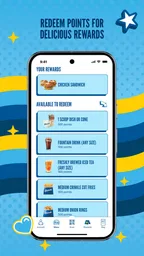
The rewards angle gives regular visits a second reason to use the app. If I am already buying from Culver’s, earning rewards through the same place I order can be more convenient than keeping track of a separate loyalty card or trying to remember a promotion later. I would treat rewards as a bonus, not a reason to order more often than I otherwise would. The best value comes when the app fits an existing routine.
The app is a less obvious fit for group orders than it may first seem. Ordering for a family or coworkers can be easier when one person gathers everyone’s choices in advance, but it also puts more responsibility on that person to review the complete order before submitting it. My practical tip is to collect each person’s choices first, then enter the order in one sitting instead of trying to make edits while people are still deciding. That reduces avoidable back-and-forth and makes the final check more useful.
How it compares with ordering at the counter
For a planned visit to Culver’s, the app has a clear advantage over deciding everything in person: it lets me handle the order before reaching the restaurant and connects that visit with rewards. Counter ordering remains the simpler alternative when I am already there, want to ask a question, or need to make a decision after seeing the menu. The app is not automatically better just because it is digital; its value depends on whether advance preparation saves me effort.
Compared with broad restaurant apps, this is a narrower tool. A general food-ordering service can be more useful when I am choosing between several restaurants or looking for delivery options across different businesses. Culver’s makes more sense when the destination is already settled and I want a direct route to ordering from that chain. I would not install it expecting a citywide restaurant guide or a substitute for a multi-restaurant delivery app.
One useful habit is to decide whether the visit is genuinely predictable before opening the app. If I know where I am going and roughly when I will arrive, ordering ahead may streamline the stop. If plans are uncertain, the in-person route leaves more room to change my mind. That distinction matters because the app’s convenience comes from committing earlier, not from removing every decision or delay.
Busy visits and the moments that test it
The most demanding use case is a busy meal period, especially when several people are relying on one pickup. The app can help shift the ordering work earlier, but the real-world handoff still involves the restaurant and the timing of the visit. I would avoid treating an advance order as a promise that the entire trip will take a fixed amount of time. It is a planning aid, not control over the kitchen or the queue.
For a shared meal, I would review the order carefully before finishing, with particular attention to quantities and any choices that distinguish one person’s meal from another’s. This is a simple but worthwhile safeguard: a digital order can be convenient while still making a mistaken selection easy to overlook. If someone in the group has a question that needs a personal answer, speaking with staff may be more reliable than trying to resolve it through an order flow.
There is also a trade-off between speed and flexibility. Placing an order earlier can be helpful when I am in a hurry, but it means I should be reasonably sure about the restaurant and the meal. For a spontaneous stop, or when the group has not agreed on what to get, waiting to order in person may prevent unnecessary changes. I would use the app to simplify a decision I have already made, rather than force a decision just to save a few minutes.
Reliability, recovery, and everyday use
I would judge reliability by whether the app supports a repeatable routine: open it before leaving, prepare the order, and arrive with a clear plan. It is sensible to check the order details before submitting and to keep an eye on the real-world timing of the trip. If a visit is time-sensitive, I would not rely on the app alone as proof that pickup will happen at an exact moment; allowing a buffer is the more dependable approach.
If something interrupts the process—such as a change of plans or a moment when I cannot finish ordering—the safest response is to verify what has actually been placed before assuming the task is complete. I would not start a second order blindly, because that can create confusion about which order is intended. This is ordinary care for any advance-order workflow, and it is especially useful when coordinating food for several people.
The app has a 3.3 average from around 1,800 ratings, alongside roughly 1,100 written reviews. I read that as a reason to keep expectations measured rather than assume every user will have a flawless experience. Ratings alone do not tell me what will happen on a particular visit, so I would focus on the practical test: whether it makes my own Culver’s routine easier. The app has over a million installs, which suggests it has a substantial audience, but popularity does not remove the need to check an order before relying on it.
For frequent customers, the best recovery strategy is to keep the process simple: prepare the order when plans are stable, review it before confirming, and leave room for the pickup itself. For someone who visits only once in a while, the extra step of installing and learning a dedicated app may not repay the effort. In that case, the counter is a perfectly reasonable fallback rather than a sign that the app has failed.
Device fit and practical constraints
The current version is 2.1.6, and the stated minimum operating system is 7.0. That gives a useful compatibility check before downloading: I would compare the requirement with the software version on the phone I actually use, especially if it is an older device. The app is rated for Everyone, and it is free to download, so the main decision is not an upfront purchase but whether a single-chain ordering tool belongs in my regular routine.
I would also think about when I plan to use it. An ordering app is most convenient when I can look at the screen without rushing—before leaving home, during a break, or while another person is driving. Trying to work through an order while walking into a busy restaurant is less appealing and defeats much of the benefit of preparing ahead. If my phone is older or I prefer to keep only essential apps installed, the occasional convenience may not justify another app taking up space and attention.
I cannot sensibly promise that it will feel equally quick on every phone or under every connection. My practical advice is to avoid making the first attempt during a rushed pickup: try the ordering flow when there is time to understand it, then use it on a day when advance planning is genuinely helpful. That small change lowers the stakes and lets me decide whether the app suits my device and habits.
Who I would recommend it to
I would suggest Culver’s to regular customers who already know what they like, want to organize a pickup before arriving, and will make use of the rewards side of the experience. It is especially practical for a predictable lunch stop or a planned meal for several people, provided one person is comfortable reviewing the order carefully. The strongest case is not that it transforms dining; it is that it can remove a bit of friction from a visit that was happening anyway.
I would skip it if I rarely eat at Culver’s, prefer to decide only after seeing the menu, or need an app that compares restaurants and handles a broad range of dining choices. I would also choose direct conversation at the restaurant when I have a detailed question or when plans are too uncertain to place an order in advance. Those are not shortcomings to work around so much as signs that a focused app is not the right tool for that moment.
My overall view is that the app has a clear, modest job: help Culver’s customers prepare an order and connect repeat visits with rewards. It is most useful when the meal and destination are already decided, and less compelling when I am looking for flexibility or a wider selection of restaurants. If that matches how you eat, I think it is worth trying; just treat advance ordering as a convenience rather than a guarantee of a perfectly timed handoff.
What we like
- The menu covers burgers chicken seafood and frozen custard.
- Online ordering lets you place a pickup order ahead of time.
- Store information helps you find nearby Culver's locations.
- You can browse menu options before visiting a restaurant.
- The app provides access to Culver's rewards offers.
What could be better
- Online ordering may not be available at every location.
- Menu availability can vary by restaurant.
- Some app features require location access.
- Rewards and offers may have terms or expiration dates.
- The app is most useful for customers near a Culver's restaurant.





