
Church's Texas Chicken® review
 Analysis by Appsdrops
If you already know you want Church’s Texas Chicken, the app is most useful as a direct route from craving to an order. I’d think of it less as a restaurant-discovery tool and more as a way to handle a familiar chicken meal: browse the chain’s choices, place an order, and use the available pickup or delivery option. For a first-time user, the key is to start with a straightforward meal rather than assume the app will answer every question about a particular location.
What to expect from the app
Church’s Texas Chicken® is a free Food & Drink app from Cajun Operating Company. Its focus is the restaurant’s own menu and ordering experience, with Real Rewards™ presented as part of the experience. That makes it a more targeted choice than a general delivery app: you are opening it because you want Church’s, not because you want to compare every nearby restaurant.
The app has a 4.8 average from around 44,000 ratings, and it has passed one million installs. Those figures suggest it has found an audience, but they cannot tell you whether your local restaurant has the item you want or whether delivery is convenient in your area. I’d use the app to make ordering easier, while treating the restaurant’s actual availability and the choices shown for your location as the practical deciding factors.
The appeal is clearest when you have a particular meal in mind. Instead of scrolling through unrelated restaurants, you can focus on Church’s offerings and move toward pickup or delivery. If you are still deciding what kind of food you want, a broader restaurant app may be better; if Church’s is already the plan, this dedicated app can reduce the detour.
It is listed for Everyone, and the app was released on September 27, 2013. The current version is 8.22.0, with Android 7.0 as the minimum operating system requirement. That gives Android users a useful compatibility check before installing. The app is free to download, although that does not mean the meal itself is free; review the order details shown in the app before you commit.
Why a focused ordering app can help
A restaurant-specific app can make a repeat order feel less like starting from scratch. You are not weighing dozens of cuisine types or filtering a crowded directory. The trade-off is that its usefulness depends on wanting this chain and on being able to order from a participating location for your chosen method. I would not install it expecting a general-purpose food planner or a way to compare menus across restaurants.
There is also a small but meaningful difference between browsing and being ready to order. If you are looking at the menu casually, you can take your time and decide whether the choices suit you. If you are ordering for a group, however, it helps to agree on the meal first: entering the app without a rough headcount or pickup-versus-delivery plan can leave you revisiting choices once everyone weighs in.
Make the first setup useful
After installing, open the app with a simple goal: find out whether the ordering path you need is available for your visit. Have a general location in mind and decide whether you are collecting food or asking for delivery. Those choices shape what is practical, so sorting them early is more useful than browsing every menu item before you know how you want the order fulfilled.
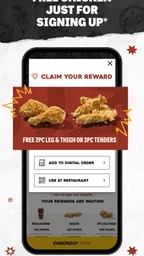
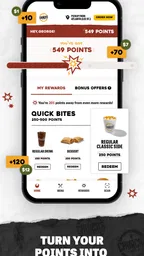
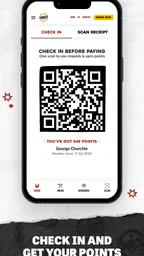
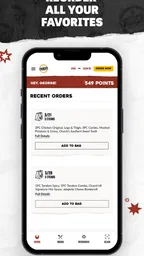
I’d also take a moment to look for the Real Rewards™ area while you are getting oriented. The program is part of the app’s identity, but a first-time user should not assume that every order automatically earns or uses a reward. Read the in-app wording and check any conditions presented there before relying on a benefit. That simple habit avoids building your order around an assumption about eligibility.
For a first visit, choose a familiar main item and keep the rest of the order uncomplicated. This is not because the app is necessarily difficult; it is a practical way to learn how the menu, ordering choices, and final review fit together. Once you understand the flow, you can explore more freely on a later visit without making your first attempt depend on several unfamiliar decisions at once.
If you are ordering for someone else, confirm their preferences before you start. A family meal or shared order can involve more choices than a solo lunch, and changing the plan midway is a common source of friction in any ordering app. I find it easier to gather the essentials first, then use the app to turn that decision into an order rather than using the menu as a group chat.
Get to a first successful order
A realistic first use might be a weekday evening when you want Church’s for dinner but would rather avoid deciding at the counter. Open the app, choose the ordering route that suits you, browse the available choices, and build a modest order. Before placing it, check that the selected items and fulfillment choice match what you intended. That final pause is the most useful safeguard against a rushed tap or a misunderstood selection.
For pickup, think about the order as a plan for a specific stop: check the details displayed in the app and make sure the selected restaurant and collection approach fit your trip. If you are already passing a location, pickup may be more convenient than delivery. If you are at home and do not want to travel, delivery is the more natural route when it is offered for your location. The better choice depends on your circumstances, not on a universal advantage of one option.
For delivery, check the address and order summary carefully before confirming. A saved or entered address that is slightly wrong can undermine an otherwise smooth order, so it is worth verifying the destination rather than assuming it is correct. I would also check the final details shown in the app instead of relying on what you remember from browsing; the summary is where you can catch a mismatch before proceeding.
My practical tip is to treat the first order as a small test of the whole path, not merely a menu search. Confirm that the location and fulfillment method make sense, review the basket, and then follow the app’s on-screen steps. Once you have seen how your own local ordering flow works, later visits should require less orientation. This is particularly helpful if you expect to use the restaurant repeatedly, because you will know which parts deserve your attention.
Where first-time users can get confused
One likely point of confusion is assuming that every item or ordering option will be available everywhere. Restaurant apps present a chain-wide experience, but the choices that matter to you are those displayed for the location and method you select. If a menu choice is missing or an option does not appear, I would avoid treating that as a general statement about the whole chain; first check that you have the right location and ordering route selected.
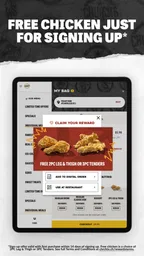
Another easy misunderstanding is treating rewards as an automatic discount. Real Rewards™ is a reason to explore the app, but the name alone does not explain how a particular reward is earned or applied. Look for the specific instructions in the app and check whether the order you are building qualifies before counting on a reward to change the total. That is more reliable than placing an order based on a vague expectation.
Pickup and delivery are also not interchangeable in practice. Pickup suits someone who can make the trip and wants to collect the food directly; delivery is convenient when leaving home is the problem, but it depends on the delivery option being available for the location and order. If timing is important, pay attention to what the app shows during ordering rather than assuming both routes will work the same way.
Finally, an app can make placing an order convenient without making every decision obvious. If you are unfamiliar with Church’s menu, browsing first and ordering later may be more comfortable than trying to decide quickly while hungry. If you already know what you want, the focused layout is more likely to feel efficient. That difference is why I’d recommend it most confidently to existing fans and people who have already chosen the restaurant.
How it compares with other ways to order
Compared with a general delivery service, Church’s own app keeps the experience centered on the chain rather than putting it beside unrelated restaurants. That can be an advantage when your destination is already settled, and the Real Rewards™ element gives you an additional reason to check the restaurant’s own ordering channel. A broad service may be more useful when you want to compare different restaurants or need a single place to browse many cuisines.
Compared with ordering in person, the app lets you make choices before arriving and gives you a route to pickup or delivery. But a counter visit may be preferable if you want to ask a staff member a question, are unsure what to choose, or simply prefer speaking to someone. I would not treat the app as a replacement for every restaurant interaction; it is best when you value placing an order through your phone and are comfortable checking the details yourself.
There is a trade-off in keeping things within one restaurant’s ecosystem. You gain a more focused path to Church’s and can explore its rewards, but you lose the broad comparison and restaurant variety that a multi-restaurant service provides. For a dedicated fan, that focus is sensible. For someone who is undecided or comparing delivery choices, the broader alternative is likely the better starting point.
Who should use it, and what to do next
I’d recommend Church’s Texas Chicken® to someone who already enjoys the restaurant, wants to arrange pickup or delivery through a dedicated channel, or expects to return often enough to explore Real Rewards™. It is also a reasonable option for a first-time customer who has decided to try Church’s and wants to inspect the available choices before ordering. The free download keeps the trial low-commitment, while the Everyone age rating makes its intended audience broad.
I would skip it if your main goal is to compare a wide range of restaurants, if you prefer ordering face to face, or if the location and fulfillment options available to you do not suit your plans. The app’s strengths are tied to choosing this particular chain; they do not make it a universal answer for every meal. Someone with no preference for Church’s will probably get more value from a broader restaurant-browsing option.
For your next step, install it only when you have a realistic ordering occasion in mind. Check the version and Android requirement if you use an older device, then start with a simple pickup or delivery order and review the details before confirming. Once that first order goes smoothly, explore the rewards section and decide whether it adds value to the way you already eat at Church’s. In my view, that is the most reassuring way to judge the app: let one practical order show whether its focused approach fits your routine.
What we like
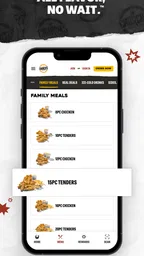
- The menu makes it easy to choose familiar fried chicken meals.
- Family meal options can simplify feeding a group.
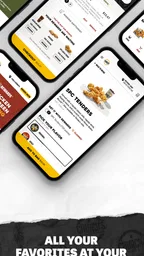
- The app provides a convenient way to browse menu items.
- Location details help users find nearby restaurants.
- Digital ordering can reduce time spent placing an order in person.
What could be better
- Menu availability may vary by restaurant.
- Some locations may not support every app feature.
- Ordering requires a reliable internet connection.
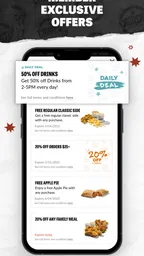
- Prices and promotions can differ by location.
- A nearby restaurant may not offer delivery through the app.





