

Chevron review
 Analysis by Appsdrops
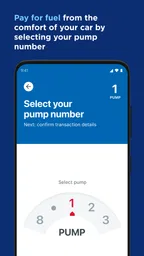
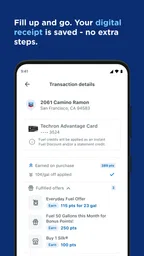
Fueling up is usually a quick stop, but paying at the pump can still mean juggling a wallet, cards, and a busy forecourt. I find the Chevron app most appealing when the aim is to make that part of a routine fill-up simpler: it lets you pay for fuel from inside your car. That narrow purpose is also its main trade-off. It is worth considering if you regularly choose Chevron stations and value paying without stepping out to handle the transaction; it is less compelling if you want an all-purpose navigation tool or rarely visit Chevron.
What matters when choosing a fuel app
With a payment-focused app, I would first ask whether it fits the places I already stop, then whether the payment flow feels convenient enough to change my habit. A fuel app can be polished and still be a poor fit if its station network does not match your routes. For Chevron, the practical question is straightforward: do Chevron locations feature often enough in your driving that in-car payment would save you repeated effort?
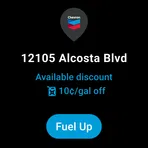
The app sits in Maps & Navigation, but I would think of it primarily as a fuel-payment companion rather than a replacement for a dedicated route planner. Its store summary centers on paying for fuel from the comfort of your car. That gives it a clear job: make a Chevron refueling stop easier to complete. I would not choose it on the assumption that it will handle every part of a road trip or every kind of station payment.
Chevron U.S.A. Inc. is the developer. The app is free, has an Everyone age rating, and has been available since April 17, 2019. Its 4.8 average across around 125,000 ratings suggests that many users value the experience, while over a million installs show that it has reached a substantial audience. Those figures are useful context, but the right decision still depends on your stations and habits, not popularity alone.
A focused tool for a familiar stop
I like the restraint of an app built around one useful moment instead of a long menu of features I may never touch. If I already know where I am refueling, being able to pay from the car is a direct convenience rather than another layer of trip planning. That can matter when the weather is unpleasant, when I have passengers to keep an eye on, or when I simply want to get back on the road with less fuss.
The convenience is most valuable when it changes a repeated routine. Someone who fills up at Chevron on the way to work may appreciate a quicker, more consistent payment step more than a driver who happens to stop there once in a while. Before relying on it, I would make sure the app is set up and ready before arriving at the pump. Doing that at home or while parked is a better use of time than trying to learn a payment flow during a busy stop.
Where it earns its place
The strongest case is the everyday commute. Imagine arriving at a Chevron station on a rainy morning with coffee in one hand and a passenger waiting in the car. Paying from inside means you can avoid getting out just to complete the transaction. The benefit is modest in isolation, but repeated stops make small reductions in friction feel worthwhile.
There is also a useful planning angle: if you are choosing between a familiar Chevron stop and an unfamiliar option, the app can make the familiar choice more convenient. I would treat that as a personal preference, not a reason to detour. A payment feature cannot make a station that is out of the way or inconveniently located the best choice for every trip.
Another practical tip is to separate route decisions from payment decisions. I would use a navigation app or the car’s navigation system to decide where to go, then open Chevron when I am at a participating stop and ready to fuel. That keeps the tools in their strongest roles and avoids expecting a fuel-payment app to replace the broader planning features drivers commonly rely on.
Its audience size and strong average rating are reassuring signs that the app is established, but they do not tell me whether it suits every phone, vehicle, or local routine. I would try it during an ordinary fill-up rather than making it essential before a long journey. That gives you a low-pressure chance to see whether the in-car payment approach feels natural for you.
When another option makes more sense
If your main need is turn-by-turn directions, traffic-aware route choices, or planning a journey across several stops, a dedicated navigation app is the better tool to open first. Chevron’s central appeal is tied to paying for fuel at Chevron, so I would not treat it as a general-purpose mapping solution simply because it belongs to the navigation category.
Drivers who use a mix of fuel brands may prefer a broader payment or station-finding approach, depending on what is available in their area. The trade-off is convenience versus coverage: a brand-specific routine can feel smoother at the stations it serves, while a more general option may better match unpredictable routes. I would not switch all my refueling habits just for the sake of having one app; I would compare the stations I actually visit over a normal week.
It may also be the wrong choice if you prefer paying with a physical card or cash and do not mind leaving the car. In that case, the app’s central benefit may not solve a problem you have. The same goes for occasional Chevron customers: installing and maintaining another app can feel like more work than the time saved on rare visits.
The real cost of switching routines
Because the app is free, the meaningful cost is not a purchase price but the effort of adopting another payment habit. You need to install it, become comfortable with its flow, and remember to use it at the right stop. For regular Chevron customers, that setup may pay off in convenience. For drivers who visit only sporadically, remembering a separate app can be more trouble than stepping out to pay as usual.
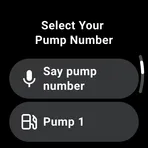
I would also avoid assuming that an app-based payment method removes every possible delay. You still need to arrive at a suitable station, choose a pump, and complete the fueling stop itself. The app can streamline the payment part, but it cannot make a crowded forecourt empty or eliminate every interruption that comes with driving. Thinking of it as a small improvement, rather than a guarantee of a faster stop, sets sensible expectations.
A simple way to judge the switch is to try it on a routine visit when you have enough time to work through the process calmly. If it feels easy and you return to Chevron often, keep it in your normal toolkit. If you find yourself opening it only after you have parked, or if your usual routes rarely include Chevron, it may not earn a permanent place on your home screen.
My recommendation for the right driver
I recommend Chevron to people who already refuel at Chevron often and want the option of paying from their car. The app’s focus makes sense for that audience, and its established user base and 4.8 average rating provide helpful context for considering it. I would install it, get familiar with the payment flow before a rushed stop, and then decide whether it improves the routine you actually have.
I would skip it if you need a complete navigation suite, prefer not to use phone-based payment, or mostly buy fuel from other brands. In those situations, a general navigation tool or your usual payment method is likely to fit better. This is not an app I would recommend to every driver; it is a practical, brand-specific convenience for the people whose everyday routes make that convenience relevant.
My bottom line is simple: use Chevron when the station is already part of your routine and paying from the car sounds genuinely useful. Keep your regular navigation option for finding the way, and do not change a convenient route just to use a single-purpose payment feature. That balance lets the app do what it is best suited for without asking it to solve problems it was not built around.
What we like
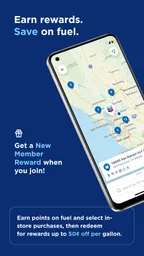
- Finds nearby Chevron stations using your current location.
- Shows fuel prices when participating stations provide them.
- Can help locate station amenities before you arrive.
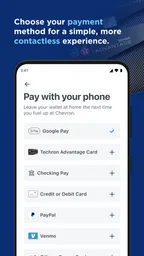
- Offers a way to manage fuel payments through the app.
- Station details make it easier to compare nearby stops.
What could be better
- Location access is needed for nearby station results.
- Fuel prices may be missing or outdated at some locations.
- Available app features can vary by station and region.
- Payment features may require account setup and verification.
- Station listings may not reflect temporary closures or changes.





