
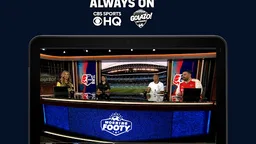
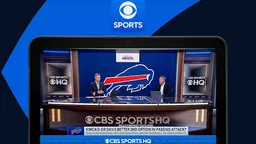





CBS Sports: Watch Live review
 Analysis by Appsdrops
I would treat CBS Sports: Watch Live as a sports-viewing option to try, not an automatic replacement for every sports app on your phone. It is free to download, and its central appeal is access to sports programming associated with CBS, CBS Sports Network, Paramount+ and other sources. That can make it useful when I want a single place to explore CBS-related coverage, but the value depends on what I actually want to watch and whether the available programming fits my routine.
What the free download is worth
The app is listed as free, which makes trying it a low-commitment decision. That tells me the download itself costs nothing; it does not, by itself, settle what access to every piece of programming may involve. I would check the viewing options shown inside the app before planning around a particular event, rather than assuming that every channel or program is included simply because the app is free.
For a casual viewer, that distinction matters. If I am browsing sports coverage or looking for something to watch without first paying to install an app, the free entry point is appealing. If I am choosing a service specifically to follow a particular team or competition, I would verify that the relevant coverage is available to me before relying on it. A free app is only good value when it offers the content I intend to use.
The practical value is flexibility, not a promise of universal sports access. The app’s stated scope spans programming from several CBS-related sources, but that does not make it the same thing as a comprehensive guide to every sport or broadcaster. I see it as a focused place to check for this family of sports content, with a sensible backup plan for events I cannot find there.
How the viewing proposition works in everyday use
One realistic use is opening the app during a break to see whether sports programming is already on, rather than searching through a general entertainment catalog. If I have a few minutes, that can be more convenient than deciding in advance exactly what to watch. It suits browsing and casual viewing better than a routine built around one must-see event unless I have first confirmed that event’s availability.
Another useful approach is to check the app before settling in for a game. I would search or browse for the specific coverage I care about, then confirm that it is playable before making the app my main screen for the evening. This small habit avoids a common frustration with sports viewing: discovering at kickoff that the program I expected is not accessible in the way I assumed.
The app is categorized as a sports app and comes from CBS Interactive, Inc. Its description points to round-the-clock sports programming, so the concept is broader than a simple scores tool. That makes it more relevant to people who want to watch sports content than to someone who only needs quick results, standings or a lightweight way to follow a team while doing something else.
Where it fits beside other sports apps
Compared with a league-specific app, CBS Sports: Watch Live has a different job. A league app is often the more natural choice when I want coverage and information centered on one competition. This app’s appeal is the possibility of finding programming across CBS-associated sports sources instead of starting from a single league’s identity. If my interests cross sports or I enjoy channel-style viewing, that broader mix may be a better fit.
Compared with a general live-TV or streaming app, the sports focus is the reason to open it. I would not choose it as my all-purpose entertainment destination just because it includes programming connected with Paramount+ and other sources. Those names describe the range of content associated with the service; they do not mean the app should be treated as a substitute for every service or subscription. The useful comparison is narrower: does it make the sports programming I want easier to find and watch than the alternatives I already use?
For someone who mainly follows live scores, dedicated score apps are likely more direct. They can be easier to consult quickly without committing attention to a stream. Conversely, if I want sports on in the background or prefer watching studio coverage and related programming, a viewing-oriented app has more to offer than a scores-first tool. Picking between them is less about which is universally better and more about whether I want to watch or check information.
Tradeoffs that shape the experience
The clearest caution is expectation management. A broad promise of sports content can sound like access to every event, but I would not plan around that interpretation. Sports rights and programming availability can differ across services and events, so the sensible workflow is to confirm the actual program in the app before counting on it. That is especially important for a match or event I would be disappointed to miss.
There is also a difference between having an app installed and having a reliable viewing habit. If I only want occasional highlights or a quick score, opening a live-content app may be more effort than using a sports news or league app. If I want to watch, the app has a clearer purpose; if I want a fast fact, it may not be the quickest route. I would keep it for viewing rather than expect it to handle every sports-following task.
The average rating is 2.5 from around a hundred ratings, with about fifteen written reviews. I would take that as a reason to approach the experience with measured expectations, not as proof that every user will encounter the same problem. Ratings can reflect different devices, expectations and viewing needs. Before depending on it for an important event, I would test it casually and see whether it behaves well on my own device and network.
The app has reached more than a hundred thousand installs, which suggests it has found an audience, but popularity alone does not tell me whether it matches my viewing habits. I would weigh the actual programming I can access and how smoothly it fits into my routine more heavily than the install count. For a sports app, usefulness is ultimately personal: the right channel or event matters more than a large audience in the abstract.
Who is most likely to get value
I would recommend giving it a try if you already look for CBS-related sports programming and want a free app to check for live or ongoing coverage. It may also suit a viewer who enjoys browsing sports content rather than opening an app only for a scheduled game. Because there is no download charge, it is easy to test whether its programming is relevant before deciding whether it deserves a regular spot on your home screen.
It is less compelling for someone who wants one dependable destination for every team, league and event. That person should compare coverage carefully and may prefer a service or official league app centered on the competition they follow. It is also not my first recommendation for people who only need scores, fixtures or notifications; a dedicated information-focused app is likely to be quicker for those jobs.
If I were helping a friend decide, I would ask two things: do they want to watch sports content, and are they interested in the CBS-associated programming this app brings together? If both answers are yes, the free download makes it a reasonable trial. If either answer is no, the app’s main advantage is less relevant, and another sports app may serve them better.
Compatibility and the version to check
The listed minimum operating system is Android 5.1, so an older compatible Android device may be able to install it. The current version is 8.6.0-1792675408. I would still check the app store on the device I plan to use, since compatibility and the available version can depend on the platform and device. The content age rating is Everyone, which makes the listed audience broad rather than restricted to adults.
My practical suggestion is to install it ahead of a low-stakes viewing session, browse the sports programming, and try playing something before an important event. That gives me a chance to learn where the relevant content appears and whether the app is comfortable to use on my setup. It is a more useful test than downloading it at the last minute and assuming that a familiar sports brand guarantees a friction-free evening.
My verdict: try it for the right kind of sports viewing
CBS Sports: Watch Live is worth considering as a free, CBS-focused sports viewing app, especially if you are curious about its programming and enjoy browsing what is available. I like the low-cost way in and the prospect of finding sports content from related sources in one place. I would not mistake that convenience for guaranteed access to every event, however, and I would verify the exact coverage I care about before relying on it.
Overall, I would download it if CBS-associated sports programming is already on my radar, then judge it by what I can actually watch and how well it fits my habits. I would skip it as a primary choice if I need comprehensive coverage of a particular league, or if all I want is quick scores. As a no-cost trial for the right viewer, it makes sense; as a universal sports solution, it asks for more confidence than I would give it without first testing it myself.
It was released on November 21, 2023, and the free price makes experimentation straightforward. My recommendation is simple: use it to explore its sports viewing lineup, but keep your expectations tied to the specific programs you find rather than the broad idea of watching sports in general. If those programs match what you want, it can be a useful addition. If they do not, a league-focused or score-focused alternative will be a better use of your time.
What we like
- Personalized alerts help you follow favorite teams and games.
- Live scores make it easy to check results quickly.
- The app covers a broad range of sports and leagues.
- On-demand clips offer quick highlights and analysis.
- A free account provides access to some content.
What could be better
- Live video availability depends on your location and TV provider.
- Some streams may require a paid subscription or cable login.
- Frequent notifications can feel distracting.
- Video playback can use substantial mobile data.
- The interface may take time to navigate during busy game days.





