

CBS Sports: Live Scores & News review
 Analysis by Appsdrops
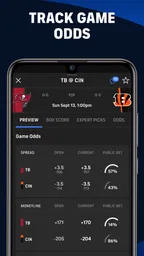
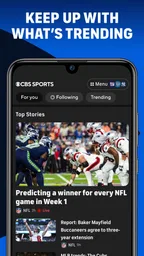
I use CBS Sports as a quick way to keep up with games when I can’t sit down for a full broadcast. It brings scores, sports news, and videos together in one place, so I can check what is happening and then decide whether a story deserves more of my time. The app is free to install, though some in-app purchases are offered, and that mix makes it worth knowing what you want from it before you settle into a routine.
Starting with a useful game-day routine
The simplest way to get value from CBS Sports is to treat it as a check-in tool rather than a replacement for every sports source you use. I open it to scan scores, follow a developing game, or catch up on a headline during a spare moment. That keeps the experience focused: one quick visit for the essentials, then a deeper look only when something catches my eye.
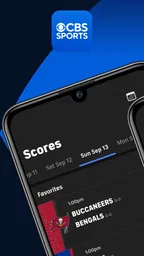
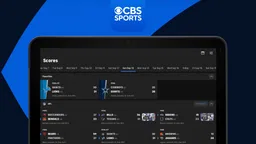
That workflow suits an ordinary weekday especially well. Imagine checking a score on a commute, returning to work, and opening the app again later to see how the game finished. Instead of searching through separate news pages and scoreboards, the main appeal is having those kinds of updates gathered under the CBS Sports name. The app’s own summary points to news, scores, and videos; in practice, those are also the reasons I would keep it close at hand.
For someone following several leagues or teams, a repeatable habit helps more than repeatedly browsing at random. I would first identify the competitions and stories I actually care about, then make a quick score check part of the day. When a result matters, I would move from the scoreboard to related coverage or video. That sequence avoids turning every visit into an open-ended scroll.
The product is a sports app from CBS Interactive, Inc., and it has been around since its August 30, 2011 release. Its current version is 10.79, with Android support beginning at OS 9. Those details matter most when deciding whether an older device can run it; otherwise, the practical test is whether its coverage and presentation match the sports you follow.
What to check before settling in
I would spend the first few minutes checking the app’s available settings and any choices it offers for following sports or receiving updates. The useful principle is to make alerts selective. A phone that announces every score or headline can become noisy quickly, while alerts limited to the teams and events you genuinely care about can make a sports app feel helpful rather than demanding. The exact controls can vary with the app version and device, so it is sensible to review the options shown on your own screen instead of assuming a particular setup.
It is also worth thinking about when you want to use video. If you are checking results in a quiet place or on a limited data connection, text and scores may be the better first stop; save clips for when you have time and a suitable connection. This is not a special trick so much as a practical way to keep the app aligned with the moment. A score check should take seconds, while watching a replay or a news segment is a deliberate choice.
Notifications are most useful when they answer a question you would otherwise ask yourself. If you are following a close game, an update can bring you back at the right time. If you only want a final result, frequent in-game interruptions may be less useful than opening the app when convenient. I would adjust the notification choices after a few days, once it becomes clear which alerts I actually read and which I dismiss.
There is a small but important trade-off in this kind of setup: keeping the app quiet may mean you miss a moment, while enabling more alerts means giving it more room in your day. I prefer to start conservatively and add only the updates that prove valuable. That approach works particularly well for people who follow multiple sports but do not want every contest treated as urgent.
Shortcuts that make repeat visits faster
The best shortcut is a consistent routine, not a hidden feature. I would open directly into the parts of the app I use most, check the relevant scores, and leave once I have the answer. If I am interested in a developing story, I can then spend time with the related news or video. Separating those two kinds of visits—quick score checks and longer catch-ups—makes the app easier to use without pretending it can eliminate every tap.
Another helpful pattern is to check a game at natural breaks rather than constantly refreshing your attention. Before a meeting, during a lunch break, or after work, a quick look can tell you whether a contest is still worth following. When the score is close, you can choose to keep checking; when it is not, you can move on. That is a more sustainable way to follow sports than letting every live update pull you away from something else.
For news, I find it useful to distinguish between a headline that changes the day’s story and one that can wait. CBS Sports brings editorial coverage alongside scores, which is convenient when a result prompts a question about what happened. But a feed is still a feed: if you open it without a purpose, it is easy to spend longer browsing than intended. Going in with a question—“What was the final score?” or “What is the latest on this game?”—keeps the experience efficient.
The app has a 4.5 average rating from around 261,000 ratings, and it has been installed over 10 million times. Those figures suggest that it is familiar to a large audience, but they do not tell me whether it will suit a particular fan. Coverage preferences, notification habits, and tolerance for browsing matter more than popularity when choosing a sports companion.
Where it fits among sports apps
Compared with a dedicated scoreboard app, CBS Sports has a broader editorial feel because news and video sit alongside scores. That breadth is helpful if you want results and context in the same place. A specialist score tracker may be a better match if you want a stripped-down screen and little beyond live results. The choice depends on whether you value a convenient mix or prefer a narrowly focused tool.
Compared with a league’s own app, a general sports app can be more convenient when your interests cross team or competition boundaries. A league-specific product may offer a more concentrated experience for one competition, while CBS Sports is a sensible option for people who want to check different sports without switching between several official apps. I would not assume that any one source is best for every league; fans who need a particular team’s most specialized coverage may still prefer that team or league’s own channel.
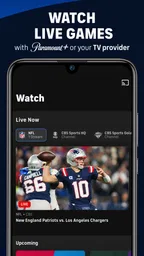
Video adds another reason to choose a broader sports app, but it also changes how you use it. Watching clips is not the same as glancing at a score: it asks for more attention and time. I would use the video side when I want a visual recap or a fuller catch-up, not as the default for every quick visit. That distinction is useful if you are trying to keep sports updates from taking over a busy day.
Limits, purchases, and who should look elsewhere
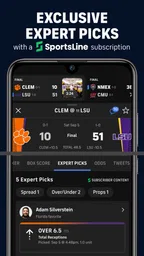
The free price makes it easy to try, but the app also offers in-app purchases ranging from $4.99 to $139.99 per item. I would check what a purchase includes and whether it addresses a real need before paying. If your goal is simply to glance at scores and read available coverage, start with the free experience and make a decision only after seeing how you use it. A displayed purchase price by itself is not a reason to spend.
It is also worth setting realistic expectations about a service that combines multiple kinds of sports content. If you want nothing but a clean scoreboard, news and video may feel like extra material around the answer you came for. If you want exhaustive analysis of one team, a dedicated publication may offer a more focused reading experience. And if you rarely follow live sports, the convenience of frequent updates may not justify keeping another app in your regular rotation.
The content rating is Everyone, which makes the app broadly suitable from an age-rating perspective. That does not mean every sports story or video will appeal to every household, so I would still use ordinary judgment about what younger users browse. The central experience remains sports coverage, but the user’s interests and habits determine whether it feels appropriate and useful day to day.
There is also a practical distinction between “available in one app” and “everything I personally need.” CBS Sports can combine scores, reporting, and clips, but a fan may still want a separate source for a particular team, a specialist statistical view, or a different style of commentary. I would judge it by the gaps in my own routine: if it answers most of my regular questions quickly, it earns a place; if I keep leaving it to find the essentials elsewhere, a more focused alternative is probably better.
Who will get the most from it
I would recommend CBS Sports to someone who follows more than one sport and wants a convenient daily check-in, especially if they like having news and video close to the scores. It also works well for casual fans who want to stay informed without committing to a full broadcast or reading several separate sources. The app’s sports focus is clear, and its long-running presence makes it a familiar choice rather than a new experiment.
On the other hand, a fan who wants a minimal live-score screen, a highly specialized single-league experience, or a carefully curated reading feed may be happier elsewhere. That is not a flaw so much as a question of fit. CBS Sports tries to serve several sports habits at once, and the convenience of that combination is strongest when you actually use more than one part of it.
Overall, I see it as a practical companion for checking what happened, catching up on the story, and choosing when to watch more. Its scale is reflected in roughly 37,000 reviews, but I would make the decision based on a simple trial of your own routine: set a few relevant alerts, use it for a week of score checks, and notice whether the news and videos add value or just add noise. If that balance works for you, it is an easy sports app to keep; if not, a more focused scoreboard or league-specific option will likely feel cleaner.
What we like
- Customizable alerts help track selected teams and games.
- Live play-by-play adds context to changing scores.
- The app covers multiple sports in one place.
- Video clips offer quick highlights from games.
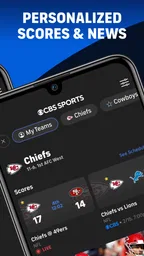
- Personalized feeds make favorite teams easier to follow.
What could be better
- Frequent notifications may become distracting.
- Some video content may be restricted by location.
- Live updates can lag behind the actual action.
- The interface can feel busy during major sports events.
- Some features work best with a stable internet connection.





