

Casey's review
 Analysis by Appsdrops
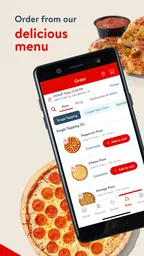
Casey's is most useful when a Casey’s meal is already part of your plan. I’d treat it as a practical ordering and rewards companion, not as a general food-discovery app: its appeal is the chance to arrange pizza and collect points in the same place. If you regularly stop at Casey’s, that focused purpose can save a little effort. If you’re choosing between restaurants or need broad delivery comparisons, a larger food-ordering service may suit you better.
What the app is best at today
Developed by Casey's General Store, this free food and drink app is built around a straightforward idea: make ordering from the chain and earning points part of one mobile routine. That narrow focus is a strength when you already know where you want to eat. It also means the app’s usefulness depends much more on whether Casey’s fits your location and habits than on how many restaurants you want to browse.
The store summary emphasizes pizza and points, so I’d approach the app with those needs in mind. It is not a replacement for a restaurant directory, a meal-planning tool, or a universal delivery app. Instead, it makes the most sense when you want to place a Casey’s order and keep your rewards activity connected to that purchase.
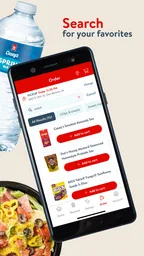
One realistic use case is an evening when you’re heading home and have already decided on pizza. Rather than starting a search across several services, you can check Casey’s as your first stop, make your choice, and consider the points alongside the order. That workflow is especially sensible for repeat customers; for a one-off meal, the rewards element may matter less than comparing menus, delivery options, or prices elsewhere.
The app is rated for Everyone, which makes its audience broad, but that age rating is not a promise that every ordering choice will be equally convenient for every household. I’d still check the order details carefully before confirming, particularly when coordinating a group meal. Rewards are helpful, but they shouldn’t distract from making sure the order itself matches what everyone wants.
A focused alternative to general food-ordering apps
Compared with the usual restaurant and delivery alternatives, Casey’s has a clear trade-off: it concentrates on one retailer rather than offering a wide field of cuisines. That can reduce the mental overhead of returning customers who already favor Casey’s, while limiting choice for anyone who wants to compare several businesses in one session. I would not install it expecting a broad restaurant marketplace.
Its strongest practical case is therefore not “more options,” but a familiar route to a specific kind of purchase. If you often buy Casey’s pizza, keeping the company’s own app handy can make sense because ordering and points belong to the same routine. If your meals vary from day to day, a general delivery service is likely to be more useful as your main app, with Casey’s as a secondary option when the chain is what you want.
There is also a useful habit to adopt: decide whether you care more about convenience or comparison before opening the app. If you already know you want Casey’s, go directly to its ordering flow and avoid turning a simple purchase into a long search. If you are still weighing choices, compare your alternatives first. That small distinction helps prevent loyalty points from becoming the only factor in a meal decision.
Rewards work best when they fit a routine
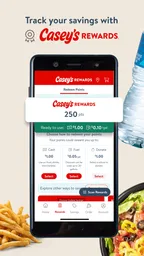
The points angle is most meaningful for people who order repeatedly. I’d think of rewards as an extra benefit attached to food I already planned to buy, rather than a reason by itself to choose a meal. That keeps the decision grounded: a points balance can add value, but it does not automatically make an order the best option for your budget, appetite, or schedule.
A useful workflow for a regular customer is to check the app before placing an order, make sure the intended purchase is being handled through the app, and review the final details before proceeding. That can help keep the ordering and rewards steps together instead of relying on memory after the fact. I would also make a quick habit of checking the account or rewards area when using the app, so the points side does not become an afterthought.
For someone who visits Casey’s only occasionally, I would set expectations modestly. The app may still be convenient for placing an order, but points have less practical pull when purchases are rare. If you are installing it solely for a single meal, weigh that convenience against the effort of setting up and keeping another retailer app on your phone.
What its version history can—and cannot—tell you
The current version is 27.13, and the app was released on December 14, 2015. Those facts show that Casey’s has maintained a dedicated mobile product over a long period and that the current release has progressed through many version numbers. They do not, by themselves, reveal which features changed, how a particular update affected ordering, or whether every past user experience has improved.
For an existing user, a current version number is a reason to keep the app updated, not a guarantee that a familiar screen or workflow will never change. If you depend on it for a planned meal, it is sensible to open the app before you are in a hurry and confirm that you can reach the task you need. That is ordinary good practice for any ordering app, especially one you use only from time to time.
The release date provides helpful context about the product’s history, while the version number identifies its present software iteration. I would separate those from predictions: they establish that the app has been around and is currently on a later version, but they do not justify claims about upcoming features or a particular redesign. What matters to a prospective user is whether the current experience handles their actual Casey’s orders comfortably.
Where a little care makes the experience smoother
The main friction is inherent in a chain-specific app: it is valuable only when Casey’s is relevant to your location and meal plans. Before relying on it for a particular occasion, check that it serves the place and order you have in mind. If Casey’s is not a realistic option for that situation, the app cannot solve the bigger problem of finding an alternative restaurant.
Another trade-off is account and rewards management. A points program is useful only if you can keep track of the account connected to your ordering. I’d use the same account consistently and verify that I am signed into the one I expect before treating an order as part of my rewards routine. This is a small precaution, but it is more dependable than assuming that an order and an account have been matched automatically.
When placing food for several people, I would review the basket deliberately rather than rushing through it. A dedicated chain app may make the chosen retailer easier to order from, but it does not remove the need to double-check the meal, quantity, and pickup or delivery details shown in the flow. This is particularly helpful when someone else is relying on you to get the order right.
For quick repeat orders, a saved or familiar routine can be more valuable than exploring every part of the app. For a first-time user, though, taking a moment to understand where ordering and points are handled can prevent confusion later. I’d learn that flow when I have a minute to spare instead of waiting until dinner is already running late.
Who should give it a try
With more than five million installs, Casey’s has a substantial audience, while its average rating is 3.8 from around thirty-nine thousand ratings and about thirteen thousand written reviews. Those figures suggest that many people have tried it, but they are not a substitute for judging whether its focused purpose fits your own habits. An app can be useful to regular customers without being the right choice for everyone.
I’d recommend trying it if you already order Casey’s pizza or expect to do so regularly and want ordering and points in one company-specific place. Its free price makes that trial relatively easy to consider. The current version is listed for Android 7.0 and later, so users should also check their device’s compatibility before planning around it.
I’d skip it as a primary food app if you mostly want to discover new restaurants, compare competing menus, or keep all your orders within one broad marketplace. It is also less compelling if Casey’s is a rare stop for you and collecting points would not change how you order. In those situations, a general food-ordering app—or simply choosing directly from whichever restaurant fits the occasion—may be the more convenient approach.
What I would watch as a user
For future use, I’d pay attention to whether the app continues to make the two core tasks—placing an order and keeping track of points—easy to find. Those are the reasons to keep it installed, so a useful update should help with the everyday flow rather than merely add complexity. Since the version number alone does not explain the changes, I would judge updates by how they affect the tasks I actually perform.
I would also watch for clear order details and a straightforward way to check rewards activity. These are practical signs that the app is serving its purpose, particularly for people who return often. If an update makes either step harder to understand, that would matter more to me than a long list of additions that I rarely use.
My overall view is that Casey's is a sensible companion for people who already choose Casey’s, especially when pizza and points are both part of the decision. Its focus is also its limitation: it does not replace the flexibility of a multi-restaurant service. I’d install it for repeat Casey’s orders, use the rewards as a bonus rather than the whole reason to buy, and keep another option ready for meals when variety matters more.
What we like
- Order ahead through the app to save time at the store.
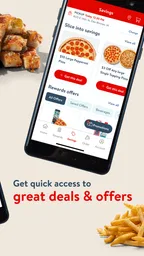
- Digital deals can help lower the cost of selected purchases.
- The rewards program offers benefits for eligible members.
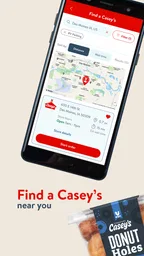
- Store information helps users find nearby Casey's locations.
- Mobile payments make checkout more convenient at participating stores.
What could be better
- Some app features may require a Casey's account.
- Deals and rewards may vary by location.
- Offers can have restrictions or expiration dates.
- Order availability depends on store hours and staffing.
- App performance may vary across devices and software versions.





