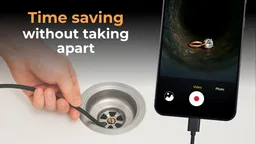
Camera endoscope / OTG USB review
 Analysis by Appsdrops
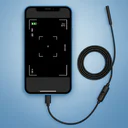
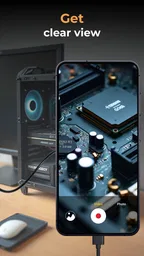
I find Camera endoscope / OTG USB most useful when I treat it as a viewing tool for a compatible external camera, not as a camera app that can do everything on its own. Its appeal is practical: connect an endoscope camera or another supported device, then use the phone as a screen for looking into places that are awkward to inspect directly. That can be handy around the house, but the experience depends heavily on having compatible hardware and a phone that can connect to it.
A phone screen for places you cannot easily see
Camera endoscope is a free Android app from One Music Player, in the libraries and demo corner of the app world. The basic idea is straightforward: use it with an endoscope camera or another compatible device to view its camera feed on a phone. I would consider it when I already own the accessory and want a simple way to make use of it, rather than expecting the app itself to provide a built-in inspection camera.
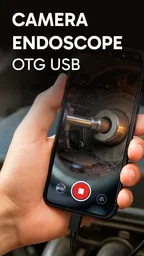
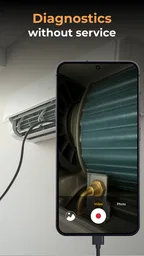
That distinction matters. A phone’s usual camera app is designed around its built-in lenses, while this app is aimed at connecting to external viewing equipment. If you are trying to check a narrow gap, inspect behind an appliance, or look into a space that a regular phone camera cannot reach, the accessory does the physical work and the app is intended to make the image visible on the phone.
In an ordinary home scenario, I might connect a compatible endoscope camera before checking whether a small object has slipped behind a cabinet or whether there is visible debris in an awkward corner. The benefit is not that the app magically diagnoses a problem; it is that a live view can help me decide whether I have found something worth investigating. For anything involving safety, repairs, or hidden wiring, I would still use proper equipment or call a qualified person rather than treating a phone view as proof.
Compatibility is the first thing to check
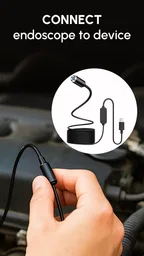
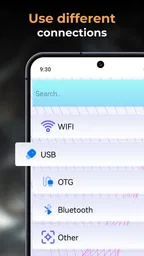
The biggest practical question is whether the phone and the external camera can work together. The app’s purpose is connection, but an app cannot make an incompatible accessory compatible. Before relying on it, I would check the camera’s connection type, the phone’s available port or adapter, and whether the accessory is intended to work with Android. The app supports devices running Android 6.0 or later, but meeting that minimum alone does not guarantee that every camera or adapter will work.
A sensible first test is to connect the camera while you are somewhere comfortable, not halfway through a repair. That lets you check whether the phone recognizes the device and whether the view is usable before the camera is inserted into a cramped or hard-to-reach area. If the picture does not appear, I would troubleshoot the cable and adapter first, then confirm the accessory’s compatibility, rather than assuming that reinstalling the app will solve a hardware mismatch.
This is one of the less obvious trade-offs of an app in this category: the quality of the overall experience is partly outside the app’s control. A poor camera, awkward connector, or unreliable adapter can make the setup frustrating even when the app is doing its intended job. If you have not bought an endoscope camera yet, I would choose one with clear compatibility information before choosing an app to pair with it.
Where it can earn a place on your phone
The strongest case for using this app is occasional, focused inspection. I would not open it for everyday photos, video calls, or scanning documents; the phone’s built-in camera tools are better suited to those tasks. But for someone who already has a compatible external camera, having a dedicated way to view that camera can be more convenient than searching for an unfamiliar utility each time.
It can also help make a quick inspection more deliberate. Rather than moving an endoscope blindly and guessing what its lens is facing, I can keep the phone where I can see it and make small adjustments to the camera’s position. The practical tip is to move slowly and pause before changing direction: a narrow camera view can be disorienting, and sweeping it around quickly may make it harder to understand what is on screen.
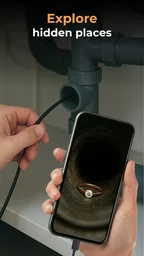
Another useful habit is to separate looking from interpreting. A view into a drain, appliance cavity, or tight space may show a surface without revealing the full condition of the object. I would use the image to locate an obvious obstruction or identify where to inspect next, not to make confident claims about damage that the camera cannot clearly show. This is especially important in places where a misleading view could lead to unnecessary disassembly or an unsafe repair.
The app is listed as having more than a million installs and an average rating of 3.1 from around eleven thousand ratings, with hundreds of written reviews. I read that combination as a reason to keep expectations measured, not as a verdict on whether it will work with a particular accessory. Connection apps are unusually dependent on the hardware being paired with them, so a useful result for one person does not guarantee the same result with another camera setup.
What the simple approach does not solve
The main weakness is the amount of setup uncertainty that comes with external-camera use. If you expect to install an app and immediately get a working picture from any endoscope, you may be disappointed. The accessory, connector, Android device, and app all have to cooperate. That is more friction than opening a normal camera app, and it makes this a poor choice for someone who wants a guaranteed, plug-and-play solution without checking equipment first.
I would also avoid treating the app as a substitute for specialist inspection tools. A phone display can help you see an area, but seeing is not the same as measuring, testing, or confirming a fault. If you need dependable documentation, precise inspection, or equipment intended for professional work, a purpose-built system may be a better investment. The app makes most sense for casual viewing and basic investigation, where a rough visual check is enough to guide the next step.
There is a cost consideration too. The app is free to download, but it includes in-app purchases ranging from under a dollar to just under a hundred dollars per item. I would check what a purchase offers before paying, especially if my only goal is to connect a camera and view its feed. The range is wide enough that I would not assume every paid item is necessary for basic use, nor would I spend money before confirming that the external device works with the phone.
Its Everyone age rating makes it broadly suitable from a content perspective, but that should not be confused with guidance about using an endoscope safely. The tool may be used around equipment, drains, or tight spaces, and the user still needs to avoid inserting a camera where it could be damaged or create a hazard. I would keep the phone and connectors away from liquids unless the equipment is specifically designed for that situation.
Who should try it, and who should look elsewhere
I would recommend trying it if you already have an Android-compatible endoscope camera or another external camera device and want to use your phone as its viewing screen. It is also a reasonable option for curious DIY users who understand that the app is one part of a hardware setup. The developer is One Music Player, and the app’s current version is 47.1.0; on a device running Android 6.0 or newer, the key decision is still whether the camera connection is supported.
I would steer a casual user toward the phone’s regular camera app if the goal is simply taking photos or recording ordinary video. If the goal is inspecting a hard-to-reach space but you do not own an external camera, first compare compatible endoscope hardware and its connection requirements. If the task is important enough that a wrong reading could cause damage, injury, or an expensive repair, a professional inspection tool or technician is the safer choice.
Compared with general camera utilities, this app has a narrower purpose and a more equipment-dependent workflow. Compared with a full inspection system, it is likely to appeal more to someone who wants to use a phone they already own and an accessory they already have. That middle ground is its real niche: less demanding than a dedicated professional setup, but not as effortless as using the built-in camera.
My verdict: useful when the hardware is right
Camera endoscope / OTG USB makes the most sense as a practical companion to a compatible external camera. I like the idea of turning a phone into a screen for a view that would otherwise be difficult to get, and I can see it helping with small household checks where a quick visual clue is enough. I would not recommend it as a universal camera app, a repair tool, or a reason to buy an accessory without checking compatibility first.
With a suitable setup and modest expectations, it could be a convenient utility to keep available for occasional inspections. Without compatible hardware, or when the job calls for dependable technical conclusions, its narrow role becomes a limitation. My advice is simple: confirm the camera and connection before relying on it, test everything in an easy setting, and use the image as a guide rather than a final diagnosis.
What we like
- Works with compatible USB endoscope cameras for a live view on your phone.
- OTG support makes it convenient to inspect hard-to-reach spaces.
- Useful for checking pipes and narrow areas without disassembly.
- A compact setup is easier to carry than a dedicated inspection monitor.
- Can help with quick visual checks around the home or workshop.
What could be better
- Requires an Android device with USB OTG support.
- A compatible endoscope camera must be purchased separately.
- Image quality depends heavily on the connected camera.
- Some phones may need an OTG adapter to connect the camera.
- Compatibility may vary across devices and camera models.





