


Buffalo Wild Wings Ordering review
 Analysis by Appsdrops
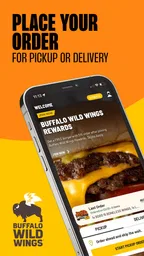
When I want Buffalo Wild Wings, the main question is whether I already know what I’m ordering and want a straightforward way to arrange the meal. The Buffalo Wild Wings Ordering app is focused on that specific job: placing an order for pickup or delivery from the restaurant. I see it as a convenient companion for people who already enjoy the menu, rather than a broad restaurant-discovery app or a substitute for comparing every nearby option.
Choosing the right way to order
Before opening the app, I’d decide whether I’m choosing Buffalo Wild Wings because I want its food or simply because I need dinner delivered. That distinction matters. If I’m craving wings and already have a rough order in mind, a restaurant-specific app can make the process feel more direct than searching through a general delivery service. If I’m still deciding what kind of food sounds good, a multi-restaurant app is usually the more useful place to start.
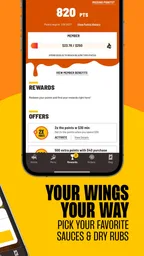
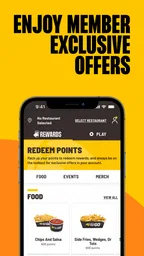
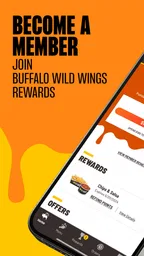
This is a free Food & Drink app from Buffalo Wild Wings, Inc., and it is intended for ordering the chain’s food rather than browsing restaurants in general. Its practical appeal is easy to understand: I can use one place to arrange either takeout or delivery, depending on what suits the occasion. The best fit is someone who orders from Buffalo Wild Wings often enough to value a dedicated route to that meal.
I’d also think about the situation before treating pickup and delivery as interchangeable. Pickup makes more sense when I’m already heading out or want to collect the food on my own schedule. Delivery is the more convenient choice when leaving home is the problem, though the final experience naturally depends on the available service and the restaurant serving the order. I would choose the option that fits the evening rather than assume one is always better.
For a weeknight example, imagine I’m planning to watch a game at home and know that the group wants wings. I can make the restaurant decision first, then use the app to place the order for the way we intend to receive it. That removes the need to begin with a broad search for restaurants, which is useful when the menu choice is already settled. It is less helpful if the group is still debating between several cuisines.
Where a dedicated ordering app earns its place
The biggest strength here is focus. A general delivery marketplace is built around comparing different restaurants, while this app is centered on Buffalo Wild Wings. When I’ve already chosen the chain, that narrower scope can be a benefit: there’s less reason to sift through unrelated choices before getting to the meal I want. The trade-off is equally clear: it cannot serve as my all-purpose answer to “What should we eat?”
A dedicated app is especially useful when I’m repeating a familiar order. I can approach the task with a clear idea of what the group likes, rather than using a marketplace to rediscover the restaurant every time. My practical tip is to settle the order with everyone before starting checkout. Wings and shared food can invite last-minute changes, and agreeing on the main choices first makes ordering less chaotic when several people are waiting for dinner.
There’s another useful distinction between planning and browsing. If I’m ordering for myself, I can make decisions at my own pace. For a group, it helps to decide who is collecting the preferences and who has final say before the order is placed. That is not a special app feature; it is a simple workflow that prevents the familiar problem of several people making changes while one person is trying to finish an order.
The app is backed by a well-established audience: it has more than five million installs, with a 4.7 average from around 222,000 ratings. Those figures suggest many people use it, but they don’t guarantee that every order will go smoothly in every location. I’d still judge the experience by whether the ordering and fulfillment options work for my particular meal and restaurant.
When a marketplace or another restaurant is the better choice
If I want to compare several nearby places, a general delivery app is a better starting point. Its broader selection is useful when the meal is undecided, when someone in the group wants something different, or when I’m weighing restaurants rather than committed to one. Buffalo Wild Wings’ app makes more sense after that decision has been made. I wouldn’t install it expecting a city-wide food directory.
Likewise, if I’m looking for a different kind of meal, this is not the app I’d turn to. The convenience of a dedicated ordering route does not overcome the basic limitation that it is tied to one restaurant brand. For people who rarely eat Buffalo Wild Wings, using whatever ordering option they already have may be simpler than adding another app to their phone.
Delivery also deserves a realistic expectation. Choosing delivery in an ordering app is convenient, but it doesn’t make the meal itself immune to the usual challenges of transporting restaurant food. Wings and other shared items can be less satisfying after a journey than they are when collected promptly. If freshness and timing matter most to me, I’d consider picking up the order when that is practical.
For a mixed group, I’d make the restaurant choice explicit before anyone starts ordering. If one person wants wings and another wants a meal from a different cuisine, a dedicated app may create extra coordination rather than save time. A marketplace can make it easier to compare choices in one place; alternatively, the group can agree to split the meal into separate orders if that is worth the added effort. The right option depends on whether convenience or variety matters more that evening.
What to check before committing to an order
One sensible habit is to confirm the intended handoff—pickup or delivery—before going too far into the process. It sounds obvious, but it is the choice that most directly affects how I plan the rest of the evening. If I’m picking up, I need to be ready to make the trip. If I’m ordering delivery, I should be comfortable waiting for the food to arrive rather than building plans around an exact moment I cannot control.
I’d also keep the group’s preferences together before placing an order. For a game night, asking everyone for their choices in one conversation is more reliable than collecting them piecemeal while ordering. This is a small, practical improvement, but it matters more for a shared meal than it does for a quick solo order. The app can help arrange the purchase; it cannot resolve disagreements about what everyone wants.
For a first-time user, the key question is whether the app serves the intended task. The store summary is centered on ordering Buffalo Wild Wings favorites for takeout or delivery, so I would approach it as an ordering tool rather than expect restaurant reviews, broad meal planning, or a general delivery comparison service. That keeps expectations realistic and makes it easier to tell whether a dedicated app is worth keeping.
The app has been available since September 14, 2015, and its current version is 2026.20.7. It is free, rated for Everyone, and requires iOS 11 or later. Those details make it accessible to many users with compatible Apple devices, though I’d still check the app store on my own device for current compatibility before installing. Its age rating is broad; the important personal decision is simply whether I want a restaurant-specific ordering app.
The small trade-off of adding another app
Switching to a dedicated app has a modest but real cost: I’m adding a single-brand tool to a phone that may already have a general delivery service. If I order from Buffalo Wild Wings regularly, that specialization can feel worthwhile. If I only visit occasionally, I may prefer to use a service I already know or place the order another way. The app’s free price removes a purchase decision, but it doesn’t remove the value of keeping my phone uncluttered.
I would not switch solely because a dedicated app sounds more convenient. I’d use it when it matches a recurring habit: choosing this restaurant, placing an order, and arranging takeout or delivery. If the app does not fit how I normally make meal decisions, the broader alternative may remain easier. The better choice is the one that avoids unnecessary steps for the kind of order I actually place.
There is also a difference between choosing a restaurant and choosing an ordering channel. If I already prefer Buffalo Wild Wings, the app gives me a focused route to that choice. If I’m trying to find the best option among many restaurants, the channel should support comparison instead. Keeping those two decisions separate prevents me from expecting a single-brand app to solve a problem it was not designed around.
My recommendation for regulars and occasional diners
I recommend Buffalo Wild Wings Ordering to people who already know they want food from this chain and value having a dedicated way to arrange pickup or delivery. It is a particularly sensible option for repeat orders, casual gatherings, and game nights where the menu decision is already made. The fact that it is free makes trying it straightforward, while its strong average rating and large audience offer some reassurance without promising a flawless experience.
I’d skip it if I rarely order from the restaurant, want to compare a wide range of local food, or need one app for every cuisine. In those cases, a general marketplace or another restaurant’s ordering option will fit better. I’d also choose pickup when I’m nearby and care more about collecting the food directly than having it brought to me.
Overall, I find the app most convincing as a practical shortcut, not as a dining guide. Its value comes from narrowing the task to an order from Buffalo Wild Wings and letting me arrange how I receive it. If that is exactly what I need, it is worth keeping in mind; if I’m still deciding what to eat, I’d start somewhere broader and come back only after the restaurant choice is clear.
What we like
- The menu makes it easy to find wings and other familiar favorites.
- Ordering ahead can help reduce time spent waiting at the restaurant.
- Customers can customize many orders to suit their preferences.
- The app provides a convenient way to browse available menu items.
- Saved account details can make repeat orders quicker.
What could be better
- Menu availability may vary by location.
- Some customizations may not be available for every item.
- Pickup and delivery options depend on the selected restaurant.
- Promotions may have location-specific terms or restrictions.
- Order changes may be difficult once the restaurant starts preparing it.





