Arby’s - Pickup or Delivery review
 Analysis by Appsdrops
When I want Arby’s, the useful question is often not what’s on the menu but how much effort it will take to get lunch sorted. Arby’s - Pickup or Delivery is the restaurant’s ordering and rewards app, built around placing an order and finding deals rather than browsing food news or comparing restaurants. In my view, it makes the most sense when you already know you want Arby’s and would like to handle the practical steps on your phone.
The app is free, comes from Arby’s Restaurant Group, Inc., and sits in the food-and-drink category. Its central appeal is the combination of ordering with Loaded Rewards points and deals. That can make it more useful than a basic menu viewer for regular customers, though it is naturally less helpful if you only visit occasionally or are still deciding what kind of food you want.
How quickly it fits into an order
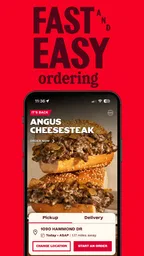
I judge an ordering app’s speed by the whole task, not just how fast a screen appears: can I find a meal, make a decision, and reach checkout without losing time? This one is designed for a relatively direct path from choosing Arby’s to arranging pickup or delivery. If I have a usual order in mind, the app’s value is avoiding a separate call or an in-person wait to place it.
That convenience depends on how prepared I am. A person who already knows what they want can move through an order with less browsing; someone weighing several menu choices, deal terms, and ways to receive the food should expect more decision-making. I would check the final order carefully before submitting it, especially when a deal is part of the plan. A discount is only useful if the offer applies to the items I actually intend to buy.
For a realistic lunch break, I might decide on Arby’s before leaving work, use the app to place an order for pickup, then collect it on the way back. The benefit is that ordering can happen while I’m still at my desk rather than after I arrive hungry. I would still allow time for the restaurant visit itself: an app can simplify placing an order, but it cannot make the drive or handoff disappear.
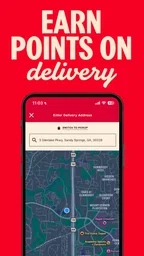
Delivery is the better fit when I cannot conveniently get to a restaurant, while pickup makes more sense if I am already nearby or passing through. I would choose between them based on the day’s logistics, not assume one is universally faster. Distance, local conditions, and restaurant workload can all affect the real wait, so the app should be treated as a way to arrange the order, not a guarantee of instant food.
Where rewards and deals change the routine
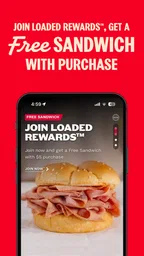
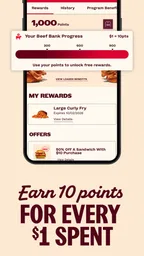
Loaded Rewards points and deals give regular customers a reason to open the app before ordering instead of treating it as a last-minute checkout tool. My practical tip is to look at available offers before settling on the meal. That small change in sequence can help avoid building an order around something that does not fit the deal, or overlooking an offer that would make a planned visit more worthwhile.
I would also think of rewards as a bonus for purchases I already planned, not a reason to spend more. If I only want a quick sandwich, adding extra food just to chase points can undercut the value. On the other hand, someone who already stops at Arby’s from time to time may appreciate keeping deals and ordering in the same place rather than switching between a restaurant app and a separate rewards routine.
There is a useful trade-off here. A restaurant-specific app can put that chain’s ordering and loyalty tools together, but it cannot match the breadth of a general delivery service when I am choosing among many cuisines. If the key decision is “What should I eat?” rather than “How do I order Arby’s?”, a broader food-delivery app or a quick look at nearby restaurants is the more natural starting point.
Busy moments and heavier use
The app is most valuable when I use it to reduce small points of friction: planning a pickup before leaving, checking deals before choosing, or placing a delivery order when getting out is inconvenient. These are ordinary tasks, but they are exactly where a restaurant app can save attention. I would avoid waiting until the last minute to learn the ordering flow during a rushed break; getting familiar with it on a calmer visit makes the next order easier to manage.
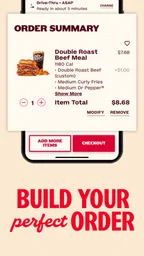
Heavy use also means keeping track of the order itself, not just tapping through screens. Before confirming, I would review the items, quantities, and selected fulfillment method. That is especially sensible when ordering for more than one person, since a small selection mistake is more annoying when the bag is meant to cover lunch for a group. For a shared order, I find it helpful to collect everyone’s choices first rather than passing one phone around while people make up their minds.
Deals can add another step to a busy order, so I would make a quick choice between optimizing for an offer and getting food ordered with minimal fuss. If the offer clearly suits the meal, use it; if understanding its conditions is slowing down a simple lunch, convenience may matter more. The app’s rewards angle is a strength for attentive repeat customers, but it asks the user to pay attention rather than automatically making every order cheaper or simpler.
Reliability, recovery, and practical checks
For a food-ordering app, reliability matters most at the moments when an order is being reviewed or submitted. My cautious habit is to pause at the final screen and verify what I am asking the restaurant to prepare. If something seems unclear, I would rather resolve that before placing the order than assume the selection carried through as intended.
I also recommend keeping the app’s role clear: it helps arrange a restaurant order, but the restaurant still prepares and fulfills it. If plans change after ordering, the sensible next step is to use the options the app presents or contact the restaurant through an appropriate channel, rather than repeatedly submitting the same order. That is a general safeguard for any digital ordering workflow and helps avoid duplicate requests.
When an order does not go as expected, first check the order details and the status shown in the app before making another attempt. That gives you a clearer basis for deciding whether to wait, seek help, or start over. I would not treat a slow moment as proof that an order failed, particularly if I have already reached a confirmation step. Taking a moment to verify is less frustrating than accidentally placing a second order.
My reliability verdict is therefore practical rather than absolute: the app is worth using when it makes ordering and rewards easier to manage, but I would still read the confirmation carefully and leave a reasonable buffer around a time-sensitive meal. For an appointment or a very short break, I would not plan around the assumption that a mobile order removes every possible delay.
Device fit and who should choose it
The current version is 2026.20.7, and the app requires iOS 11 or later. That makes the operating-system requirement an important first check if you are using an older Apple device. I would confirm compatibility in the app store before relying on it for an upcoming meal. Its age rating is Everyone, so the content rating is not a barrier for general household use.
I would not make strong claims about battery use, storage demands, or performance on every phone without testing that specific device. In practical terms, the main constraint to check is compatibility and whether your phone can comfortably run its current software. If your device is supported but older, it is sensible to keep the app updated and avoid making a first-time setup part of a rushed order.
The app has a 4.6 average from around 277,000 ratings, with roughly 27,000 written reviews, and has been installed over 5 million times. Those figures suggest that it is a familiar option for a substantial number of customers, but they do not tell me how quickly a particular restaurant will prepare an order or how well the app will suit an individual phone. I treat popularity as context, not a substitute for checking whether its ordering flow fits my habits.
I’d recommend it to people who visit Arby’s often enough to care about its rewards, want pickup or delivery through the restaurant’s own app, and prefer to sort out an order before arriving. I’d skip it if I rarely eat there, dislike using restaurant-specific apps, or mainly want to compare a broad selection of nearby places. In those cases, a general delivery service or simply ordering in person may be more straightforward.
My performance verdict
As a focused restaurant app, Arby’s - Pickup or Delivery is most convincing when speed means fewer steps in planning and placing an order—not a promise that food will appear immediately. Its combination of ordering, Loaded Rewards points, and deals gives repeat customers a practical reason to keep it available. The best routine is to check an offer before choosing, select pickup or delivery based on the day’s real constraints, and review the order before confirming.
For me, the deciding factor is frequency. If Arby’s is already part of your routine, the app can make that routine easier to organize and give you a convenient place to check rewards. If it is an occasional stop, its specialized focus may not earn a regular place on your phone. Either way, I would use it as a helpful ordering option, allow realistic time for fulfillment, and keep the final confirmation step in view.
What we like
- Order pickup or delivery from the app.
- Browse menu items and customize your order.
- Save favorite items for faster reordering.
- Find nearby Arby’s locations and check store details.
- Use the app to access available deals and offers.
What could be better
- Delivery availability depends on your location.
- Delivery fees may increase the total cost.
- Menu options can vary by restaurant.
- Some deals may have limited eligibility or expiration dates.
- A stable internet connection is needed to place orders.





