






Touchgrind BMX 2 review
 Analysis by Appsdrops
I find Touchgrind BMX 2 works best as a quick, focused game you can pass around, rather than something that needs a long session or a complicated setup. Its finger-controlled BMX riding makes it easy to understand what you are trying to do, but landing a trick cleanly takes practice. That mix makes it a natural fit for a shared phone or tablet: one person can try a run, hand over the device, and compare attempts without needing to learn a large set of controls first.
Passing the device around changes the experience
As a sports game from Illusion Labs, this is built around performing bike tricks through touch gestures. The appeal is not simply seeing a rider move; you are directly responsible for the bike’s balance and the way a trick comes together. A first attempt can feel awkward, especially if you expect familiar on-screen buttons, but the controls become more legible as you learn how small movements affect a run.
That makes it particularly suitable for short turns. On a shared device, a player can attempt a challenge, watch someone else approach it differently, and then try again with one adjustment in mind. I like this more than games where passing the phone means explaining menus, loadouts, or a long sequence of objectives. Here, the central task is visible on screen, so another person can often understand the goal by watching.
A realistic use case is a short break at home: one person plays while waiting for dinner, then lets a sibling or friend take the next turn. It is also a decent choice for a commute or waiting room when you want something that can be picked up and put down. The caveat is that “easy to pass around” does not mean every player will immediately succeed. A newcomer may need a few tries before a trick feels controllable, and a group that expects instant, button-mashing fun may lose patience.
The game’s appeal sits between a casual time-filler and a skill-based sports title. You can enjoy the spectacle of a successful run without knowing anything about BMX, but improving depends on learning how to guide the bike rather than relying on luck. That gives repeat attempts a purpose: instead of merely replaying the same moment, you can focus on making a movement more deliberate.
Learning the touch controls without turning every turn into a lesson
When I introduce it to someone else, I would keep the first turn simple: let them experiment with the controls and watch what happens, rather than giving a long explanation up front. The game makes more sense when the player can connect a gesture with the bike’s response. After that, a useful coaching tip is to change one thing at a time. If a run goes wrong, repeating it with a smaller adjustment is more informative than making several different gestures at once.
This is one of the less obvious strengths of a touch-driven trick game: watching another person play can teach you almost as much as taking a turn. A shared session becomes a small exchange of ideas, such as noticing that a controlled movement works better than an exaggerated one. It is also a practical way to help a younger or less experienced player without taking over the device for a long demonstration.
There is a trade-off, though. The precision that makes successful tricks satisfying can make the game feel fussy on a small screen or when someone is holding the device in an awkward position. For shared play, setting the phone down or holding it steadily can help everyone get a fairer sense of the controls. If a player is frustrated, taking turns in a calmer setting is likely to be more enjoyable than trying to master a trick while people are rushing them.
Device sharing and sensible account boundaries
For a household, the main setup question is less about creating a complicated family arrangement and more about deciding whose device and store account are in use. The game is free to download, but it includes in-app purchases priced from $0.99 to $24.99 per item. I would make that clear before handing over a device, especially if it is connected to an adult’s payment method. Free access does not mean every optional purchase is free, so it is sensible for the account holder to handle any spending decisions.
If several people share one device, agree on a simple routine: take turns, avoid changing settings or making purchases without asking, and return the device in the state you found it. That is useful not because the game requires a formal household system, but because a shared screen can blur who is playing and who is responsible for store activity. Keeping purchases with the account holder is a straightforward boundary.
I would also avoid assuming that one shared device automatically means separate personal progress or separate play spaces. If individual records matter to the people using it, check how the game behaves on the device before making promises about keeping everyone’s activity apart. The safest expectation is to treat the game as a shared activity unless you have confirmed otherwise, rather than relying on account separation that may not be available in the way your household wants.
There is a useful distinction between sharing the device and sharing the account. A parent can let a child play while keeping responsibility for the store account and purchases; those are separate decisions. Likewise, a family can enjoy taking turns without treating the game as a multiplayer contest. If your group wants everyone to play simultaneously, coordinate over voice, or maintain clearly separate profiles, this is not the kind of shared-device experience I would choose on that basis alone.
Coordination, turn-taking, and keeping play relaxed
Because success relies on timing and control, a shared session works better when players agree on what counts as a turn. One attempt each is easy to manage, while a more experienced player might otherwise hold the device for repeated retries. A simple rotation keeps the game social and gives beginners room to learn without turning the session into a comparison of who is best.
For a mixed-age group, I would encourage players to share tips rather than grab the phone to demonstrate every time. The person holding the device needs to feel the controls for themselves; watching a perfect run is not a substitute for learning the movement. On the other hand, a quick demonstration can help explain why a trick went wrong, provided the device is handed back promptly.
This is also where the game differs from many conventional sports games. It is not primarily about managing a team, following a match, or using a standard controller layout. The central pleasure is manipulating a BMX rider through trick attempts with your fingers. That makes it more tactile and immediate than a simulation-style sports game, but less suitable if you want realistic match structure, team strategy, or a straightforward head-to-head contest on one screen.
Compared with a simple arcade game, Touchgrind BMX 2 asks more patience from the player. A quick tap may start the fun, but consistent control is the real challenge. Compared with a traditional BMX or racing game, it is more focused on the feel of performing tricks than on navigating a broad course with conventional steering. I would choose it for someone curious about experimenting with gesture-based control, not for someone who mainly wants a realistic ride or a casual game with no learning curve.
Age, trust, and what the rating means at home
The game has an Everyone content rating, which makes it broadly approachable as a family game. That is helpful when deciding whether the theme is suitable for a range of ages, but a general age rating does not decide whether a child is ready to use a shared device or make store purchases. I would still keep the device’s usual supervision and spending rules in place, particularly when the game is installed on an adult’s account.
For younger players, the practical question is whether they can handle a game that rewards repetition without getting upset when a trick fails. The controls are direct, but a good result may take experimentation. A child who enjoys learning through trial and error may find that satisfying; one who expects every gesture to work immediately may prefer a simpler, more forgiving game.
For adults sharing with children, I would frame turns around trying something new rather than proving who can score best. That keeps the focus on the game’s distinctive skill: making a controlled movement and seeing how the bike responds. It also gives an adult a natural opportunity to model patience when a run does not go as planned, without needing to turn a short play session into a lesson.
The title is free, and its audience is substantial: it has more than 50 million installs, with an average rating of 4.7 from around 342,000 ratings. Those figures suggest it has found a broad audience, but they do not guarantee it will suit every household. The more useful test is whether the people sharing your device enjoy gesture controls and are comfortable taking turns while they improve.
What to expect before installing
The game was released on December 13, 2018, and its current version is 2.5.2. It requires Android 10 or later, so an older Android device may not be compatible. It is worth checking the device’s operating system before planning a shared session, especially if the household’s spare phone or tablet is not the one used most often.
In practical terms, I would install it for a household that wants a free-to-start sports game with a distinctive touch-control challenge. I would not choose it as the only game for a group with very different tastes: someone who enjoys precise tricks may keep replaying, while someone who wants instant progress or a full racing experience may not. The in-app purchases are another reason to establish spending expectations before children use a device connected to a payment method.
One useful way to decide is to ask what your shared play usually looks like. If people naturally take turns, watch one another, and enjoy improving at a small skill, the game’s format fits well. If the usual preference is simultaneous play, clear individual accounts, or fast action with almost no practice, a different sports or party game will likely be a better match.
My household verdict
I would recommend Touchgrind BMX 2 for a shared phone or tablet when the goal is a compact, hands-on challenge that people can learn by watching and trying. Its BMX focus gives it a clear identity, and the touch controls make each successful trick feel earned. Illusion Labs has made a sports game that can work as a quick solo distraction or as a pass-the-device activity, provided the group is happy to be patient with the learning curve.
I would skip it for a household looking for a structured multiplayer competition, a realistic BMX simulation, or a game where every player can maintain an obviously separate experience on one shared device. I would also set a clear rule around purchases, since the game is free but offers paid items. With those expectations in place, it is an enjoyable option for short turns, friendly coaching, and gradual improvement. The best reason to keep it installed is not simply that tricks look exciting; it is that everyone can take a turn, learn from the last attempt, and have a reason to try once more.
What we like
- Responsive touch controls make tricks feel direct and satisfying.
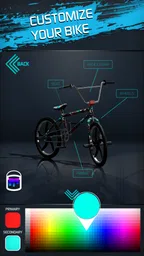
- Multiple bike and rider options add room for personalization.
- Replay and video tools help capture standout runs.
- Online competitions give skilled players goals to pursue.
- Each location offers varied routes and stunt opportunities.
What could be better
- Progression can require substantial practice to master advanced tricks.
- Some bikes and locations may require grinding or in-app purchases.
- The game can feel repetitive once familiar courses are mastered.
- Online competition may be challenging for newcomers.
- Detailed 3D visuals can drain battery on longer sessions.







