




3D Bowling review
 Analysis by Appsdrops
I find 3D Bowling easiest to judge as a quick pick-up game rather than a full replacement for a night at the lanes. It turns a familiar sport into a compact phone game, which suits short breaks and casual play. The idea is immediately understandable, but the feel of a roll depends on getting comfortable with the touch controls; a player expecting a detailed bowling simulator may need to adjust their expectations.
Getting comfortable with the first roll
The game is a free sports title from Italic Games, rated for Everyone. It has been around since June 7, 2011, and its current version is 4.3. Its long history is reflected in its reach: it has passed 100 million installs, with a 4.7 average from around 1.1 million ratings. Those numbers suggest broad appeal, though they cannot tell you whether its control style will suit your hands or your phone.
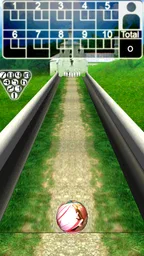
My first practical advice is to treat the opening rounds as a control check, not a test of skill. A bowling game on a touchscreen asks you to translate a physical motion into a swipe or other on-screen input, and small differences in finger placement can make a roll feel less predictable than a real throw. Take a moment to see how the game responds before trying to aim for a perfect result.
If your first throw veers away from the pins, resist the urge to make a dramatic correction on the next one. Change one part of your motion at a time—such as where you begin the gesture or how steadily you move—so you can tell what actually helped. This simple approach is more useful than repeatedly swiping harder, which can make your input less consistent rather than more accurate.
That learning curve is the main point where a new player may get stuck. The premise is familiar, but judging a virtual lane through a small screen is not the same as lining up at a bowling alley. If the first few rolls feel awkward, give yourself a short practice session before deciding the game is unresponsive. If it still feels imprecise after you have settled on a repeatable motion, the touch-based format may simply not be your preferred way to play.
Before blaming the controls
When a roll does not match your intention, start with basic setup checks. Make sure the phone is steady in your hands and that your finger can travel across the screen without catching on an edge or being interrupted. A cramped grip, a screen protector that changes how your finger glides, or a notification arriving mid-gesture can all make a swipe feel different from the previous one. These are everyday touchscreen issues, not proof that the game has changed its behavior.
I also recommend testing in the same posture you expect to use most often. A throw made while standing, holding the phone with one hand, may not feel like one made while seated with both hands supporting it. If your aim varies, settle into a comfortable position and repeat a few rolls before changing your technique. Keeping the phone level and using a smooth, deliberate gesture gives you a more useful baseline than trying to compensate for every miss with extra force.
There is a trade-off here: gestures make a quick sports game accessible without a controller, but they can be sensitive to how you hold the device. That matters especially during a brief session, when it is tempting to rush through throws. Slowing down between attempts is not just a performance tip; it helps separate a genuine aiming problem from a hurried or interrupted input.
Recovering a session without losing your rhythm
If the game seems to stop responding, I would first pause the rapid tapping and check whether the screen is registering touch elsewhere. Close any interruption, give the current screen a moment, and try one deliberate input rather than several in quick succession. When an app appears stuck, reopening it is a reasonable basic step, but I would avoid repeatedly force-closing it after every imperfect roll. A bad result and a frozen interface are different problems.
For a session that feels inconsistent, use a small reset in your own workflow: keep the same grip, choose a comfortable pace, and make a few comparable throws. If those respond normally, the earlier trouble was probably tied to movement or interruption rather than a persistent control failure. If every touch is ignored across the screen, check whether the phone itself is responding before concluding that the game is at fault.
This distinction is useful because the game invites quick retries. It is easy to turn a minor interruption into a frustrating streak by immediately repeating the same gesture. I get better results by taking a breath, checking the device, and returning to a controlled motion. That also makes the game more relaxing: bowling is supposed to be a casual challenge, not a reason to wrestle with the touchscreen.
What the game is—and is not—trying to be
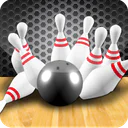
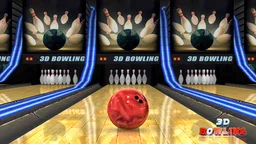
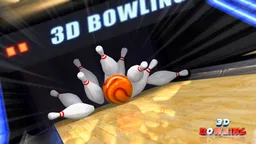
The appeal of this title is its directness. It is a sports game built around bowling, and its 3D presentation gives the familiar pins and lane a visual form that feels more like a small game than a scorekeeping utility. I would reach for it when I have a few minutes and want a simple activity with an obvious objective, rather than when I am looking for a deep sports-management game or a carefully modeled training tool.
Compared with a real bowling alley, the phone version is convenient and private, but it cannot reproduce the weight of a ball, the feel of lane conditions, or the physical adjustment a bowler makes while approaching. Compared with other casual sports games, its subject is more focused: you are not switching between a roster of sports or building a long strategy around a team. That focus is a benefit when you want bowling specifically, and a limitation if you need varied activities to stay interested.
It is also worth separating “realistic” as a visual aspiration from realism as a complete simulation. A 3D view can make the scene recognizable, but a screen gesture remains a simplified stand-in for an actual delivery. I would not use a strong score in the game as evidence that I have learned real-world bowling technique. For practicing lane etiquette, physical approach, or equipment choices, an actual bowling session—or a more explicitly instructional resource—is the better option.
Who will enjoy it in everyday use
I can see it working well during a commute wait, a quiet moment at home, or a short break when opening a larger game feels like too much commitment. Its familiar premise makes it easy to hand to someone who does not usually play sports games, and the Everyone rating supports its broad, casual positioning. The key is to keep expectations modest: it is best approached as a quick digital diversion, not as a substitute for social time at a bowling center.
For example, if I had a few minutes between tasks, I would open it, settle into one comfortable grip, and focus on making consistent rolls rather than chasing a perfect score immediately. That gives the session a clear purpose without demanding a long setup. If I were sharing a phone with a child or a friend, I would first show them how I make the gesture and let them try at their own pace; the controls are more intuitive once they have seen one complete attempt.
Players who enjoy learning a tactile control scheme may find the small adjustments satisfying. On the other hand, someone who dislikes swipe-based input, wants a highly detailed physics experience, or prefers multiplayer competition as the central draw should look elsewhere. The same is true if you want an extended career structure or substantial strategic progression: I would not choose this game on the assumption that it offers those things.
When the phone, not the game, is the obstacle
Some apparent game problems begin outside the game. A screen that misses touches in other apps, a device that is responding slowly in general, or an interrupted gesture can all affect a bowling throw. Test ordinary touch input elsewhere on the phone before changing your approach repeatedly. If the whole device feels sluggish, closing other demanding activity and restarting the app may be more sensible than trying to fix the roll itself.
Compatibility is another practical check. The game requires Android 5.0 or later, so an older device below that minimum is not a suitable place to troubleshoot controls. On a supported phone, keeping the software current through the app store is a sensible maintenance habit. It does not guarantee that every issue disappears, but it avoids spending time diagnosing a problem that may come from an outdated installation or the device’s general condition.
Battery-saving behavior, accidental screen touches, and a worn or dirty display can also complicate a short session. I would clean the screen, remove an obstruction from the gesture path, and try again before assuming a particular roll mechanic is broken. These checks are deliberately basic: they address common phone-use friction without pretending that every inconsistent throw has the same cause.
My practical verdict
3D Bowling makes sense if you want an uncomplicated bowling game to open for a short session and are willing to learn how its touch input responds. Its established audience and strong average rating show that many players have found the format appealing, but personal comfort with touchscreen aiming matters more than popularity. I would try it with a steady grip and patient, repeatable gestures before judging whether the controls suit me.
My recommendation is conditional rather than universal. Choose it for accessible, focused bowling on a phone; skip it if your priority is authentic physical simulation, deep progression, or a richer competitive structure. When throws feel off, check your grip, screen, and device response before treating every miss as a game fault. If the controls still frustrate you after a fair trial, a different kind of sports game—or bowling in person—will probably be a better fit.
What we like
- Easy-to-learn controls make it accessible to casual players.
- Multiple bowling alleys add visual variety between games.
- Quick matches work well for short play sessions.
- Several ball designs offer simple ways to personalize play.
- Solo play is available without needing an opponent.
What could be better
- Ball physics can feel inconsistent during some throws.
- Limited modes may reduce long-term replay value.
- Ads can interrupt the experience between games.
- Visual effects look dated compared with newer bowling games.
- Precise aiming takes practice on a touchscreen.







