
Tiny Ride review
 Analysis by Appsdrops
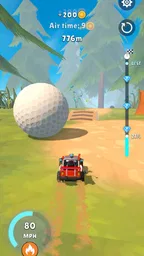
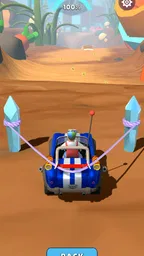
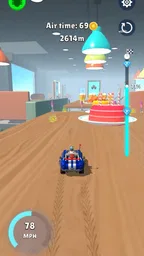
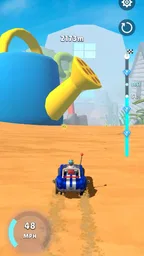
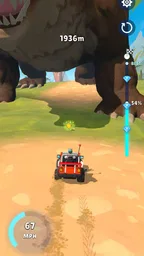
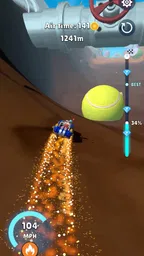
I would approach Tiny Ride as a compact, playful racing game rather than a traditional driving simulator. Its central idea is easy to picture: aim a small vehicle and send it flying from a slingshot into oversized everyday surroundings. That scale shift gives the game its character. The appeal is less about mastering realistic roads and more about judging a launch, seeing how far a tiny ride can get, and deciding what to adjust on another attempt.
What to expect from a tiny-scale racer
Playfo has made a racing game with a deliberately different rhythm from lap-based racers. Instead of expecting you to steer around a circuit for several minutes, Tiny Ride puts the launch itself at the center of the experience. The oversized setting makes ordinary surroundings feel like obstacles and landmarks, while the small vehicle turns a simple movement into a miniature stunt.
That makes it a natural fit when I want a game I can understand quickly. I don’t need to learn a complicated racing line before trying a run, and the basic premise is clear before the first launch. The more interesting question is how to make each attempt count: where to aim, how to use the available launch, and whether a different approach could carry the vehicle farther or through a better route.
It is still a racing game, but people looking for close wheel-to-wheel competition, realistic handling, or long championship events should set their expectations elsewhere. Tiny Ride’s distinctive pleasure comes from the contrast between a tiny vehicle and a world that feels huge. If that playful scale is what draws you in, the concept has an immediate appeal; if you mainly want conventional track racing, the launch-focused format may feel too removed from what you enjoy.
The game is free to download, with in-app purchases listed from $1.99 to $49.99 per item. I’d treat the free entry point as a chance to see whether its launch-and-try-again loop suits me before considering any purchase. The audience rating is Teen, so it is worth checking that rating against the expectations you have for a younger player rather than assuming every light-looking racing game is intended for all ages.
Getting started without overthinking it
For a first session, I would keep the goal modest: learn what a launch feels like before trying to optimize it. A common mistake in games built around a single dramatic action is to treat the first attempt as a test of skill. It is more useful to treat it as a baseline. Watch the vehicle’s path, notice where the launch seems to help or hinder it, and use that observation to make one deliberate change next time.
This one-change approach is especially useful here because it keeps the feedback understandable. If you alter several things at once, a better result does not tell you which choice helped. If you change your aim while keeping the rest of your approach similar, you can build a clearer sense of how the launch responds. That is a practical way to turn an amusing first run into a small learning process without making the game feel like homework.
I also recommend starting with short play windows. The premise is suited to a quick break, but repeated attempts can make it tempting to keep chasing a slightly better result. I’d decide in advance whether I’m playing for a few relaxed launches or actively trying to improve a run. That small distinction helps keep the game enjoyable: casual play stays casual, while focused play has a clear purpose.
Finding a first meaningful success
A satisfying first milestone does not have to be a perfect run. I would count it as progress when I can explain why one attempt worked better than another. Perhaps the vehicle took a more promising route, or a small change in aim led to a noticeably different flight. Even without a dramatic score to chase, understanding the cause of a result makes the next attempt feel intentional rather than random.
My practical routine would be simple: make one launch, observe the path, choose one adjustment, then try again. If the next result is worse, that is still useful information; return to the earlier approach and change something else. This is more reassuring for a newcomer than blindly repeating launches and hoping one happens to go well. It also helps reveal whether the game’s central interaction is engaging enough for you to keep exploring.
For an everyday example, imagine opening the game while waiting for a friend or taking a short break between tasks. I would use the first minute to get comfortable with the launch, then spend the next few attempts testing one adjustment at a time. If I only have a moment, I can stop after a run that taught me something instead of feeling I must complete a long race. That makes the game easier to fit into an uneven schedule than a racer built around extended events.
Where first-time players can get confused
The most likely source of confusion is expecting the word “racing” to mean steering continuously around a track. Tiny Ride’s premise puts a slingshot launch in the foreground, so the useful skill is reading the result of a launch and adjusting your approach, not simply holding a direction as though you were driving a standard circuit. Once I frame it that way, an imperfect run feels like feedback rather than a failure to control a conventional car.
Another trap is assuming that a longer-looking flight automatically means a better decision. A launch can be entertaining to watch without being the most effective approach for your goal. I would pay attention to the route and outcome rather than judging only by the spectacle. That distinction helps when an attempt looks impressive but does not move you toward the result you actually want.
It is also worth being patient if the first few launches feel inconsistent. The game’s central appeal depends on experimenting with a physical-looking action, and a little trial and error is part of that loop. If you dislike repeating an action to learn how it behaves, or you prefer precise, continuous steering from the outset, this is a meaningful limitation rather than something you should expect to disappear through a hidden setting.
Version 1.0.13 is the current version, and the game lists Android 8.0 as its minimum operating system. Tiny Ride is also a relatively established option in its niche: it has an average rating of 4.4 from around 9,000 ratings, with over 500,000 installs. Those figures suggest it has found an audience, but they cannot tell you whether its particular launch-based style will suit your taste. The best test is whether you enjoy learning from repeated attempts.
How it compares with familiar racing games
Compared with a typical arcade racer, Tiny Ride appears more focused on a single launch-and-flight challenge than on sustained steering through a sequence of corners. That narrow focus can be a strength: there is less to learn before you can make an attempt, and each run gives you a clear opportunity to test a small change. It can also feel limiting if your favorite part of racing games is building speed through a track, overtaking rivals, or refining cornering technique.
Compared with a realistic driving game, the game’s oversized everyday world and tiny vehicle give it a playful, scale-based identity rather than a simulation-oriented one. I would choose it for a brief experiment or a light distraction, not as a substitute for detailed vehicle handling. Compared with a generic stunt game, its racing category and launch premise make the attempt itself the main attraction; the satisfaction comes from judging how to send the ride into its environment, not from expecting a full driving campaign.
That comparison also helps answer who should skip it. If you want multiplayer rivalry, deep vehicle setup, realistic road behavior, or a long progression structure, a more conventional racer is likely a better match. If you enjoy compact challenges where a small adjustment can change the outcome, Tiny Ride is easier to recommend. Its strength is focus, and that same focus is the reason it will not satisfy every racing fan.
Deciding whether to keep playing
After a few sessions, I would judge the game by whether I still find the next launch interesting. If I’m forming a hypothesis before each attempt—try a different aim, compare the route, see whether the change helps—the core loop is doing its job. If I’m repeating the same action without curiosity, the novelty may have worn thin for me, and I would not treat that as a personal failure. A focused game can be enjoyable without becoming a long-term hobby.
For a first-time player, the most useful next step is to set a small target of your own: improve on a previous attempt, find a launch approach you can repeat, or simply see how the tiny vehicle behaves in the oversized setting. Avoid measuring success only by whether a run looks spectacular. A repeatable improvement is more satisfying because it shows that you are learning the game rather than relying on luck.
My recommendation is to try it if you want a free, approachable racing diversion built around experimentation rather than ordinary track driving. Playfo’s Tiny Ride has a clear hook and a low-pressure way to begin, but its appeal depends on enjoying the launch-focused loop. I’d give it a short, thoughtful trial before spending money: make a few controlled attempts, see whether the results invite another experiment, and move on if you’re craving a more traditional racer.
What we like
- Simple controls make it easy to start playing.
- Short rounds suit quick play sessions.
- Bright visuals make the action easy to follow.
- Unlockable rides add goals beyond the first runs.
- The lightweight gameplay works well on mobile.
What could be better
- Repeated runs can make the gameplay feel monotonous.
- Progress may depend on replaying the same stages.
- Small screens can make precise movement harder.
- Some players may find the challenge uneven.
- Limited gameplay variety may reduce long-term appeal.







