Traffic Racer review
 Analysis by Appsdrops
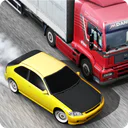
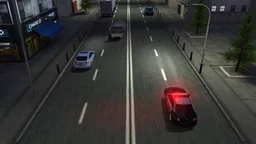
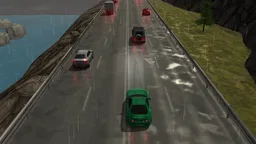
I come back to Traffic Racer when I want a racing game that gets to the point: choose a car, enter a run, and concentrate on finding a safe path through traffic. It is an arcade racer rather than a detailed driving simulator, so the appeal is quick reactions and the small satisfaction of keeping a run alive. That makes it easy to pick up in a spare moment, though it is less suited to anyone looking for a story-led campaign or realistic car handling.
What makes a run work
Published by skgames, this free racing game has been around since Nov 12, 2013. Its longevity makes sense once you try the basic loop: traffic turns an apparently simple stretch of road into a series of decisions. Do I hold my line, ease off, or risk moving into a narrow gap? The answer changes quickly, and a careless move can end a promising run.
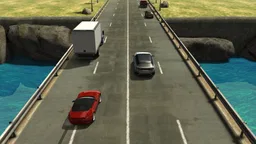
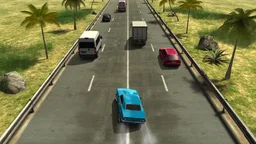
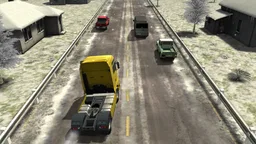
The challenge is not just steering around obstacles. You need to read the space ahead rather than react only to the car immediately in front of you. I find that looking farther down the road helps me avoid abrupt corrections. A gap that looks open at first may close as traffic shifts, while a modest change of lane can be safer than trying to squeeze through.
This gives the game a satisfying rhythm: settle into a pace, scan for openings, then make a deliberate move. It also explains where new players can get stuck. If you treat every gap as an invitation to pass, the road starts to feel unfair. In practice, patience is part of the skill. Sometimes the best decision is to stay behind traffic for a moment instead of gambling on a tight opening.
When the road feels harder than expected
The arcade format rewards focus more than careful simulation habits. If you expect every steering input to behave like a real car, the quick, repeatable nature of the action may feel blunt. I would approach it as a reflex game: make small corrections, keep your attention on the route ahead, and avoid changing direction at the last second unless there is no better option.
Short sessions are a good fit. A run can be a compact break between other tasks, and the straightforward premise means I do not need to remember a complicated set of objectives before returning. For a realistic everyday use case, it works well during a few minutes of downtime when I want something active but do not want to commit to a long narrative or a match with other players.
It is not the right choice for every racing fan. If you want licensed motorsport, a deep tuning workshop, a track-learning challenge, or a simulation that asks you to manage braking and cornering in detail, a more specialized racer will serve you better. Traffic Racer’s appeal is the pressure of moving through traffic, not recreating a full driving experience.
Before a session: simple checks
Because the game depends on quick visual reactions, I find it useful to start with a comfortable grip and a screen position that lets me see the road clearly. If controls feel awkward, pause before deciding that the game itself is at fault: check that your hands are not covering important parts of the view, and try a calmer run while you get used to the response. Small, controlled inputs are easier to judge than dramatic swipes or movements.
If performance seems inconsistent, close other demanding apps and reopen the game before a serious session. That is ordinary device housekeeping, not a guarantee that every stutter will disappear. A phone can feel slower when it is busy, hot, or low on available resources. Testing again after the device has had a chance to settle can help distinguish a temporary device issue from a control habit that needs adjustment.
The current version is 4.0, and the minimum operating system is 7.0. If the game will not install or launch, checking that the device meets that operating-system requirement is a sensible first step. I would also check for a pending update through the relevant app store and make sure the device has enough free space for normal app use. These checks are more useful than repeatedly reinstalling without first identifying what changed.
Recovering after a frustrating run
When a run ends, I try to identify the moment that caused it rather than immediately repeating the same approach. Was I looking too close to the car? Did I move into a gap without checking what was beyond it? Did I make a late correction after already committing to a lane? That quick mental review turns a failed attempt into a practical lesson, and it is more useful than simply trying to drive faster next time.
If the controls seem to stop responding, first check whether the screen is registering touch normally in other situations. Clean the display, remove anything that is interfering with your grip, and restart the game if it appears stuck. If the whole device is unresponsive, the issue may be broader than this one game. Restarting the device and checking for an available system update are reasonable general steps before assuming the game is broken.
For a crash or repeated launch failure, I would avoid clearing app data or uninstalling as a first reaction if I care about local progress. Those actions can affect saved information, depending on how an app stores it. Start with less disruptive steps: close and reopen the game, restart the phone, and check for updates. If the problem remains, use the app store’s support route rather than trying unfamiliar fixes that could make recovery harder.
Separating game friction from phone friction
Not every awkward run indicates a technical fault. Traffic movement can make a route feel unpredictable, and a missed gap may simply be a judgement error. A useful test is to repeat a similar approach with gentler steering and more attention on the road ahead. If the game responds consistently but the outcome changes with your timing, that points toward the arcade challenge rather than a broken control.
On the other hand, if touch input fails across the phone, the screen has trouble registering movement elsewhere, or several apps are freezing, it makes more sense to investigate the device. Check whether the phone is overloaded, restart it, and see whether the issue persists in a different app. This avoids blaming Traffic Racer for problems that are likely tied to the display or system.
There is also a practical difference between a connection problem and a gameplay problem. If a particular action depends on an online service, a weak connection could matter; for ordinary driving, it is more useful to observe whether the game itself is responding smoothly. I would not change network settings just because I clipped another car. First work out whether the symptom is truly technical or simply part of the demanding traffic flow.
Value, audience, and trade-offs
The game is free to install and is rated Everyone, which makes it straightforward to try. It has a 4.6 average from around 6.1 million ratings, with over 100 million installs and around 126,000 written reviews. Those figures suggest a broad audience, but they do not tell you whether its particular style will suit you. The best test is whether you enjoy repeated, reaction-focused runs.
Optional in-app purchases range from $1.99 to $59.99 per item. I would treat those as a choice rather than a requirement for deciding whether the core driving loop works for me. If you are considering a purchase, check the item and its price in the app before confirming, especially if a child uses the device. The game’s free entry point is enough to judge whether its traffic-dodging style holds your attention.
Compared with many racers built around laps, rival drivers, or long-term career progression, this one puts the road and passing decisions first. That is a strength when I want a quick test of concentration. It is also the central limitation: if the repeated traffic challenge stops feeling engaging, there may be less variety for you than in a racer that changes events, tracks, or objectives more substantially.
Who I would recommend it to
I would recommend Traffic Racer to someone who likes quick arcade challenges, enjoys improving through practice, and wants a racing game that can fit into short breaks. The most useful habit is to scan ahead, make measured lane choices, and accept that holding back can be smarter than chasing every opening. That approach makes the game feel more controlled without taking away its urgency.
I would skip it if your main reason for playing is realistic driving, elaborate car customization, or a structured campaign with changing goals. It can also be a poor fit if repeated runs feel monotonous rather than motivating. There is no need to force yourself through that friction: a track-based racer or a more simulation-minded alternative may better match what you want from the genre.
My practical verdict is that this is an easy game to try and a demanding one to master, with its appeal concentrated in a clear, repeatable traffic challenge. Start with a short session, focus on reading the road rather than making constant passes, and keep purchases optional while you decide whether the loop suits you. If that simple test feels satisfying, it is a handy pick-up-and-play racer; if you need deeper progression or realism, look elsewhere.
What we like
- Responsive steering makes lane changes feel precise.
- Runs smoothly on many older devices.
- Several camera views let players choose their preferred perspective.
- Quick sessions suit short breaks.
- Unlockable cars provide clear progression goals.
What could be better
- Traffic patterns can feel repetitive over time.
- Crashes end a run and can make progress feel abrupt.
- Upgrades may require substantial in-game currency.
- Ads can interrupt the experience.
- Later goals may depend on repeated high-scoring runs.







