
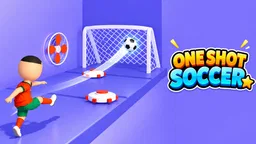
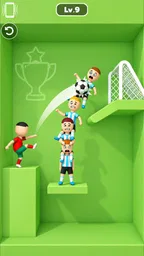
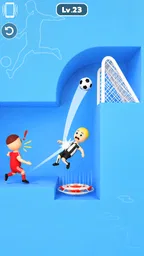
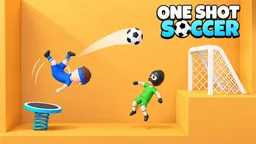
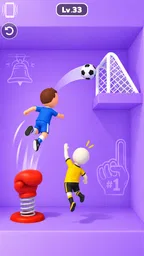
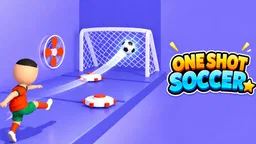
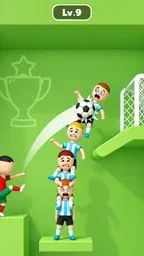
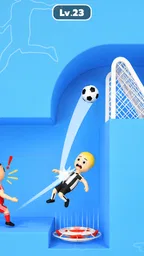
One Shot Soccer: Swipe & Score review
 Analysis by Appsdrops
The appeal of One Shot Soccer is easy to understand: it turns the familiar pressure of taking a shot into a small, focused sports game. I’d reach for it when I have a few spare minutes and want something built around a single clear challenge, rather than a long match or a complicated career mode. That narrow focus is also the main thing to consider before installing it: players who want team tactics, realistic match management, or a deep progression system may be happier with a fuller soccer game.
Getting started without overthinking it
Published by World Sports Arena, this free sports game is rated Everyone, making it an approachable pick for a broad range of players. Its central idea is conveyed in a few words, but a simple premise does not automatically mean every attempt will feel intuitive. My practical advice is to take a moment to understand how the shot responds before treating early misses as a sign that the game is difficult or unresponsive. With a one-shot challenge, small differences in how you approach an attempt can matter more than they would in a game where you can recover through several passes or attacks.
If you are setting it up for someone else, especially a younger player, start with the basics: install the current release, check that the device meets the stated minimum operating-system requirement, and open the game when you have a little time to explore. The current version is 2.0, and the minimum OS is 7.1. Those details are more useful as a compatibility check than as a promise that every device will behave identically; an older phone can meet a minimum requirement and still feel less comfortable to use than a newer one.
The game has a 4.6 average from around 17,000 ratings, alongside more than a million installs. That broad uptake suggests plenty of players find the central challenge appealing, but I would not treat popularity as a guarantee that it suits every taste. A quick, precise soccer game is a different proposition from a full simulation, and the best test is whether you enjoy concentrating on an individual shot.
Why a simple shot can still feel tricky
The most likely point of friction is expectation. Someone accustomed to a conventional soccer game may assume that scoring depends on moving players, choosing passes, and building an attack. Here, the emphasis is much narrower: the experience asks you to focus on taking a shot. That can make each attempt feel immediate, but it also leaves less room to compensate for an imperfect decision with a clever team move.
I recommend approaching the first session as a short learning period rather than a score chase. Notice what you do immediately before a successful attempt, then change one thing at a time when you try again. If you alter several parts of your approach at once, it becomes hard to tell whether a better result came from a useful adjustment or just chance. This small habit makes a compact game more satisfying because it gives each retry a purpose.
There is a trade-off in the format. A single-shot focus makes the game easy to pick up between errands or during a break, but it may feel repetitive if you want a changing match narrative. Players who enjoy honing a small skill can appreciate that repetition; players who need varied opponents, team control, or a long-term sports campaign should look elsewhere. I would choose it for a quick challenge, not as a substitute for every kind of soccer game.
Simple checks before blaming the game
If an attempt does not seem to respond as you expect, first check the ordinary things that affect any mobile game: whether the screen is reacting consistently, whether another app is interrupting your session, and whether the device has enough breathing room to run smoothly. Close apps you are not using if the phone feels sluggish, then reopen the game and try a fresh attempt. These steps do not assume a particular fault in the game; they help separate a temporary device hiccup from a misunderstanding of the shot interaction.
It is also worth checking that you are using a steady grip. In a game centered on a shot, an accidental touch or a changing hand position can make your input feel less deliberate. If you usually play one-handed while walking or holding something else, try a brief session with both hands free. That is a practical way to find out whether misses are coming from the challenge itself or from trying to play in an awkward situation.
For a child or a casual player, I would set up the first session in a calm moment rather than handing over the phone during a rushed transition. A quiet minute makes it easier to understand the interaction and avoids confusing distraction with difficulty. The Everyone age rating makes the game broadly accessible, but an adult can still help a younger player get comfortable with the basic controls and decide whether the repeated shot attempts are enjoyable.
Recovering a session and keeping attempts useful
When a session feels stuck, resist the urge to repeat the same attempt rapidly. Pause, reset your grip, and make one deliberate change on the next shot. This is more useful than tapping quickly through several tries because it gives you a chance to notice whether the game is responding consistently. If the screen has stopped reacting altogether, leave the game and reopen it before deciding there is a lasting problem.
A helpful routine is to separate practice from casual play. In a short practice stretch, pay attention to the input and the result instead of trying to produce a perfect run. In a casual stretch, stop analyzing and simply enjoy the challenge. Switching between those two approaches can keep a focused game from becoming frustrating: practice helps you understand your own timing, while casual attempts prevent every miss from feeling like a test.
Another useful habit is to avoid judging the game from a single poor session. If you are tired, distracted, or using the phone in an uncomfortable position, a precision-based activity can feel harsher than it really is. Try again later in a more settled setting. If the experience is still not enjoyable after a few relaxed attempts, that is a fair sign that the format may not fit you; there is no need to force a game whose main appeal is the very thing you dislike.
When the phone or setting matters more than the score
Not every frustrating attempt points to a game problem. A busy commute, a shaky grip, screen smudges, or a device that is struggling with several open apps can all make a precise touch interaction feel unreliable. I would test the game while seated and with the display clean before drawing conclusions. If it feels clearer in that setting, the earlier trouble was likely about the circumstances of play rather than the challenge itself.
Likewise, keep your expectations realistic if you are installing on an older device. Meeting the minimum OS requirement is a useful starting point, not a guarantee of identical performance across every phone. If the game opens but the device feels generally slow, restarting the phone and closing background apps are reasonable first steps. If other apps are also lagging, investigate the device’s overall performance before deciding that this particular game is at fault.
The game is less suitable for anyone who wants a social or tactical soccer experience first. A full match game is the better choice when you want to manage a team, build plays, or spend a longer session in a changing contest. A dedicated sports simulation can also be a better fit if realism is your priority. One Shot Soccer makes more sense as a compact test of shot-taking than as a replacement for those broader experiences.
Who will enjoy this focused soccer challenge
I can see it working well for someone who likes short, repeatable challenges and enjoys trying to improve through careful adjustments. It also suits a casual player who wants a sports-themed distraction without committing to a complete match. Since it is free, it is easy to try without treating the download as a major purchase decision, though your time is still worth considering: if you dislike retry-based games, the low barrier to entry does not make the format more appealing.
A realistic use case is a short break between classes or tasks. You open the game, take a few shots, and put the phone away without needing to remember a long match state. That makes it more convenient than a full soccer simulation in moments when you have only a little time. On the other hand, it is not my pick for a group looking to follow a complete match together or for a player who wants a substantial campaign to return to over weeks.
Its strongest comparison is with other quick sports games that reduce a sport to one repeatable action. Against a full soccer title, it sacrifices the variety of passing, defending, and team decisions for a more direct challenge. Against a casual arcade game with a broader set of activities, it offers a tighter soccer identity but less variety by design. Whether that is a benefit depends on what you want from the next few minutes: focused attempts or a richer mix of play.
A practical verdict on One Shot Soccer
With 41 written reviews and a strong average rating, the game has attracted a positive response, but I would still judge it by its specific appeal rather than by its reception. The title’s core idea is best for players who are happy to concentrate on individual shots, learn through repetition, and stop when a short session has run its course. Its simplicity is a strength when you want a quick sports challenge and a limitation when you want depth or variety.
My recommendation is to give it a fair first try in a comfortable setting, check that your device is running smoothly, and change only one part of your approach at a time when an attempt disappoints. If the focused rhythm clicks, it can be an easy game to return to for brief breaks. If you are looking for a full soccer match, detailed team control, or a longer progression experience, choose a more comprehensive sports game instead. That distinction is the clearest way to decide whether this free release from World Sports Arena belongs on your phone.
What we like
- Swipe controls make shooting easy to learn.
- Quick matches suit short play sessions.
- Aiming adds a satisfying skill challenge.
- The soccer theme is clear and accessible.
- Simple gameplay is suitable for casual players.
What could be better
- Swipe accuracy can feel inconsistent at times.
- The gameplay may become repetitive after a while.
- There is limited variety in the core challenge.
- Small mistakes can quickly spoil a scoring attempt.
- Players seeking realistic soccer may find it too simple.







