

Lichess review
 Analysis by Appsdrops
I like a chess app best when it gets out of the way: I want to make a move quickly, study a position when I have time, and return to a game without fuss. Lichess is a strong fit for that kind of use. It is a free board game from lichess.org, and its open-source identity is more than a label: it points toward a chess experience built around direct play and study rather than a pile of unrelated distractions.
My overall impression is that it suits players who want chess to be the main event, whether they are learning the basics or already comfortable thinking several moves ahead. It is not automatically the best choice for someone seeking elaborate presentation or a guided, game-like learning path. The appeal here is the chess itself, and that focus brings both its strengths and a few practical trade-offs.
Quick play without the ceremony
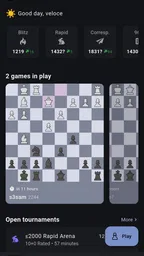
For a short session, the important question is how soon I can get from opening the app to thinking about a position. Lichess is designed around chess, so it makes sense as a companion for a spare moment: I can settle in for a game instead of navigating through a broad collection of unrelated activities. The board-game format also makes it easy to pick up when I have a little time and put aside when I do not.
I would not confuse a focused design with a guarantee that every action will feel instant on every phone. Performance depends on the device and connection, particularly when using online play. What I can say is that the app’s purpose is clear, and there is little conceptual overhead: chess players do not need to learn a new style of game before they can start making familiar moves.
That simplicity is useful for casual players, but it also works for people who treat chess as a regular practice. A quick match can be a break between tasks; a longer session can become a more deliberate test of opening choices and calculation. I find that flexibility more valuable than an interface that tries to make every session feel like a special event.
When a quiet moment becomes a real session
A realistic everyday use is opening Lichess while waiting for an appointment or taking a lunch break. If I only have a few minutes, I can choose a short chess session rather than starting something that demands a long uninterrupted stretch. If the position becomes interesting, I can stay with it; if time is tight, I can avoid treating a casual game as a commitment to a full evening.
For focused practice, I would use the app with a specific question in mind instead of tapping around aimlessly. For example, after a game I might revisit the point where I felt unsure, then spend a few minutes considering what I missed. This kind of self-directed routine is a good match for chess, where even a small amount of reflection can be more useful than playing one game after another without noticing recurring mistakes.
One useful habit is to separate playing from reviewing. When I am in the middle of a game, I try to concentrate on the position rather than immediately turning each move into a study exercise. Afterward, I can take a calmer look at the decisions that mattered. That simple division helps prevent rapid play from becoming a blur, especially for newer players still learning to recognize tactical patterns.
Heavy use and the limits of a phone screen
Longer sessions put different demands on a mobile chess app. Repeatedly switching between games, analysis, and other tasks can make a small screen feel less comfortable than a desktop board. It is harder to compare several candidate moves at a glance, and a phone is not the ideal place for every deep study session. I would use mobile for convenient practice and turn to a larger screen when I want to examine a position for a long time.
That is a screen-space trade-off, not a reason to avoid the app. Chess itself benefits from attention, and a phone can be perfectly adequate for a single board and a clear decision. The friction appears when I want to keep many ideas in view at once or when I am trying to study while distracted. For serious analysis, I would give myself a quiet stretch and a larger display rather than expecting a mobile session to do everything.
Battery use and heat can vary with the phone, how long a session lasts, and what else is running. I would not assume that a chess app is weightless simply because the board looks visually simple. If I plan to play for a long time away from a charger, it is sensible to keep the screen brightness comfortable and close other demanding tasks. Those are ordinary mobile precautions, not a special requirement unique to Lichess.
Reliability means knowing what can interrupt play
In chess, a brief interruption can matter more than it would in a casual puzzle game. Online play depends on a usable connection, so I would avoid starting a serious match when I know I am about to enter a tunnel, switch networks, or lose signal. That is a practical limitation of connected play generally. If the connection is unstable, the experience can be frustrating even when the app itself is behaving normally.
I also recommend being deliberate about where and when to begin a game. A quiet stretch is better than a moment when a call, transit stop, or work task is likely to pull attention away. For relaxed practice, interruptions are easier to tolerate; for a match where each move and moment matters, they can undermine the whole point. This is one reason I see Lichess as useful for both quick play and serious chess, but only when the player chooses a session that fits the situation.
If an app has been interrupted, I would reopen it and check the current board state before making another move. That is a sensible recovery habit for any mobile game with consequential turns. I would not rely on assumptions about what happened while the app was in the background; taking a moment to orient myself helps avoid a careless move caused by rushing back in.
Who will appreciate its focused approach
Lichess is a natural choice for people who already enjoy chess and want a dedicated place to play. It is also approachable for newcomers who are willing to learn by doing and do not need every concept packaged as a lesson. A parent and child could use it as a way to play together, while a club player may value having a chess-focused option close at hand between in-person games.
The app is less suited to someone who wants a richly narrated tutorial or a broad collection of board games in one package. If I were buying an app primarily for a guided curriculum, I would compare dedicated chess-learning options before settling on this. Likewise, a player who cares most about decorative animations and a highly theatrical presentation may prefer a more polished, entertainment-first alternative.
Compared with the usual mobile chess alternatives, Lichess’s defining distinction is its open-source character and its emphasis on chess rather than a general gaming bundle. That can be reassuring for players who value an open project and a straightforward chess identity. Other apps may put more weight on structured instruction, presentation, or a particular style of progression; the better choice depends on whether I want to play and explore chess or be led through a course.
Device fit and getting started
The app is listed as suitable for Everyone and supports devices running Android 8.0 or later. That makes it a reasonable option for many Android users, although an older phone can still feel different from a newer one in responsiveness and screen comfort. If your device is near the minimum system requirement, I would keep expectations practical and make sure there is enough free space for ordinary app use rather than assuming every handset will feel equally smooth.
The current version is 0.30.3, and the game was released on May 16, 2024. I would treat version numbers as useful context when checking compatibility, not as a promise that performance will be identical across devices. A 4.0 average from around 16 thousand ratings, alongside more than 5 million installs, suggests that it has reached a substantial audience, while those figures cannot predict how it will feel on an individual phone. It is free, which makes it easy to try without first deciding whether a paid chess app is worth the cost.
Because the app is focused, a good first session is to explore at a relaxed pace and learn how its board and play flow feel on your own screen. If you are new to chess, take time to understand the controls before starting a game you care about. If you already play, begin with a low-pressure match and see whether the mobile layout supports the way you like to think. That small test is more informative than judging a chess app by screenshots alone.
My performance verdict
For my needs, Lichess is a convincing mobile chess choice when I want direct access to the game without paying for the app. Its strongest qualities are focus, flexibility, and the open-source approach associated with lichess.org. I would recommend it to a friend who wants to play chess regularly, practice in short bursts, or keep a dedicated chess option available on an Android phone.
I would be more cautious about recommending it as a complete substitute for a large-screen study setup or a step-by-step teaching program. A small display can make extended analysis tiring, and online matches are only as dependable as the connection and circumstances around them. These are meaningful limits, but they do not erase the value of having chess ready for a spare moment.
In the end, I see Lichess as a practical choice for players who want chess first and can bring their own curiosity. Start a quick game during a quiet break, use a calmer session to reflect on a difficult position, and move to a larger screen when your study becomes demanding. If that sounds like the way you want to play, this free board game earns a place on your phone; if you need a highly guided course or a more showy game experience, another kind of chess app may suit you better.
What we like
- Free to use with no ads or subscription fees
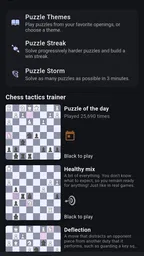
- Offers puzzles for a range of skill levels
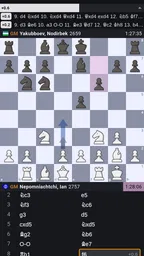
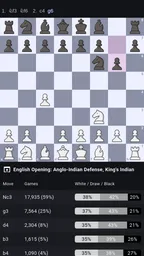
- Supports analysis with a built-in chess engine
- Lets users play against the computer offline
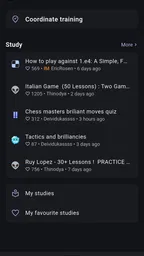
- Includes study tools for reviewing chess openings
What could be better
- Some features can be difficult for new players to find
- Online play depends on a stable internet connection
- Rapid matchmaking can pair players with uneven ratings
- The interface may feel dense on smaller screens
- Analysis tools may take time to learn







