

Color by Number:Coloring Games review
 Analysis by Appsdrops
I like Color by Number: Coloring Games most for the simple promise at the heart of it: turn a picture into a small, orderly coloring task. Instead of choosing a palette and deciding where every color should go, I follow the numbers and fill the matching areas. That makes it an easy game to open when I want something hands-on but don’t feel like taking on a complicated challenge. It is less about artistic freedom than about settling into a clear, repeatable rhythm.
Why number-based coloring works here
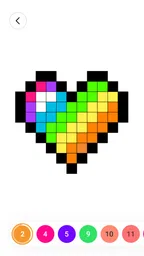
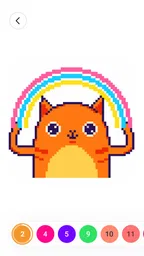
This is a board game from Wildlife Studios, though its appeal is closer to a casual digital coloring book than to a traditional board game with turns or tactics. The central activity is straightforward: pick a pixel-art image, use its numbered sections as a guide, and work through the picture one color at a time. The structure gives each session a modest goal, which is exactly what I want from a game I might play for a few minutes between other things.
The numbers do more than tell me which color belongs where. They remove two decisions that can make a blank page feel demanding: what to draw and how to color it. I can concentrate on finding matching areas and completing them. That makes the game approachable if you enjoy seeing an image emerge but aren’t confident about drawing or color selection. It also means the activity has a more directed feel than freehand sketching apps, where the player has to supply the idea, technique, and patience.
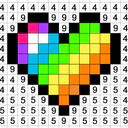
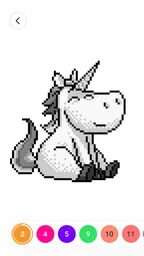
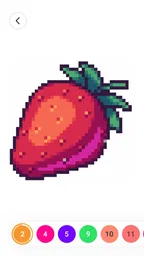
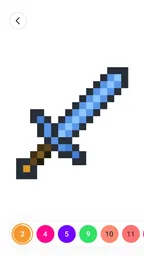
The pixel-art presentation suits this system particularly well. Small blocks make a picture feel like a collection of manageable pieces, and the completed image has a tidy, mosaic-like look. I find that satisfying in a different way from filling broad, smooth shapes in a conventional coloring book. There is a little search-and-spot element as I look for the next numbered patch, so the experience is not entirely passive even though the rules are gentle.
A small task with a visible finish
What keeps the activity from feeling like an endless blank canvas is the sense of progression within each image. A half-colored picture gives me an obvious place to resume, while a finished one provides a clear stopping point. That is useful on a short break: I can make a little progress without having to remember a story, manage a team, or prepare for a competitive match. When I want a game that asks for attention but not intense concentration, this format is a sensible fit.
The game is free to download and is rated for Everyone, which makes it easy to consider for a shared device or a family member who prefers calm, uncomplicated play. It has a 4.6 average from around 530,000 ratings, and has passed 100 million installs. Those figures suggest broad appeal, but they do not tell me whether the coloring style will suit you personally. If you find repetitive tapping soothing, the core idea has a lot to offer; if repetition quickly irritates you, popularity will not change that.
How a coloring session feels in practice
In use, I treat each image as a sequence of small visual searches. I select a color, scan the artwork for the corresponding numbered areas, and fill them in. The appealing part is the balance between guidance and attention: I don’t need to invent the picture, but I still have to locate the right patches and notice how the image changes as they disappear. A good practical habit is to focus on one color at a time rather than hopping between several. It makes the picture easier to read and helps me keep track of what I’m doing.
That workflow is especially handy when I’m waiting for a meal, taking a break from reading, or sitting somewhere with a few spare minutes. I can pick up the activity without a long warm-up, and the numbered layout gives me a concrete next step. If I have more time, I can stay with one image and enjoy watching its details come together. If I only have a short window, I can still make progress without needing to finish the whole picture in one sitting.
There is also a useful distinction between this and an ordinary painting app. A drawing canvas rewards experimentation: mixing colors, changing composition, and correcting your own design choices. This game narrows the job to following a prepared pattern. That constraint is a strength when I want low-pressure focus, but it is also the main reason I would not use it as a substitute for learning to draw. It lets me complete an image; it does not ask me to create one from scratch.
Making the most of short sessions
For a quick session, I would choose an image that looks easy to scan rather than one that appears packed with tiny sections. That is not a rule imposed by the game; it is a practical way to avoid turning a relaxing break into a hunt for minuscule targets. If I feel my attention wandering, switching to a different color gives the task a fresh visual focus. I also find it better to stop at a natural point than to keep tapping simply because the picture is nearly done. The game works best as a pleasant pause, not as a chore to clear.
On a phone, screen size can affect how comfortable a detailed image feels. The basic number-matching idea remains easy to understand, but intricate pixel sections may take more patience to inspect on a compact display. If you mainly play on a small screen and dislike careful visual scanning, a broad-shape coloring app may feel less fussy. Conversely, if you enjoy spotting tiny pieces and seeing them contribute to a larger design, the pixel layout gives you a more involved task than coloring a few large regions.
When this game fits into an ordinary day
My best everyday use case is a low-energy break when I want to do something on my phone without starting a demanding game. I can open a picture, work through a few numbered areas, and return to whatever I was doing. It is also an option for someone who likes coloring books but does not want to carry supplies or choose colors. The appeal is not that it transforms spare time into a major accomplishment; it gives those minutes a calm, visible activity.
It may suit a parent looking for a gentle game to introduce on a device, though I would still consider the child’s patience and comfort with screen-based repetition. The age rating is Everyone, and the simple color-by-number premise is easy to explain. A child who wants fast action, characters to control, or open-ended drawing may lose interest. An adult who enjoys quiet puzzles may find the same steady pace relaxing rather than slow.
Another good scenario is a short mental reset after work. I like that the task has boundaries: there is a specific picture and a limited set of sections to complete, so I don’t have to make decisions about what the finished result should be. That can feel restful after a day full of choices. Still, it is a visual activity, not a break from looking at a screen. If you are trying to rest your eyes or step away from your phone, a paper coloring book or a short walk is a better option.
The tradeoffs behind the calm pace
The strongest limitation is also built into the main feature: coloring by number can become repetitive. The first few sections of an image may feel rewarding, but the same scan-and-fill loop can lose its charm if you want every session to introduce a new kind of challenge. There is no reason to expect the freedom of a sketching tool from this format, and I would not recommend it to someone who wants to design original scenes or make precise art. It is guided completion, not a digital studio.
Another tradeoff is that relaxing play can turn into fussy play when a picture has many small spaces. Searching for a particular number can interrupt the smooth rhythm, especially if I am tired or using a smaller screen. My advice is to treat the game as something to dip into, not something that must hold your attention for a long stretch. If you want a deeper puzzle, strategic board game, or a game with a changing objective, you will probably get more satisfaction elsewhere.
There are in-app purchases, with items ranging from $7.99 to $99.99. The game itself is free, but that range is worth keeping in mind before handing a device to a child or making purchases casually. I would decide in advance whether I want to spend anything and use the device’s purchase controls where appropriate. The core appeal is the coloring activity; anyone who expects the free download to mean that every optional item is included should check purchase prompts carefully.
It is also worth remembering that the game’s broad reach does not make it the best coloring choice for every person. Compared with a traditional paper book, it offers a guided digital task but does not provide the tactile feel of pencils or the break from screens. Compared with a freehand art app, it is easier to start but far less open-ended. Compared with a conventional board game, it is more solitary and repetitive, with no tactical contest to master. I would choose it for a particular mood, not as an all-purpose replacement for those alternatives.
Who will enjoy it most
I would recommend it to people who like order, small goals, and the pleasure of watching a picture gradually fill in. It is especially suitable if you want an approachable way to unwind, enjoy pixel-style images, or need a casual activity that does not demand a long commitment. The latest listed version is 4.51.0, and the game supports Android 6.0 and later, so device compatibility is worth checking before you plan to use it on an older phone or tablet.
I would steer away from it if you mainly want creative control, demanding strategy, or quick changes of pace. Someone who loves inventing their own images will likely be happier in a drawing app; someone who wants a competitive board experience should choose a game built around decisions and opponents. And if repetitive tapping feels tedious to you, the central loop is unlikely to become more appealing after a longer session.
For the right person, Color by Number: Coloring Games is an easygoing way to give spare minutes a shape. I like its clear, low-pressure routine, especially when I want to focus without having to create or plan. I would keep expectations grounded: this is a guided coloring game, not an art lesson or a complex puzzle. If that distinction sounds appealing, it is worth trying; if you need freedom, competition, or richer gameplay, another kind of app will be a better use of your time.
What we like
- Simple tap-to-fill controls are easy to learn.
- Number hints help locate small uncolored areas.
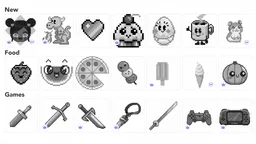
- A wide range of pictures offers varied subjects.
- Completed art can be saved for later viewing.
- Offline play is available for many coloring pages.
What could be better
- Some pictures and features may require payment.
- Frequent ads can interrupt coloring sessions.
- Small sections can be difficult to tap accurately.
- The color palette may feel limited on some images.
- Progress may not sync across devices.







