
Chess - Offline Board Game review
 Analysis by Appsdrops
I find Chess – Offline Board Game most appealing as a practical way to sit down with chess when I have a few spare minutes, rather than as a promise to turn every player into a master. It is a board game from GamoVation, and the straightforward premise suits the format: think through a position, make a move, and learn from the consequences. If you already enjoy chess, it offers a convenient place to play; if you are new, it gives you a reason to practise without needing a physical board or another person beside you.
What the free price means in practice
The game is free to download, so trying it does not require an upfront purchase. It also includes in-app purchases, with items priced from $1.99 to $27.99. I would treat those as optional spending rather than assume they are necessary: the core appeal is playing chess, and the right question is whether the experience you get is enough for your routine before paying for anything extra.
That distinction matters because “free” describes the entry point, not necessarily every possible enhancement. I’d start by playing without buying anything and decide whether I want to spend only after I know what I personally find useful. The listed purchase range gives a clear sense that optional items can vary substantially in cost, but it does not tell me which purchase is worthwhile for a particular player. I would avoid buying on impulse and check the item details in the app store before committing.
For a casual player, that makes the low-risk approach simple: install it, see whether you enjoy returning to it, and keep your wallet closed unless a specific paid item solves a problem you actually have. Someone who wants a chess app with no in-app spending at all may prefer a different option, even if they never need to buy anything here. For everyone else, the free starting point is useful, as long as optional purchases are kept separate from the value of the game itself.
A useful practice companion, not a substitute for study
The clearest value is the chance to make chess part of small gaps in the day. A short session can be easier to fit in than setting up a board, finding an opponent, and agreeing on a time. I can imagine opening it during a quiet break, working through a position or playing a solo match, then putting it away when I need to get back to something else. That kind of convenience is more meaningful than a grand claim about becoming a stronger player.
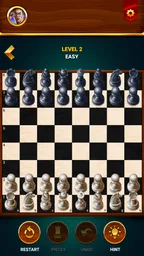
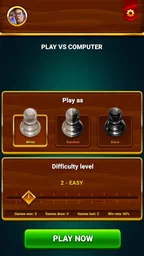
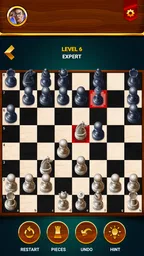
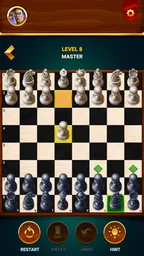
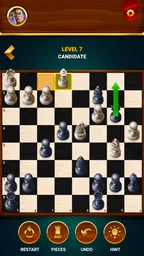
The game’s store summary highlights puzzles and solo play, which point toward two different ways to use it. A puzzle is useful when I want to focus on one tactical idea without taking on a full match. A solo game asks for broader planning: I have to consider what my opponent may do next and adapt as the position changes. Switching between those modes is a sensible habit for anyone who tends to play by instinct. I can use a puzzle to slow down and look for candidate moves, then carry that discipline into a match.
One practical tip is to make a tiny review routine for yourself, rather than treating each session as disposable. After a puzzle or game, pause and name the moment that changed your plan: did you overlook a threat, move a piece twice, or trade without checking the resulting position? Even without assuming any special analysis tools, that mental check turns a few minutes of play into more deliberate practice. It is especially useful for beginners, who can otherwise repeat the same mistake without noticing its pattern.
Another trade-off is that puzzles can reward a different kind of attention from a complete game. A puzzle usually invites a focused search for a tactical answer; a match tests patience, defensive awareness, and the ability to revise a plan. If I only solve puzzles, I may get better at spotting sharp ideas but remain less comfortable managing an ordinary position. If I only play matches, I may miss chances to practise calculation in a concentrated way. Alternating between the two is a better use of the game’s stated activities than leaning on either one alone.
Where it sits among chess options
Compared with a physical chessboard, this is the convenient choice when a board, pieces, or a willing opponent are not available. A real board is still better for someone who wants to study piece movement away from a screen, teach a child face to face, or enjoy the tactile feel of moving pieces. The digital format makes it easier to practise alone, but it cannot replace the social atmosphere of an over-the-board game.
Compared with other mobile chess games, the strongest reason to consider this one is its clear focus on chess, puzzles, and solo matches. A broader board-game collection may be better if you want several kinds of games in one app. A dedicated learning resource may be the better choice if your priority is structured lessons, a study plan, or detailed coaching. I would not choose this game expecting it to replace a coach or a complete chess curriculum; its value is in making it easier to play and practise when the opportunity appears.
The name includes “Offline,” but I would not make a broader promise about every mode or feature based on that alone. If playing without an internet connection is essential to your decision, check the current app details and test the relevant mode before relying on it for travel or a place with unreliable access. That is a useful distinction for commuters: a game that is handy on a train is only dependable if the way you intend to play works in the conditions you face.
Small sessions, steady habits, and honest limitations
A realistic routine might be a puzzle while waiting for an appointment, followed by a solo match later at home when there is time to concentrate. The puzzle fits a short window; the match can be stopped for the day when attention runs out. I would avoid starting a game when I know I will be interrupted every few minutes, because chess rewards remembering the position and weighing consequences. The app is most useful when the session fits the time and attention I can actually give it.
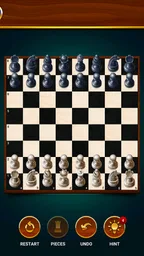
There is also a genuine limit to phone-based play: a small screen can make it harder to scan the whole board at a glance, especially when I am tired or switching between apps. I’d use a larger display or a physical set if I were analysing a complicated position for a long time. For a quick game, the convenience wins; for serious study, the screen and the app’s stated focus may feel too narrow. That is not a flaw for every player, but it is a reason to match the tool to the task.
Chess can also be frustrating precisely because it exposes rushed decisions. A loss after overlooking a simple threat is not always evidence that an app is poor; sometimes it is a cue to slow down. Still, players looking for a light, luck-driven diversion may not enjoy the concentration chess asks for. If I want a game I can play absent-mindedly while doing something else, I would pick a less demanding board game instead.
The game has an average rating of 4.8 from around 1.2 million ratings, with roughly 8,800 written reviews, and it has passed 100 million installs. Those figures suggest that it has reached a large audience, but they do not guarantee that it will suit my habits or teach me in the way I prefer. I would use them as context, not as a reason to skip trying the free version for myself.
Who is likely to get the most from it?
I’d recommend it to people who already know the rules and want an easy way to fit more chess into ordinary days, as well as beginners who are comfortable learning by trying positions and noticing mistakes. It is also a reasonable choice for someone who wants solo practice rather than depending on another person’s schedule. The Everyone age rating makes the intended audience broad, though younger players may still benefit from an adult explaining why a move failed instead of simply moving on to the next game.
The game is less compelling for a player who wants a fully guided course, deep long-term analysis, or face-to-face social play as the main attraction. It may also be a poor fit for anyone who wants a guaranteed no-purchase experience or dislikes optional in-app spending on principle. I’d look at specialist learning tools for structured instruction, a physical set for shared play, and a different board game for quick entertainment that does not demand sustained thought.
For device planning, the current version is 2.8.10 and it requires Android 6.0 or later. It was released on September 27, 2021. Those details are useful if I am checking compatibility on an older Android device, but I would still confirm the app-store page on the device I plan to use. The confirmed details here are for Android, so I would check the relevant iOS store separately rather than assume identical availability or requirements.
My verdict: try it before spending
For me, Chess – Offline Board Game earns consideration as a free, focused way to practise chess in small chunks. Its best value is not a guarantee of rapid improvement; it is lowering the effort needed to play a puzzle or a solo match when I have time. I would begin with the free access, use puzzles and games for different purposes, and judge the experience by whether it helps me build a repeatable habit.
My recommendation is to try it if you want convenient chess practice, but skip it if you need structured coaching, dependable social play, or a completely purchase-free app. GamoVation’s game is a sensible starting point for a casual or returning player who wants chess close at hand. I would spend only after identifying an optional item I genuinely want, and I would choose another format when a physical board, a dedicated learning plan, or a lighter game better matches the moment.
What we like
- Works offline so you can play without an internet connection.
- Offers a convenient way to practice chess at your own pace.
- Suitable for quick games during travel or short breaks.
- Chess rules and familiar gameplay make it easy to pick up.
- Does not require an opponent to be available online.
What could be better
- Playing against the computer may not match the variety of human opponents.
- Offline play lacks live competition with other players.
- The experience may feel repetitive after many games.
- Small screens can make piece selection less comfortable.
- Chess can have a steep learning curve for complete beginners.







