



Vita Mahjong review
 Analysis by Appsdrops
I enjoy a tile-matching game most when I can settle into it without a long tutorial or a complicated setup. Vita Mahjong is aimed at that kind of relaxed play: it takes the familiar mahjong solitaire format and gives it a Kung Fu Panda theme. My overall impression is that it works best as a casual puzzle to dip into, rather than as a deep strategy game or a demanding test of skill.
Getting comfortable with the tile-matching format
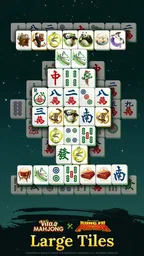
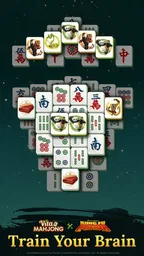
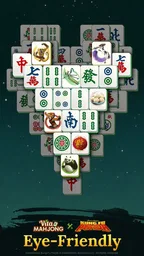
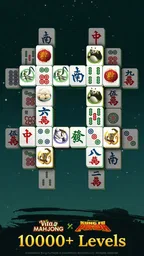
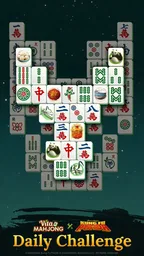
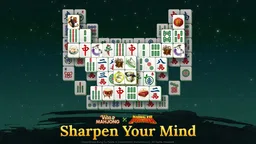
At its core, this is a board game about matching tiles, so the appeal is easy to understand even if you have not played this style before. You scan the arrangement, look for matching available tiles, and try to clear the board. The challenge comes from choosing thoughtfully: taking an obvious match can be satisfying, but a move that looks convenient may leave fewer useful options later.
The Kung Fu Panda setting gives the familiar puzzle a more playful identity. It is a natural fit for players who like the characters, but the basic pleasure remains the act of reading the board and spotting a promising pair. I would not choose it expecting an action game or a story-led adventure; the central activity is still methodical tile matching.
Vita Studio is the developer, and the game sits in the board-game corner of mobile gaming. It is free to download, with optional in-app purchases priced from $0.99 to $49.99 per item. That range is worth noticing before you start: you can approach it as a free casual game, but purchases may be part of the experience for players who decide they want extras. I recommend checking any purchase prompt carefully rather than treating the free download as a guarantee that every optional item is free.
The audience rating is Everyone, which makes the presentation broadly approachable for family play. The game has a 4.9 average from around 6.5 million ratings, and it has passed 100 million installs. Those figures suggest a lot of people have found the format appealing, though they do not tell me whether its particular pace, theme, or purchase options will suit you.
Where players can get stuck
The first point of friction is not learning how to match tiles; it is learning to look beyond the easiest pair. When several matches are visible, I find it useful to pause and check which tiles are covering others or opening up new choices. In a layered board, a match can be technically correct yet strategically unhelpful if it does not improve access to the rest of the layout.
A practical habit is to scan the whole board before each move, especially when you are down to a small number of choices. Rather than clearing the first pair you notice, compare what each pair might reveal. This is a small adjustment, but it makes the puzzle feel more deliberate and can reduce the frustration of reaching a position where no useful match remains.
Another common snag is expecting every round to feel like a quick win. Tile layouts can ask for patience, and a player who taps rapidly may lose track of which options remain. I would slow down when the board looks crowded or when several similar tiles are visible. That is not a special trick; it is simply a better way to avoid making an impulsive move in a game built around visual attention.
The themed presentation can also shape expectations. If you are opening the game because you want a Kung Fu Panda experience with frequent character-driven action, the puzzle focus may feel narrower than expected. The theme adds flavor, but it does not change the fact that most of your attention is on the board. For fans who want a low-pressure way to spend time with the setting, that can be enough; for someone seeking a character adventure, it may not be.
Setup checks before a session
The game is listed for devices running Android 7.0 or later, so my first practical check would be the operating-system version if installation is unavailable. If the device meets that requirement but the download or launch still goes wrong, I would start with ordinary app-store and device checks: confirm that the device has a stable connection, enough free storage for an installation, and that the store is not waiting on another update or download.
For a first session, I would also make sure I understand the difference between playing and buying. The game is free, but optional purchases are available, so anyone sharing a device with a child should review purchase settings on the device and keep an eye on confirmation prompts. That is a sensible precaution for any game with paid items, not a reason to avoid this one outright.
Version 3.44.0 is the current version listed for the game. If something behaves unexpectedly, checking whether the app-store page offers an update is a reasonable early step. I would avoid assuming that an odd moment in a puzzle means the installation is broken; first check whether the game is simply waiting for a valid match or whether the board has become difficult to read.
Because the game is presented as playable offline, it can suit a commute, a waiting room, or a quiet break when connectivity is unreliable. I would still prepare before leaving a dependable connection: open the game and make sure it starts normally rather than discovering a setup issue when you are already offline. Offline availability is useful, but it is not a substitute for completing installation and any initial checks beforehand.
A calmer workflow when a puzzle goes wrong
If I reach a point where I cannot see a good move, I first stop tapping and inspect the board from top to bottom. The most useful question is not simply “Which pair matches?” but “Which matching pair changes the board in a helpful way?” That shift turns a stalled round into a quick planning exercise and makes it easier to spot a tile that had been hidden in plain sight.
If I make a move and immediately regret it, I do not assume that every puzzle has a recovery option. Instead, I take a moment to reassess the remaining layout and see whether another route is still available. In a tile game, a disappointing choice may be recoverable because another match opens up; if the board truly has no workable path, restarting or moving on is often less frustrating than repeatedly tapping the same blocked area.
It also helps to separate a visual mistake from a technical problem. If a tile does not respond, I would tap once with a little care, check whether it is actually available, and then see whether the rest of the screen responds. Repeated rapid taps can make it harder to tell whether the game missed an input or whether the selected tile was not eligible. A brief pause gives a clearer diagnosis.
For everyday use, I would treat a session as a small reset rather than a score chase. For example, if I have a few minutes before an appointment, I can open a board, make a few considered matches, and stop when I need to go. That suits the puzzle’s measured rhythm better than trying to squeeze in play while distracted. The trade-off is that someone who wants an intense, rapid-fire game may find this pace too gentle.
When the app may not be the cause
Not every interruption points to a fault in the game. A slow or incomplete download can come from a weak connection or limited device storage. If the game will not open after an update, restarting the device and checking for another store update are sensible general steps before attempting anything more disruptive. I would avoid deleting an installation until I had considered whether local progress might be affected.
If the puzzle seems unresponsive, the issue may be that the tile is covered or otherwise unavailable, rather than a missed touch. I would test another clearly selectable area and observe whether the board reacts. If the entire device is lagging, closing other demanding apps or restarting the device can help distinguish a broader performance issue from a game-specific one.
Offline play is a strong practical advantage, but an offline session cannot fix a problem that happens during installation or an update. If the app-store download is stuck, reconnecting to a reliable network is more useful than repeatedly opening the game. Once it is installed and starts correctly, the ability to play without a continuous connection makes it easier to keep the game available for travel or short breaks.
For a player choosing among mobile board games, Vita Mahjong occupies a clear middle ground: it is more visually themed than a bare tile-matching app, while remaining less demanding than a competitive board game that asks for opponents, long sessions, or detailed rule learning. If you want deeper planning against another person, a traditional chess or checkers app is a better fit. If you want something immediate and visually focused, this game’s simpler format is more inviting.
Who I would recommend it to
I would recommend it to casual puzzle fans, Kung Fu Panda followers who are open to a board-game format, and anyone who likes taking a short break with a visual challenge. It is also a sensible choice for people who want an offline option once the game is installed. The most satisfying approach is to play slowly enough to plan, rather than treating every visible match as an instruction to tap immediately.
I would skip it if I wanted a substantial story, frequent action, head-to-head competition, or a puzzle that constantly changes its rules. I would also be cautious if optional purchases are a concern in a shared-device household: the game is free to start, but paid items are available, so purchase controls deserve attention. Those are genuine fit questions, not flaws that affect every player equally.
Vita Mahjong was released on January 9, 2024, and its current version is 3.44.0. I would not use those details as a reason by themselves to install it, but they make it easier to check that you are looking at the intended game and a current build. The more important question is whether you enjoy the patient rhythm of uncovering and matching tiles.
My practical verdict
My recommendation is simple: try it if you want a relaxed, themed mahjong solitaire game that is easy to pick up and can fit into quiet gaps in the day. Before playing, check that your device meets the minimum operating-system requirement, install it while you have a reliable connection, and review purchase settings if someone else will use the device. During a puzzle, scan the board before committing to an easy match, and pause when a tap does not seem to work.
Its strongest appeal is the combination of familiar tile puzzles, a recognizable theme, and offline convenience. The limitation is just as clear: the experience is centered on one kind of calm, visual problem-solving, so it will not satisfy someone looking for a richer adventure or competitive depth. If that focused format sounds like a welcome change of pace, I think it is worth trying; if you need constant action or a more strategic opponent, another board game will serve you better.
What we like
- Tile sets are easy to distinguish on a phone screen.
- Undo and hint options help when you get stuck.
- Short rounds suit quick play sessions.
- The familiar rules are easy for new players to learn.
- Many layouts offer variety beyond standard solitaire.
What could be better
- Some layouts can feel repetitive after extended play.
- Hints may reduce the challenge for experienced players.
- Small tiles can be harder to select on compact screens.
- A shuffled board may leave limited useful moves.
- Ads may interrupt play depending on the version.







