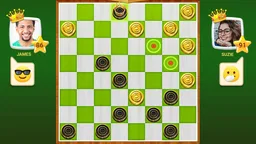
Checkers - Online & Offline review
 Analysis by Appsdrops
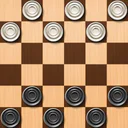
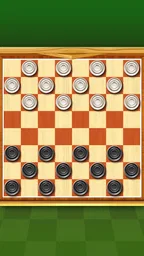
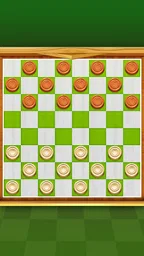
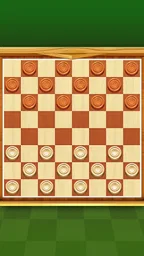
I like checkers because the rules are easy to remember, but a close game can still make me rethink every move. Checkers - Online & Offline is a board game for Android that puts that familiar challenge into a format I can pick up for a brief break or use for deliberate practice. Its appeal is straightforward: I can work through a position on my own or play a match, without needing to arrange a physical board and another person on the spot.
Quick moves, with room to think
The game is developed by GamoVation and sits in the board-game category. It is free to install, with optional in-app purchases priced from $0.99 to $99.99 per item. That makes it easy to try before spending anything, though I would check purchase prompts carefully if I were handing my phone to a child. The age rating is Everyone.
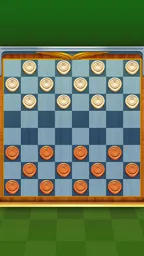
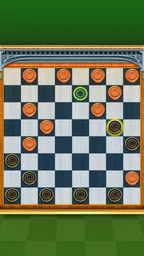
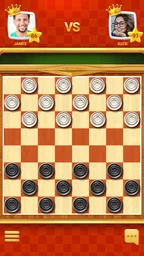
The name and basic idea tell you what kind of experience to expect: this is checkers, not a collection of unrelated mini-games. The store describes solo puzzles and matches, so it can serve both as a way to practice and as a place to play. I would not treat it as a full chess-style study suite; the attraction is the compact, recognizable rhythm of checkers.
For a quick session, the format is a natural fit. A board game does not need elaborate controls, and the central task is choosing a move rather than learning a complicated interface. That keeps the mental effort where I want it: on whether a piece should advance, wait, or set up a capture. If I only have a few minutes, I can still focus on one decision instead of spending the whole break navigating menus.
Speed is mostly about the pace you choose
There are two kinds of speed worth separating here. One is how quickly the app responds to taps; the other is how fast a game itself moves. Checkers is turn-based, so there is no need for twitch reactions. Even when the app feels responsive, a thoughtful match can take time because the important moves often depend on what the other side can do next.
That makes it a better fit for a coffee break than a game that demands constant attention, but it is not automatically a “finish in a minute” distraction. I find that the most useful way to play in a short window is to decide in advance whether I’m testing an idea or trying to complete a match. If I only want a small mental reset, a puzzle-style position is the more focused choice; if I want a satisfying back-and-forth, I should allow enough time to think through several turns.
The solo-puzzle angle is especially useful for practicing patience. Instead of moving pieces just because a capture looks tempting, I can pause and ask what happens after the exchange. One practical habit is to look at the opponent’s likely reply before committing to a move. That simple check helps expose trades that look favorable but leave a piece vulnerable afterward. It is a better learning routine than repeatedly rushing through games and hoping tactics become automatic.
When I play more than one round
Heavy use for a checkers game means playing several matches in a sitting, not running a demanding action scene. The board itself is visually simple by nature, and the strategic workload comes from keeping track of threats and possible trades. I would expect the app to feel less resource-intensive than a graphically rich game, but that is a general expectation from the kind of game it is, not a measured performance claim.
For longer sessions, the main strain is more likely to be attention than hardware. Repeatedly scanning the board can make me overlook a diagonal threat, especially when I play too quickly. I get more from a run of games if I take a moment after each loss to identify the turning point: Was a piece left unsupported? Did I trade without checking the next capture? That small review habit turns repeated play into practice rather than simply repeating the same mistake.
A realistic everyday use is a commute or a wait at an appointment. I can open the game, make a few considered moves, and return to what I was doing without needing to coordinate with a friend. The trade-off is that a live match is less convenient if I expect to be interrupted repeatedly. In that situation, solo play is the sensible option: it lets me work at my own pace rather than feeling obliged to keep a match moving while my attention is elsewhere.
Another useful approach is to separate practice from competition. When I want to improve, I should choose a solo challenge and concentrate on a specific habit, such as protecting the back row or checking escape squares before capturing. When I simply want variety, a match is the better choice. Keeping those goals distinct makes each session feel more purposeful, even though both are built around the same board and rules.
Reliability and the limits of a simple board
Checkers has a useful reliability advantage: the basic game is easy to understand, so I do not have to relearn controls every time I return. That simplicity also makes it easy to resume the mental thread after a short distraction. Still, a match depends on following the board carefully. If I am interrupted just before an important exchange, I may forget which piece was exposed or what plan I had in mind. I recommend pausing at a natural point rather than leaving a complicated position half-considered.
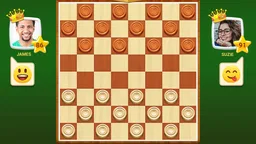
The title includes both online and offline, which signals that the app is intended to cover different play situations. That distinction matters when choosing how to use it: offline play suits a place with unreliable connectivity, while an online match is the obvious route when I want another player. I would not assume that every mode behaves identically, though. For a dependable short session, I would choose the option that matches whether I have a connection and whether I want to manage another person’s pace.
A limitation of checkers itself is that the ruleset and board style may not match what every player learned growing up. If I am playing with someone who expects a particular regional variant, we should agree on the rules before treating the app as a neutral referee. People looking for a broad board-game collection will also find the focus narrow: this is for checkers, not for switching between several different tabletop classics.
What to expect from an older phone
The minimum operating-system requirement is Android 6.0, so the game is not restricted to only the newest Android devices. That is useful if I want a familiar board game on a phone I have kept for a while. It does not guarantee identical performance on every handset, since device condition and other running apps can affect how any game behaves. If the phone is already slow, closing unused apps before a session is a sensible general step, rather than expecting a board game to fix broader device lag.
For someone choosing between a phone and a tablet, I would think more about comfort than raw power. A larger display can make diagonals and piece positions easier to inspect, while a phone is more convenient for a spontaneous match. On a small screen, I would slow down before tapping near a crowded group of pieces; accuracy matters more than shaving a moment off each turn. This is a useful habit in any board game where one mistaken move can change the position.
The current version is 2.9.3. The game has been available since April 6, 2020, and has reached over 10 million installs. It has a 4.5 average from around 274,000 ratings, alongside roughly 1,500 written reviews. Those figures suggest that it has found a broad audience, but they do not tell me whether its particular play style suits you. The best test is whether you enjoy returning to the same familiar rules and finding a better response each time.
Who will enjoy it, and who may prefer another option
I would recommend it to someone who already likes checkers, wants a convenient solo practice option, or needs a simple turn-based game that does not demand quick reflexes. It can also work for a beginner who knows the basic moves and wants to get more comfortable spotting captures and protecting pieces. The most valuable improvement comes from playing attentively: look for the reply to your move, and treat a tempting capture as a question rather than an automatic choice.
I would steer away from it if I wanted a wide range of board games, a highly social tabletop experience in the same room, or a fast-paced game built around action. A physical board is still better for teaching a child face to face or chatting across a table, because the shared experience matters as much as the moves. Likewise, anyone who dislikes repeating a single ruleset may find the focused scope limiting, even if the app offers both puzzles and matches.
The game is free, but optional purchases can reach $99.99 per item. That is a broad range, so I would not assume that every purchase is necessary to enjoy the basic checkers experience. If I am installing it for casual play, I would start without buying anything and decide later whether an optional item adds value for how I use the app. This is especially worth remembering when a child is playing on a device with payment details attached.
My performance verdict
As a checkers app, this is most convincing when I treat it as a dependable place to think through a board, not as a showcase of technical spectacle. The turn-based format sets calm speed expectations, and the game’s modest visual premise should make it a more suitable choice for everyday phones than a graphics-heavy title, while actual smoothness can still vary by device. Its strongest practical advantage is flexibility between solitary practice and matches; its main limitation is that it remains one game, with the focus and repetition that entails.
I would install Checkers - Online & Offline if I wanted to sharpen my decisions in short, manageable sessions or keep checkers available when no physical board is nearby. I would skip it if my priority were a large game library or face-to-face play. For someone who enjoys weighing a move before making it, Checkers - Online & Offline is an easy recommendation: simple to approach, useful for deliberate practice, and best enjoyed when I take enough time to see what the other side can do next.
What we like
- Play against friends online or challenge the computer offline.
- Multiple difficulty levels suit beginners and experienced players.
- Simple controls make moving pieces easy to learn.
- A quick way to enjoy checkers without needing a physical board.
- Online play adds variety beyond solo matches.
What could be better
- Online matches depend on a stable internet connection.
- The computer may feel predictable after repeated games.
- Ads can interrupt the experience.
- Limited game variety may reduce long-term appeal.
- New players may need time to learn the available rules.







