

Bingo Classic - Bingo Games review
 Analysis by Appsdrops
Bingo Classic - Bingo Games is a board game for people who like the simple ritual of watching numbers come up and marking a card, but want the option to play on a phone. I find its appeal less about complicated strategy than about settling into a familiar game in short stretches. It supports offline and online play, so it can suit both a quiet break without a connection and a session when you feel like playing alongside others.
Getting past the first bit of friction
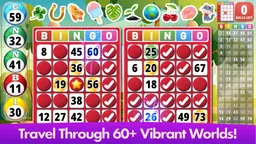
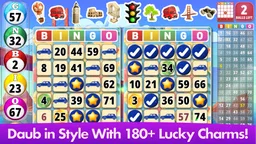
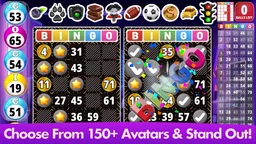
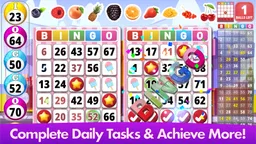
The basic idea is easy to understand, but a first session can still feel busier than traditional bingo. This game adds a world to explore and dauber charms to collect, so there is more to pay attention to than the numbers on a card. If you mainly want a quick, familiar round, it helps to focus on the bingo itself first and treat the collection elements as optional extras rather than a checklist you must complete.
One practical point is deciding whether you want to play offline or online before you settle in. Offline play is useful when you are travelling, waiting somewhere, or dealing with patchy reception. Online play makes more sense when you want the connected side of the game. If a session does not behave as expected, checking your connection and trying the other mode is a sensible first step; it can help separate a network issue from a general problem with the game.
There is also a spending consideration. The game is free to download, while in-app purchases range from $0.99 to $99.99 per item. I would approach any optional purchase slowly: play enough to see whether the regular loop is enjoyable before spending, and check the purchase screen carefully so you know what you are selecting. A free entry point is welcome, but it does not mean every optional item is free.
What to check before a longer session
The game is rated Teen, so it is worth taking that age guidance into account when choosing it for a younger player. It was developed by Absolute Lucky Pig Games, and its current version is 7.0.4. The minimum operating-system requirement is 7.1. Before installing, check that your device meets that requirement and has enough room for the app. If an installation stalls, confirming the system version and available storage is more useful than repeatedly tapping the install button.
Because there is an offline option, this is a reasonable game to keep available for moments when mobile service is unreliable. Still, I would not assume that every part of the experience works the same way offline as it does online. If a feature seems unavailable, first confirm which mode you are using and whether the task you are trying to do depends on being connected. That simple check can prevent confusion when the core game is available but a connected activity is not.
On a small screen, bingo is naturally a game of quick visual checks. I recommend taking a moment at the start of a round to make sure you can comfortably read the numbers and tap the card accurately. If you are playing while distracted, slow down rather than trying to keep up with every notification or conversation around you. The game is meant to be casual, and a relaxed pace is more enjoyable than turning a short break into a test of attention.
Recovering a session without making things worse
If a round seems stuck, avoid immediately closing the app or making a purchase to try to fix it. First give the screen a moment, then check whether the connection is stable if you are playing online. If the problem continues, switch to offline play if that suits what you want to do, or restart the app and see whether the issue clears. These are basic checks, not guarantees, but they help rule out common interruptions without risking an accidental action.
For an interrupted session, it is useful to distinguish between the round itself and longer-term collection progress. The game’s world exploration and charms are part of its broader appeal, but I would not treat every moment of play as something that needs to produce a collectible. If you return after a break and something looks different, first orient yourself in the current screen and check what mode you are in. Then continue with the simplest available action rather than repeatedly tapping several controls at once.
Another practical habit is to keep the app updated when you have a stable connection and are ready to install an update. The version number alone does not tell you what changed, but running an older build can sometimes make troubleshooting harder when you are comparing your experience with current instructions or support advice. If you are already playing comfortably, there is no need to interrupt a round just to investigate version details; handle updates between sessions.
When the game may not be the problem
Online play depends on a working connection, so a slow or unstable network can make a session feel unresponsive even when the app itself is fine. Try another app or reconnect to your network before deciding the bingo game has failed. If other services are also struggling, waiting for the connection to recover is likely more useful than repeatedly relaunching the game.
Device limits can also affect the experience. An older operating system below the stated minimum may prevent installation or cause problems, and a nearly full device can complicate downloads or updates. Check those basics before troubleshooting deeper. If the game opens but performance is poor, closing other demanding apps and restarting the device are reasonable general steps; they do not change the game, but they can help identify whether the issue is broader than bingo.
It is also worth separating a preference from a fault. If you want a quiet, bare-bones bingo card without progression or collectible distractions, the extra world and charm layer may simply not be your style. That does not mean the game is broken. A plain offline bingo app or a physical bingo set may fit better when you want the least possible setup and no digital extras.
A good fit for short, low-pressure play
In everyday use, I can see this working well during a coffee break, while waiting for an appointment, or on a trip where internet access comes and goes. A short round gives the game a natural stopping point, and offline play makes it more flexible than options that require a constant connection. If you enjoy collecting small in-game items alongside familiar board-game rules, the world and dauber charms give you another reason to return without changing bingo into a complex strategy game.
Compared with a physical bingo night, this is easier to start on your own and does not require arranging a group or setting up cards. The trade-off is that it cannot reproduce the social atmosphere of people calling numbers together in a room. Compared with a plain digital bingo game, its exploration and collectible elements offer more to look at, but also create more interface to navigate. I would choose this one for a casual solo session with a little extra progression, and a simpler alternative for a no-frills round.
The audience response is notably strong: it has a 4.9 average from around 138,000 ratings, with about 13,000 written reviews, and more than 5 million installs. Those figures suggest that many players have found an audience for this style of bingo, though they cannot tell you whether its pace or extras will suit your own taste. The most useful test is whether you enjoy the core number-marking loop after a few sessions, before deciding whether the collection side is worth your time.
My practical verdict
Bingo Classic - Bingo Games is worth trying if you want familiar bingo in a mobile format, especially if offline access and light collectible goals appeal to you. It is free to start, but I would keep purchases optional and avoid spending until you know you will return to it. Its 2019 release and current 7.0.4 version place it as an established game rather than a brand-new experiment, while the Teen rating is a useful consideration for families.
I would skip it if you dislike app-based progression, want a purely social group game, or prefer a card with no extra screens and goals around it. For everyone else, my advice is straightforward: check your device compatibility, choose the mode that fits your connection, and give the basic rounds a fair try before exploring the extras. That approach keeps the experience relaxed and makes it easier to tell whether this particular take on bingo is right for you.
What we like
- Easy-to-learn rules make it accessible to new bingo players.
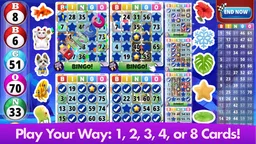
- Multiple cards add a satisfying challenge for experienced players.
- Short rounds suit quick play sessions.
- Familiar bingo calls create a classic game feel.
- Bright visuals make numbers easy to spot.
What could be better
- Random number draws can make wins feel unpredictable.
- Playing several cards at once can become hectic.
- Repeated rounds may feel similar over time.
- Small numbers may be hard to read on some screens.
- Progress can depend heavily on luck.







