
Anima Color - Paint by Number review
 Analysis by Appsdrops
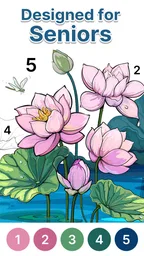
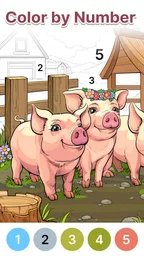
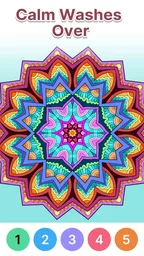
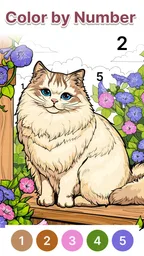
I reach for Anima Color when I want something to do with my hands that doesn’t demand a plan, a fast reaction, or much concentration. The basic appeal is simple: choose a numbered area, match it to its color, and watch a picture gradually take shape. That familiar paint-by-number routine makes this a gentle board-game-style choice for quiet moments rather than a game built around competition or complex decisions.
Starting with one color at a time
The first useful question is whether you enjoy filling in a picture more than choosing how to create one. In Anima Color, the number guides the task. I don’t need to decide on a palette or sketch anything; I can focus on finding the next area and coloring it. That makes the opening action easy to understand, even if I only have a little time to spare.
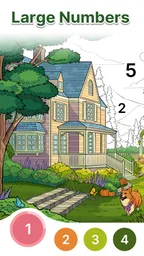
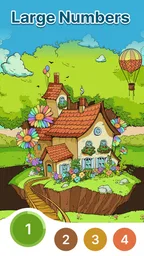
The game is developed by Candy Mobile and is free to play. Its description positions it as a large-number coloring book for seniors, and that emphasis matters: this is intended to feel approachable and relaxing, not like a demanding puzzle. The age rating is Everyone, so its basic presentation is suitable for a broad audience, though the best fit is anyone who likes patient, picture-based activities.
A practical way to begin is to treat each image as a series of small tasks rather than a project you must finish in one sitting. I might choose a color and fill several matching areas, then stop when my attention wanders. That approach suits people who want a low-pressure activity during a break, while waiting for an appointment, or while winding down at home.
The number-guided format also gives the hands and eyes a clear job. Instead of staring at an empty canvas and wondering where to start, I can follow the prompts built into the picture. That structure is the main reason this kind of coloring can feel calming: it removes much of the decision-making without making every action meaningless.
Why the first minutes feel accessible
Compared with drawing apps, this asks for less artistic confidence. Compared with a conventional board game, it doesn’t require another player, a turn order, or a long explanation. And compared with a word or logic puzzle, it offers a visual task that can be picked up and put down without keeping track of a chain of clues.
That simplicity has a trade-off. If you enjoy inventing your own designs, choosing every color, or solving a puzzle with several possible approaches, numbered coloring can feel restrictive. Here, the satisfying part is following a guided route through an image, not making creative decisions from scratch. I’d skip it if the act of matching numbered spaces sounds more like repetitive work than relaxation.
How the coloring rhythm holds attention
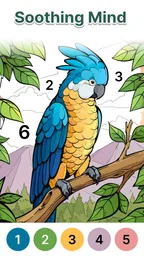
The central feedback loop is easy to feel: I select a color, locate its numbered spaces, fill them, and see more of the image become complete. That visible change is the immediate response. There is no need to wait for a score or a round result to know that I have made progress; the picture itself records the work.
This rhythm is particularly useful when I’m tired. A complicated game can ask me to remember rules, monitor several resources, or react quickly. Number coloring narrows the focus to the current color and the areas that belong to it. I can give it a little attention, look away, and return without needing to reconstruct a strategy.
One small but useful habit is to finish a color’s visible areas before switching to another, when that feels comfortable. It creates a natural stopping point and makes progress easier to notice. If searching for every matching area becomes tedious, though, I would change colors or pause rather than turn the session into a completion chore. Relaxation is the point; perfect efficiency isn’t.
Another good approach is to use the game as a short transition between activities. After work or household tasks, I can spend a few minutes filling in part of an image before moving on. Because the activity has a clear next action, it can be easier to start than an open-ended creative app. At the same time, the gentle pace means it is not the right choice when I want a strong challenge or a burst of excitement.
The key trade-off in the feedback rhythm is repetition. Matching colors to numbered spaces is the loop, so it can become monotonous if I keep going after the calming effect wears off. I’d recommend setting my own stopping point—perhaps after completing a few areas or when the picture looks noticeably fuller—rather than expecting the game to create urgency or dramatic variety.
What makes progress feel rewarding
The reward is visual completion. A partly colored image gradually becomes easier to read, and each finished group of spaces contributes to that change. I find that more satisfying than a bare counter because the result is directly connected to the action: I can see what my time has added to the picture.
That kind of reward is modest, which is part of its appeal. It doesn’t need a victory screen to make a short session feel worthwhile. For someone who wants a calm activity with a visible outcome, this is a stronger fit than a game where progress depends on winning against an opponent or clearing a difficult level.
Still, the reward depends on enjoying the artwork and the act of filling it. If I’m not interested in the picture in front of me, the gradual reveal may not be enough to hold my attention. Likewise, anyone looking for a competitive goal, a deep progression system, or a demanding test of skill should choose a different kind of game. Anima Color’s strength is the quiet satisfaction of completing pieces, not a promise of intense challenge.
The game’s broad reach suggests that this straightforward idea has found an audience: it has more than one million installs, around fifteen thousand ratings, and an average rating of 4.6. Those figures offer context, but they don’t guarantee that the pace will suit me. I’d judge it by whether I enjoy the first few coloring actions and whether seeing the picture develop makes me want to continue.
Putting a session down and picking it up again
A useful session doesn’t have to end with a fully finished image. I can stop after a small stretch of coloring, then return when I want another quiet activity. This makes the game easier to fit around ordinary life than a match that expects a continuous block of attention. If I’m interrupted, the underlying task remains understandable: continue coloring the numbered spaces.
For example, I might use it while waiting for someone at a café. I can open the game, work through a few areas, and put the phone away when the conversation or appointment begins. That is a better use for it than trying to fill every spare second; the relaxed pace works best when I let a session be small and optional.
When I do come back, the reason to begin another session is the unfinished picture and the possibility of making it more complete. That is a gentle reset, not a dramatic new challenge. If I’ve finished an image and want a fresh kind of mental task, a crossword, a logic puzzle, or a creative drawing app may offer more variety. If I simply want to resume a familiar activity without relearning rules, this format has the advantage.
There is also a meaningful distinction between a coloring game and a physical coloring book. A paper book can be more tactile and gives complete freedom over materials and color choices. Anima Color is better for someone who wants the numbers to guide the process and prefers a phone-based activity. Neither is universally better; the choice depends on whether you value open-ended control or structured, convenient coloring.
The game is listed as free, which lowers the barrier to trying its basic idea. I’d still approach it as a simple pastime rather than assuming that free means every player will enjoy the routine. If the first session feels soothing, the format may suit regular short visits. If it feels like searching and tapping without a satisfying visual payoff, there is little reason to force it.
Who should choose it—and who should look elsewhere
I’d recommend it to people who like paint-by-number books, want an easy activity for quiet breaks, or prefer visual progress over scores and competition. The senior-focused positioning also makes sense for players who appreciate a large-number coloring concept and a low-pressure pace. Its current version is 2.0.1, and it runs on Android 6.0 or later.
I’d steer away from it if I wanted multiplayer board-game strategy, freehand art tools, a fast arcade loop, or puzzles that change the rules as I play. It also may not be a good fit for someone who finds repeated matching tiring. In those cases, a traditional board game, a drawing app, or a more varied puzzle would be a better use of time.
My overall view is that Anima Color understands its narrow purpose. The action is clear, the feedback is visible, and the reward comes from watching a picture take shape. The session can end whenever I’ve had enough, while an unfinished image gives me a gentle reason to return. Choose it for calm, guided coloring rather than challenge or creative freedom
What we like
- Numbered sections make it easy to choose the right color.
- A relaxing activity suits short breaks and quiet evenings.
- The paint-by-number format requires no drawing experience.
- Finished pictures can provide a satisfying sense of progress.
- A wide range of image themes offers variety.
What could be better
- Small areas may be difficult to tap accurately on a phone.
- Large illustrations can take a long time to complete.
- Color-by-number gameplay offers limited creative freedom.
- Frequent ads may interrupt the painting flow.
- Some artwork or features may require in-app purchases.







