



Zangi - Private Messenger review
 Analysis by Appsdrops
I see Zangi as a communication app for people who want a separate place for private conversations, not as a messenger that automatically suits everyone. Its appeal is straightforward: it focuses on calling and messaging while putting privacy at the center. That makes it worth considering if you want an alternative to the chat app most of your contacts already use. The trade-off is just as important: a privacy-minded choice helps only when the people you need to reach are willing to use it too.
A focused messenger with a clear purpose
Zangi is a free communication app from Secret Phone, Inc. It has been available since November 18, 2014, and its current version is 6.6.3. The app is rated for Everyone, so its intended audience is broad. In practice, I would judge it less by its age or reach than by whether its privacy-first approach fits the way you actually communicate.
The app has an average rating of 4.2 from around 304,000 ratings, with roughly 13,000 written reviews and over 50 million installs. Those figures suggest it has found a substantial audience, but they do not settle the question that matters most: whether it works for your circle. A messenger with useful privacy features is still awkward if your family, friends, or colleagues will not join you there.
My main reason to try it would be to create a more deliberate boundary around certain conversations. Instead of moving every chat away from the familiar services people already use, I would choose Zangi for a specific group or purpose: keeping in touch with relatives who are abroad, coordinating a sensitive personal matter, or having a dedicated channel for people who share my preference for privacy-focused communication.
Where the privacy-first approach helps
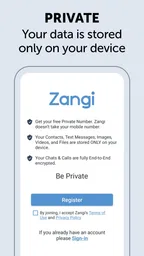
The strongest case for Zangi is its emphasis on private communication. That focus can change how I decide what to discuss and where. For example, if a small group wants a messenger that treats privacy as a central concern rather than a side note, using one shared app can be easier than scattering conversations across several services. The benefit is not just an abstract security claim; it is having a clear, agreed place for those chats and calls.
There is also a practical advantage in separating contexts. I might keep everyday coordination in my usual messenger but use Zangi for a close family group that prefers a privacy-oriented option. That arrangement can make conversations easier to find and reduce the chance that an important discussion gets buried among work chats, shopping updates, and casual messages. The catch is that it works only if everyone in that group is comfortable installing and maintaining another app.
A useful habit is to decide with your contacts what belongs in the new channel before moving conversations there. I would start with one group and a clear reason, rather than trying to persuade everyone I know to switch at once. That small trial reveals whether calls and messages fit naturally into the group’s routine, and it prevents a second messenger from becoming an unused icon on everyone’s phone.
Another sensible workflow is to keep the app’s role narrow. If I use it for a particular set of people, I can explain where to reach me and when I am likely to check it. This avoids a common problem with extra communication apps: people assume I am monitoring every inbox equally, while I assume they will send urgent messages through the service I check most often. Agreeing on a primary channel for anything time-sensitive is especially useful.
Everyday use depends on your contacts
Imagine a family with relatives in different countries who want to talk regularly but are tired of mixing personal calls with noisy group chats elsewhere. If everyone is willing to try Zangi, they can make it the home for those conversations and keep that routine distinct. If one relative refuses to install another messenger, the group will probably fall back to its existing app, and the privacy-focused alternative will not solve the coordination problem by itself.
The same logic applies to a small team or a group of friends arranging a trip. A separate channel can keep practical updates together, but it is only helpful if people remember to check it. I would not make it the sole route for last-minute changes until the group has established that everyone sees messages there reliably. For urgent coordination, a familiar service that all participants already use may be the better choice.
Compared with mainstream messengers, Zangi’s differentiator is its privacy-centered identity rather than an obvious reason for every contact to switch. Familiar alternatives often win on convenience because people already have them installed and know how their groups work. Zangi is more compelling when the participants actively value its focus and are willing to make room for another app. I would not recommend choosing it on principle alone if the people you need to reach are firmly established elsewhere.
The friction I would weigh before switching
The biggest limitation is the social one: an app cannot provide a useful conversation if the other person is not there. Moving a group takes patience, and maintaining two or more messengers can split attention. Before switching, I would ask whether the people who matter are genuinely willing to use Zangi, not just whether they say they might download it. A small, committed group is a better starting point than a broad, reluctant migration.
I would also avoid treating a privacy-focused label as a substitute for careful habits. No messaging app removes the need to check who is in a group, think before sharing sensitive material, and keep control of the devices used for conversations. If privacy is the reason you are considering Zangi, decide what risks you are trying to reduce and read the app’s current explanations of how it handles communication before relying on it for especially sensitive matters.
There is a cost consideration even though the app itself is free: in-app purchases range from $1.49 to $59.99 per item. That does not mean a paid option is necessary for ordinary use, but I would check what an offered purchase actually provides before buying it. A wide price range is a reason to pause and assess the value, not to assume that paying is required for the core experience.
Version 6.6.3 is listed for devices running Android 6.0 or later. That gives people with older compatible Android devices a possible route to try it, but compatibility alone does not guarantee that the app will feel equally smooth on every phone. If you rely on it for regular calls, test it with the people you plan to contact before making it your only option, especially when you are away from your usual connection or need dependable coordination.
Who I would recommend it to
I would recommend Zangi to people who can name a real use for a privacy-oriented messenger and have a few willing contacts to join them. That could be a family group, a close circle of friends, or someone who wants a dedicated channel for personal conversations. The app’s audience is clearly substantial, but the right fit is not determined by popularity; it is determined by whether the people you communicate with will use it consistently.
I would be more cautious if you want one app to replace every chat service you already use. If your contacts are spread across different platforms, keeping up with multiple inboxes can become its own nuisance. I would also skip it if your friends or coworkers have already settled on another messenger and have no reason to move. In that situation, a service they check every day is often more practical than an alternative that better matches your preferences but sits unused.
For anyone who does try it, I suggest beginning with a single low-pressure group, agreeing on which conversations belong there, and keeping another established route available until the group has settled into the habit. That approach gives you a realistic sense of how well it fits without forcing every contact to change their routine. It also helps distinguish a genuine improvement from the temporary enthusiasm of installing something new.
My verdict
Zangi is a reasonable choice when privacy is a deliberate priority and your contacts are ready to meet you halfway. Its focused purpose gives it a clear role, and its free entry point makes trying it straightforward. The app is less persuasive as a universal replacement for established messengers, because convenience and participation matter just as much as the promise of a different approach to communication.
I would try Zangi with a small group whose members already want a privacy-focused option, then decide whether it earns a regular place on my phone. If you value that focus and can bring the right people along, it is worth exploring. If your main need is simply reaching everyone through the app they already check, staying with that familiar option is likely the more useful choice.
What we like
- Works over weak internet connections to keep messages flowing.
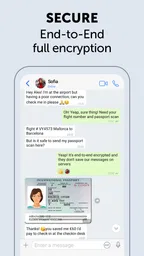
- Offers end-to-end encryption for private conversations.
- Lets users make voice and video calls without a phone number.
- Includes disappearing messages for chats that need less history.
- Uses cloud storage to sync messages across devices.
What could be better
- Both people need Zangi to communicate through the app.
- Some privacy features may require careful settings configuration.
- Cloud backups may not suit users who avoid online message storage.
- Call quality can vary with network conditions.
- The user base may be smaller than that of mainstream messengers.





