


Truecaller: Spam Call Blocker review
 Analysis by Appsdrops
If unknown numbers interrupt your day, Truecaller: Spam Call Blocker is designed to help you decide which calls deserve your attention. I see it as a screening tool first and a communication app second: its most useful job is identifying callers you do not recognize and helping you deal with unwanted calls. It will not make every unfamiliar number safe or every useful call obvious, but it can give you a more informed choice before you answer.
What to expect from its caller screening
Truecaller is a free communication app from Truecaller, with optional in-app purchases ranging from $0.99 to $449.00 per item. It has a 4.4 average from around 30 million ratings and has been installed over a billion times. That reach is relevant to the experience: caller identification depends on information that can be associated with phone numbers, so recognition may be more useful for some callers and regions than others.
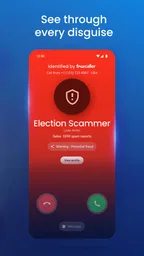
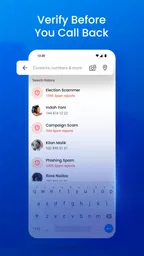
The basic idea is straightforward. When an unfamiliar number calls, the app may help identify it through reverse phone lookup, while its blocking tools can reduce interruptions from spam, scams, and automated calls. Think of the caller label as a clue, not proof. A name or warning can help you pause and assess, but it should not replace common sense, especially when a caller asks for money, account details, or an urgent response.
For a first-time user, the meaningful benefit is not that every call suddenly becomes clear. It is having another signal when your phone rings. If you regularly receive calls from unknown numbers, that can make screening less stressful. If nearly all your calls come from saved contacts, or you prefer not to rely on caller-identification services, your phone’s built-in call controls may already be enough.
Getting started without rushing
After installing it, take a moment to read each setup screen and decide which parts of the experience you actually want. Caller identification and blocking are the central reasons to try Truecaller; you do not need to treat every prompt as an instruction to turn on everything immediately. Phone features and setup options can vary by device and operating system, so follow what your own phone presents rather than expecting identical screens on every handset.
On Android, the minimum supported operating system is version 8.0. That makes the app an option for a broad range of Android devices, though the precise call-handling experience can still depend on the phone’s settings. If your aim is simply to learn whether unfamiliar callers are being identified, start with the relevant caller-screening setup and keep track of any changes the app asks you to make to your phone’s call experience.
It is sensible to consider privacy before granting access to contacts or other phone-related information. Caller-identification apps can be more useful when they can work with the information their features need, but that does not mean every user should choose the widest access available. I recommend reading the permission explanations carefully, allowing only what you are comfortable with, and revisiting your phone’s app settings if you change your mind. The right balance depends on whether broader identification is worth the information access to you.
Another practical tip is to make one change at a time. If you adjust several phone and app settings together, it becomes harder to tell which one affected a call. Begin with the identification or blocking option you care about most, then test the result with ordinary incoming calls. This measured approach is especially helpful if you rely on your phone for work, deliveries, appointments, or calls from people who may not be in your contacts.
Your first useful result
A realistic first test is a call from a number you do not recognize. Instead of answering automatically, check whether Truecaller offers a caller identification or warning, then decide whether to pick up, let it ring, or investigate the number afterward. The app’s reverse lookup can be useful when you have a number and want context, but a result should be treated as an aid rather than a guarantee that the person or organization is legitimate.
For example, imagine you are waiting for a delivery but receive an unfamiliar call while busy. A caller label may help you distinguish a potentially relevant call from one you would rather ignore. If the identification is unclear, you can let the call go unanswered and use a safer route to confirm who contacted you, such as checking the details you already have from the service you are expecting. The key advantage is having a moment to choose, not being told with certainty what to do.
Blocking is most valuable when a particular kind of unwanted call becomes a recurring distraction. Rather than blocking every number you do not know, pay attention to the pattern and use the app’s controls selectively. A blanket approach can create a different problem: a legitimate call from a new clinic, school, customer, or local business may also come from a number you have never saved. My advice is to treat blocking as a way to manage nuisance calls, not as a substitute for reviewing unfamiliar numbers.
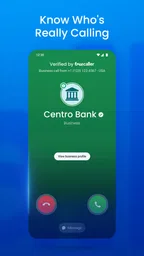
This distinction also helps set expectations about scams. Caller identification can offer a warning or useful context, but scammers may use numbers that are not recognized, and caller information can be imperfect. Never rely on a displayed name alone to verify a bank, government office, or other sensitive caller. If a call concerns an account or payment, end the conversation and contact the organization through a channel you already trust.
What can feel confusing at first
The first common confusion is assuming that an unknown number will always produce a clear identity. In practice, the app’s usefulness depends on whether it can associate helpful information with that number. A blank or unfamiliar result does not mean a call is safe, and a warning does not automatically tell you whether the caller has a legitimate reason to reach you. I would use the label to guide attention, not make the decision on its own.
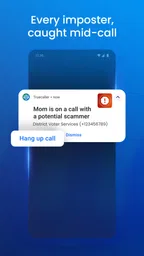
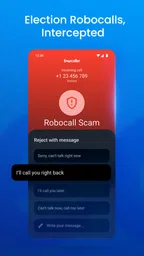
The second is expecting blocking and identification to be the same thing. Seeing information about a caller does not necessarily mean that the call has been blocked, while choosing to block a number is a separate action with its own consequences. If you are still waiting for a call from someone new, check your blocked numbers and call settings before deciding that the person never tried to reach you. This is a useful habit after changing any screening rules.
There is also a trade-off between convenience and control. More call-related access may make the app’s intended tools easier to use, but some people will prefer to keep their contact information and phone settings as restricted as possible. If that is your priority, use the narrowest setup that still serves your purpose, or stick with the basic controls built into your phone. The best choice is the one you understand and are comfortable maintaining.
Finally, do not assume that a paid option is necessary for your first useful outcome. The app is free to install, while it also offers in-app purchases with a broad range of listed prices. I would first see whether the free experience solves your actual problem: identifying or managing unwanted calls. Consider a purchase only after checking what it includes in the app and deciding that the added value matters to your routine.
How it compares with built-in call controls
Most phones already offer some way to silence, block, or manage calls. Those built-in tools are often the simpler choice if you only need to stop a known number from calling again or keep your call settings minimal. Truecaller’s distinction is its focus on identifying unknown callers and using reverse lookup alongside spam-oriented controls. That added context is the reason to try it; it is not automatically a better fit for everyone.
Compared with answering every unfamiliar call, screening first gives you more control over interruptions. Compared with blocking every unknown number, it can offer a more selective approach, though no identification system can remove the risk of overlooking a legitimate caller. If your work depends on hearing from new customers, or you are expecting calls from services you have not saved, cautious screening is more suitable than aggressive blocking.
Truecaller is available free and is rated for Everyone. It was released on May 31, 2012, and its long-running presence makes it a familiar option in the caller-identification category. Still, popularity is not a promise that every number will be recognized or that the app will suit your privacy preferences. I would judge it by whether it improves your own call routine without creating extra confusion or unwanted changes.
Who should try it, and what to do next
I would recommend giving it a try if unknown calls are a regular source of interruption and you are comfortable reviewing the permissions and phone settings its features require. It may be particularly useful if you want to look up a number before calling back or reduce repeated nuisance calls. People who rarely receive unknown calls, want the fewest possible apps, or do not want to share phone-related information with a caller-identification service may be better served by their phone’s built-in controls.
Once setup is complete, the next step is simple: let the app help you assess a few real incoming calls, then review whether its labels and blocking options are useful in your circumstances. Adjust settings gradually, keep an eye on numbers you have blocked, and verify sensitive callers independently. That gives you a practical way to learn the app without handing it more responsibility than it can reliably carry.
My overall view is that Truecaller: Spam Call Blocker is most worthwhile as a cautious first line of call screening. It can make an unfamiliar ring easier to evaluate and give you tools for dealing with repeated spam, but it is not a perfect identity check and should not be treated as one. If you approach it as helpful context rather than an authority, you can get a clearer sense of whether its convenience is worth the setup and privacy trade-offs.
What we like
- Caller ID can identify unknown numbers before you answer.
- Spam reports from users help flag suspicious callers.
- You can block specific numbers as well as reported spam.
- The dialer includes call history and contact shortcuts.
- Available for both Android and iOS.
What could be better
- Some features require a paid subscription.
- Caller ID and spam detection may be less reliable in some regions.
- The app requests access to sensitive phone data.
- Using it may require setting it as the default phone app.
- Spam protection can occasionally flag legitimate calls.





