


Google Chrome review
 Analysis by Appsdrops
When I choose a mobile browser, I care less about a long feature checklist than about whether pages open quickly, tabs stay manageable, and my everyday browsing carries over smoothly. Google Chrome is a strong fit when I want a familiar browser tied to Google’s services, but it is not automatically the best choice for every phone or every browsing habit. Its strengths are practical, and so are its trade-offs.
What matters when choosing Chrome
Chrome is a free communication app from Google LLC, although most people will know it first as a web browser. It has been available since February 7, 2012, and its broad reach is hard to miss: it has over ten billion installs, around fifty million ratings, and a 4.1 average. It is rated for Everyone. Those figures suggest that it is a familiar everyday option, not that it will suit every person equally well.
The first question I would ask is whether I already use Google services on my other devices. If I do, Chrome can make it easier to keep browsing consistent between a phone and a computer, especially when I sign in and use the same account. If I mainly want a browser that feels separate from my Google activity, or I prioritize a different privacy approach, another browser may be a better match.
I would also think about how I browse. Someone who keeps several tabs open while shopping, reading, or following a trip will value easy access to those pages. Someone who opens a search result, reads one article, and closes the browser may care more about a minimal interface or a different default search experience. Chrome is flexible enough for casual browsing, but its Google-centered convenience is most noticeable when it becomes part of a wider routine.
A familiar workflow, with useful details
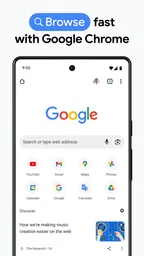
In everyday use, the address bar is the natural starting point for both a web address and a search. That sounds simple, but it removes a small decision each time I browse: I can type what I need in one place and let Chrome interpret it. It is particularly convenient on a phone, where switching between separate search and address fields would add unnecessary taps.
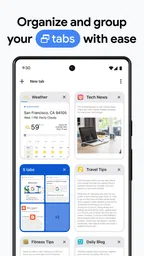
One practical habit is to treat tabs as temporary workspaces rather than a permanent reading list. I might keep a few pages open while comparing a train route, a hotel, and a map, then close them when the decision is made. That avoids turning the tab screen into a pile of forgotten pages. For things I intend to revisit later, I use bookmarks or another deliberate saving method instead of assuming an open tab will remain easy to find.
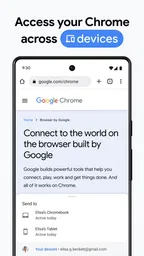
Another useful workflow is to sign in only if cross-device continuity matters to me. When I use Chrome on more than one device, an account can help connect my browsing experience; if I do not want that connection, I can use the app without making synchronization the center of my setup. I see this as a choice, not a reason everyone should sign in. Before enabling any syncing options, I would check what is being synchronized and whether that matches my comfort level.
Where Chrome earns its place
The biggest advantage for me is familiarity. Chrome’s layout and conventions are widely recognized, so it is easy to hand my phone to a relative or help someone find a page without first explaining an unusual interface. That matters in ordinary situations: checking a confirmation message while out, opening a link from a chat, or looking up a business while walking to an appointment.
Its integration with Google services is another real strength for people already using them. If I search with Google and rely on a Google account across devices, Chrome can make the browser feel like a continuation of that routine rather than a separate tool. This is less compelling if I use other services or prefer to keep accounts and browsing habits apart. The benefit depends on my setup, rather than being a universal advantage.
Chrome is also a reasonable default for people who need one dependable browser for a wide mix of tasks: news, forms, shopping, maps, and links shared by friends. I would not choose it because I expect every site to behave perfectly; websites can still be awkward on a small screen, and browser settings cannot fix a poorly designed page. But having a familiar starting point reduces the effort of moving between common online tasks.
For a realistic example, imagine I receive a message with a restaurant location, then need to check its menu and opening information before meeting someone. I can open the shared page, search for a detail, and keep the relevant pages nearby while I make a decision. The advantage is not a dramatic special feature. It is that Chrome handles this mixed, stop-and-start browsing without requiring me to plan a complicated workflow.
When another browser may fit better
Chrome is not the right choice simply because it is popular. If I want my browser to feel deliberately distinct from Google’s wider services, I would compare privacy-focused alternatives and read their current settings carefully. Different browsers make different choices about account integration, tracking protection, and customization. I would judge them by the controls they actually offer and by how those controls fit my needs, not by a broad claim that one browser is automatically private.
There are also good reasons to try the browser already built into a phone. A platform’s default browser may feel more at home with its operating system or suit someone who wants fewer separate apps to manage. If I rarely browse outside links opened from other apps, changing browsers may bring little practical benefit. Conversely, if I move between devices and want a familiar Google-centered workflow, Chrome may be more convenient than a default browser that does not match my other setup.
People who are bothered by clutter should pay attention to their own habits, not just the interface. Any browser can become messy when I leave dozens of tabs open, and Chrome’s ease of opening pages can make that temptation stronger. If tab overload is my main frustration, I should first try a stricter routine—close finished tasks and save only pages I truly need—before assuming a new browser will solve the problem.
Another consideration is performance on an older or resource-constrained phone. Browser speed and responsiveness depend on the device, the pages being opened, and what else is running. I would test Chrome with my usual sites rather than expect a universal result from its reputation for speed. If it feels heavy in my particular setup, a lighter-feeling alternative may be worth comparing, but I would make that decision from actual use rather than from a generic ranking.
The real cost of switching
Trying Chrome is straightforward because it is free, but changing a browser can still involve a small amount of work. I may need to move or recreate bookmarks, decide whether to sign in, and set the browser as my preferred option for opening links. The effort is modest for someone starting fresh; it can be more noticeable if I have years of saved pages and carefully arranged habits elsewhere.
Before switching, I would list what I actually rely on: saved sites, familiar search behavior, access across devices, and any browser-specific settings. Then I would test Chrome with ordinary tasks rather than one quick search. Open a page from a messaging app, return to it later, compare how tabs feel after a busy day, and check whether the account options make sense to me. This reveals more than judging the first screen.
If I am moving away from Chrome, I would also consider what I might lose as well as what I hope to gain. A browser that better matches my privacy preferences or operating system may be worth the transition, but I should confirm that it supports the routines I use. In the other direction, moving to Chrome is most worthwhile when its Google connection or familiar workflow solves a real inconvenience. Switching just because a browser is widely used is not a strong reason.
My recommendation
I recommend Google Chrome to people who want a familiar, free browser and already use Google services or browse across more than one device. Its scale—over ten billion installs and an average rating of 4.1—makes it an established option, while its broad everyday usefulness is the more important point for my decision. I would start with the basic browsing routine, then enable only the account and synchronization choices I genuinely want.
I would hesitate to recommend it to someone whose top priority is a browser experience intentionally separated from Google, or to someone already satisfied with a phone’s built-in browser. Those users may get more value from comparing privacy-oriented or platform-native alternatives. Chrome’s popularity does not erase the fact that browsing preferences are personal, and a different browser can be the better tool when its approach matches a person’s priorities more closely.
Overall, Chrome is a sensible default rather than a must-have for everyone. I like it most when I want familiar navigation, quick access to common web tasks, and continuity with Google services. I would keep my tabs under control, review account choices instead of accepting every convenience automatically, and switch only when I can name a specific improvement I expect. That is the clearest way to decide whether it belongs on my phone.
What we like
- Sync keeps bookmarks and passwords available across devices.
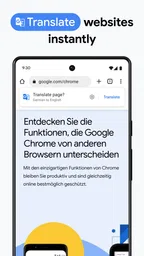
- Google Translate can translate many pages directly in Chrome.
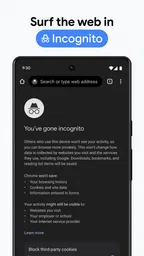
- Incognito mode keeps browsing activity out of local history.
- Tab groups help organize open pages for later.
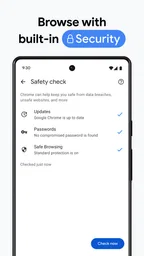
- Safety Check reviews security settings and saved passwords.
What could be better
- Some websites may still track activity in Incognito mode.
- Sync requires a Google account for cross-device access.
- Chrome can use substantial memory with many tabs open.
- Frequent interface changes may take time to get used to.
- Some extensions available on desktop are not supported on mobile.





