
UKG Pro review
 Analysis by Appsdrops
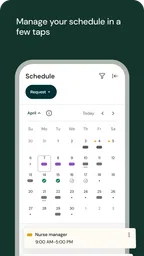
UKG Pro makes the most sense when your employer already uses UKG and wants work-related tasks to travel with you. I see its main value less as a general business tool and more as a mobile front door to an organization’s work systems. That distinction matters: the app can be useful in a daily routine, but what you can actually do depends on how your workplace has set it up.
A mobile entry point for work
UKG, Inc. publishes this free business app, which is rated for Everyone. Its store summary describes a mobile work experience, but I would set expectations more practically: this is an employee-facing companion for people whose organization relies on UKG Pro, not a standalone service that becomes useful to everyone after installation.
The scale suggests it has a substantial workplace audience: it has more than five million installs, an average rating of 4.1, and around 95,000 ratings. Those numbers offer context, not a guarantee that every employer provides the same experience. In a company app, configuration and access are central to whether the product feels complete.
The capability I would focus on is bringing work-related access onto a phone. That can make a difference when you are away from a desk, changing shifts, or trying to handle a quick task between other responsibilities. Rather than treating it like a broad productivity suite, think of it as a way to reach the UKG environment your employer has made available.
Why mobile access changes the routine
For employees who do not spend the day at a computer, even a small reduction in friction can be useful. A phone is already close at hand, so having a workplace app available can make it easier to check the work information your organization presents there without waiting until you are back at a shared terminal or office desk.
That convenience is most valuable for brief, practical interactions. If you only need to make a quick check, opening a mobile app is often a more natural fit than signing in to a desktop portal. The benefit is not that a phone replaces every workplace system; it is that it can make routine access fit more easily into the day.
There is an important qualification: the app is not a shortcut around your employer’s setup. Installing it alone does not turn UKG Pro into a personal organizer or provide access to every function a company might use. Your organization’s configuration and your account determine whether the app is relevant and what it can do for you.
What using it can look like day to day
Imagine a staff member getting ready for a shift and wanting to check work information while away from a computer. The practical question is whether their employer has made that information available through UKG Pro. If so, the app can bring the relevant workplace experience into a more convenient setting; if not, simply having the app installed will not solve the problem.
I would make the first step a simple one: confirm that your employer uses UKG Pro and ask which sign-in route or setup it expects employees to use. That avoids a common dead end—installing a workplace app, then assuming a personal account or an ordinary sign-up will provide access. A company-managed tool works best when you follow the company’s own instructions.
For a more reliable routine, use the app for the quick checks it supports and keep a desktop option in mind for tasks that are easier to review on a larger screen. This is a useful trade-off rather than a flaw unique to UKG: phones are convenient for access on the move, while a computer is often more comfortable for careful reading or extended work.
Another practical tip is to resolve access issues through your employer’s normal support channel instead of repeatedly reinstalling the app. When a workplace product depends on organizational access, a login or availability problem may be tied to the employer’s setup rather than the phone itself. Knowing who manages that access can save time.
Where it fits better than ordinary alternatives
Compared with opening a general web portal in a mobile browser, a dedicated app can feel like a more direct route into a workplace experience designed for phone use. That matters most when you return to the same employer system regularly and want an easy way to reach it. The app’s value is tied to that repeated, organization-specific use.
It is not automatically a better choice than every alternative. If your employer’s preferred process is a desktop portal, or if you only need occasional access and the browser already works well, installing another app may add little. Likewise, a general calendar or notes app is better for personal planning that does not depend on company-managed UKG access.
There is also a difference between a workplace platform and a universal employee app. UKG Pro is not something I would recommend to a job seeker as a way to browse employers, nor would I choose it as a replacement for a personal task manager. It is most useful when there is an existing relationship between the app and your organization.
The trade-offs to understand before relying on it
The main limitation is dependence on employer configuration. Two people can install the same app and have different reasons to use it, or different levels of access, because their workplaces may not use the same setup. That makes recommendations from colleagues at another company less reliable than checking with your own manager or workplace support team.
Mobile convenience also comes with a screen-size trade-off. A phone is excellent for a quick check, but it is not always the best place to compare details, read at length, or handle a task that calls for careful review. I would not plan to do every piece of work through the app simply because it is available on mobile.
Version compatibility is worth checking before you depend on it: the current release is 5.08.04.0921, and the listed minimum operating system is Android 8.0. If your device is older or managed by your employer, check that it can run the app and follow workplace guidance before making it part of your routine.
Because the product is employer-facing, it is sensible to treat work access differently from a personal account. Use the sign-in method your organization recommends, and avoid assuming that the app’s presence on your phone means every work function is available there. That small expectation check helps prevent frustration and keeps the app’s role clear.
Who is most likely to benefit
I would recommend UKG Pro to employees whose organizations already use it and who want a convenient mobile route to the workplace experience their employer provides. It is particularly appealing to people who are not always at a desk and prefer to handle quick work-related checks from a phone rather than wait for a computer.
It is less compelling for someone whose employer does not use UKG Pro, someone who already has an easy mobile process that meets their needs, or anyone looking for a general business app they can configure independently. In those cases, the app’s central advantage—access to an employer’s UKG environment—does not offer much.
With a 4.1 average from about 95,000 ratings and roughly 7,700 written reviews, the response is broadly positive, though ratings alone cannot tell you whether your own company’s setup will suit you. I would treat the app as a practical extension of the workplace system, not as a promise of identical tools for every employee.
Overall, UKG Pro earns its place on a phone when your employer makes it part of the way work gets done. Its strongest case is simple: it can put relevant workplace access within easier reach during a busy day. Check that your organization supports it, learn the access process it expects, and keep a desktop route available for more involved tasks. If those conditions match your situation, it is a sensible tool to try; if they do not, there is little reason to install it just because it is free.
What we like
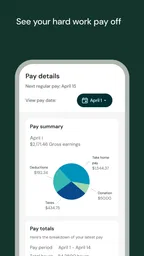
- Employees can view pay statements and tax documents in one place.
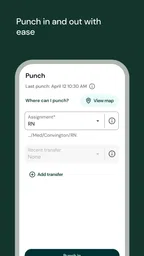
- The app supports clocking in and out for eligible employees.
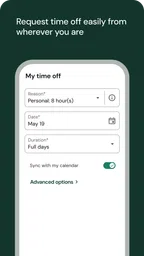
- Time-off requests are easy to submit and track.
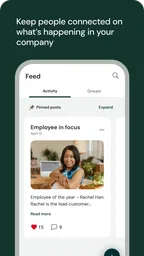
- Push alerts can keep users informed about workplace updates.
- Biometric sign-in is available on supported devices.
What could be better
- Features depend on the employer's UKG setup and permissions.
- Some tasks are easier to complete on the desktop site.
- The app requires an employer account to access most features.
- Timekeeping may require location access for some workplaces.
- Login issues can require help from an employer administrator.





