

LinkedIn: Community & Network review
 Analysis by Appsdrops
I think LinkedIn makes the most sense when you treat it as a workbench you check with a purpose, rather than another social feed to scroll whenever you have a spare minute. It brings job searching, professional updates, and industry news into one mobile app, which is handy when I want to follow up on an opportunity or keep an eye on what people in my field are discussing. The trade-off is that its value depends heavily on how useful your network is and how much time you are willing to spend sorting relevant updates from noise.
Quick checks work better than endless scrolling
In ordinary use, I would expect the app to feel most responsive when I open it to do one specific thing: check a message, look at a role, or read a post from someone I follow. LinkedIn is built around frequently refreshed professional content, so the amount of material on screen can change with your network and activity. That makes speed feel less like a simple matter of opening the app and more like a question of how quickly you can reach what you came for.
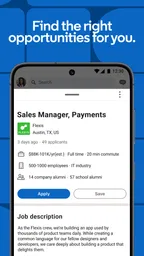
My practical advice is to decide on a task before opening it. If I am looking for work, I can focus on job search rather than bouncing between the feed, profile updates, and suggested content. If I have only a few minutes, checking a particular conversation or saved opportunity is a more useful visit than trying to catch up on everything. A clear purpose is the best way to keep LinkedIn feeling quick.
This is a business app from LinkedIn, and that professional focus distinguishes it from general social networks. Its store summary points to jobs, insights, and news, but in practice those serve different needs: a job seeker may care most about openings, while someone settled in a role may use the app to follow developments and maintain work relationships. It works best when you choose which of those jobs matters today.
What to expect during a busy session
The app can become more demanding of your attention when several work tasks converge. Imagine checking a message before a meeting, spotting an interesting post, then noticing a role that might suit a friend. It is convenient to move among those professional activities in one place, but it is also easy to lose the original thread. I would handle the urgent task first and leave browsing for later, rather than treating every new item as something that needs an immediate response.
That workflow matters more than chasing a theoretical speed advantage. LinkedIn’s mix of feed, conversations, and job discovery means a short visit can expand into a longer one if you follow every prompt or discussion. When I am using it for a job search, I would keep a simple note of the roles I want to revisit and the people I need to contact. That reduces the chance of relying on memory after a distracted scroll.
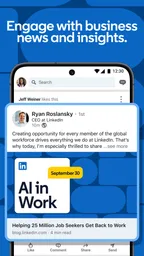
There is also a useful distinction between reading professional updates and doing actual career work. A post can offer context about an industry, but it is not the same as checking whether a position fits your experience or following up with a recruiter. I would use the feed for discovery and conversation, then switch to a deliberate review of the opportunity before deciding whether it deserves attention.
Stability, focus, and getting back on track
I would not judge reliability only by whether an app stays open. For LinkedIn, it also means being able to return to the task that brought me in after an interruption. A workday can easily break a browsing session with a call, commute, or meeting. Keeping the goal small—such as reviewing one role or replying to one message—makes it easier to resume without having to reconstruct a long chain of activity.
For a useful routine, I would separate professional maintenance into modest visits: answer messages when I can give them proper attention, review opportunities when I can compare them calmly, and browse industry posts when I actually have time to read. This avoids treating every notification or new post as urgent. It also helps prevent the feed from becoming a substitute for the more concrete steps of applying, preparing, or reaching out.
The app’s social side can be valuable, but it is not automatically a reliable measure of professional progress. A lively feed may create the feeling that you are keeping up, even if you have not contacted anyone or evaluated a single opportunity. I find it more useful to judge a session by what I learned or completed than by how much content I saw.
How it fits different devices and users
LinkedIn is free to download and is rated for Everyone. The current version is 4.1.1272, and the stated minimum operating system is 10. Those details are worth checking against your device before installing, especially if you use an older phone or keep software updates limited. I would also leave enough room for the app and its content rather than assuming every device will handle a growing professional feed in exactly the same way.
The app has a 3.8 average from around 3.5 million ratings, alongside roughly 104,000 written reviews and over one billion installs. That scale suggests it is a familiar tool for many people, but it does not mean everyone will enjoy its feed or find the same professional value in it. Your experience will depend on whether the people and fields you care about are active there, and whether you are comfortable using a network-oriented service for career tasks.
Some optional in-app purchases range from $5.99 to $917.79 per item. I would treat the free app as the starting point and consider paid options only after identifying a specific need that they address. If all you want is a place to read public career news or search for openings occasionally, it is sensible to begin without spending. The broad range also makes it important to check what a purchase includes before committing.
LinkedIn is a poor fit if you want a quiet, purely transactional job board with minimal social activity. A conventional job-search service may be more comfortable when your priority is simply filtering openings and submitting applications. Likewise, if your main goal is informal conversation with friends, a general social app is a more natural choice. LinkedIn’s advantage is the connection between professional identity, work-related discussion, and job discovery—not being the best place for every kind of online interaction.
Who gets the most from it
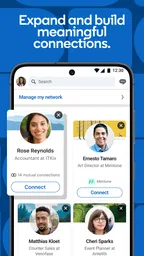
I would recommend LinkedIn to people who want to maintain professional contacts while keeping an eye on opportunities in their field. It can be especially useful for someone who is employed but open to a change: they can follow relevant discussions and review roles without turning every day into a full-time job hunt. For a freelancer, it can be a place to stay visible to former colleagues and notice conversations connected to their work, though it should complement direct outreach rather than replace it.
A realistic everyday use would be a commute or lunch break: I open the app to check whether a contact has replied, read one industry update, and make a note to revisit a relevant opening later. The important part is not to treat the feed as a complete career plan. I would still compare role requirements carefully, tailor an application, and use a personal conversation when a genuine connection matters.
It may be less useful to someone whose profession has little activity in the network they can access, or who does not want to maintain a public-facing professional profile. It can also feel tiring if you are already overwhelmed by workplace updates and prefer to keep career planning separate from social feeds. In those cases, a focused job board, company career pages, or direct contact with professional groups may be a better match.
How it compares with familiar alternatives
Compared with a standard job board, LinkedIn places openings beside professional profiles and conversations. That can help me discover roles through the same space where I follow people in my field, but it also means the experience is less narrowly focused. A job board may make it easier to concentrate on listings; LinkedIn is more useful when I want both listings and a sense of the professional community around them.
Compared with general social networks, the app gives work and career activity a clearer center. That focus is helpful when I want to keep a discussion or contact connected to my professional life. The downside is that professional content can blur into self-promotion, and not every post is worth my attention. I would follow people and topics that offer practical insight, then be selective about how often I check the feed.
As an app from LinkedIn, it carries the same basic purpose as its larger professional network: helping people make work-related connections and find relevant information. It is not a magic shortcut to a job, nor does installing it guarantee useful contacts. The strongest results come when I make my profile and interactions intentional, use the app to identify a promising next step, and then act outside the scroll.
My performance verdict
LinkedIn feels most worthwhile when I use it in short, deliberate sessions and accept that a busy professional feed can compete for attention. It combines job discovery, career conversations, and industry reading in a way that is difficult for a simple listings app to match. Its main friction is not a lack of purpose but the need to filter: some visits will be productive, while others can drift into passive browsing.
It was released on April 7, 2011, and has grown into a widely installed business app, but longevity and scale do not remove the need to decide whether its network suits your goals. I would start with the free version, keep the device’s operating-system requirement in mind, and judge it by whether it helps me complete a concrete task. If I wanted only a streamlined list of vacancies, I would choose a more focused alternative; if I wanted professional contacts, news, and job exploration together, LinkedIn would be a useful app to keep close.
My recommendation is measured rather than automatic. For job seekers, people changing fields, and professionals who value staying connected, it can make everyday career maintenance easier. For anyone who dislikes feeds or wants a calmer, narrower tool, the extra social layer may feel like work of its own. Use it with a plan, and it is more likely to support your career than consume your spare time.
What we like
- Connects you with professionals across a wide range of industries.
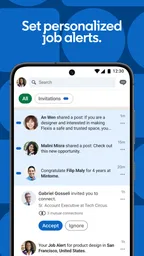
- Job alerts help you spot relevant openings as they appear.
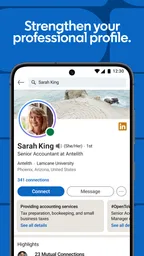
- Profile tools make it easy to showcase your work experience.
- Messaging supports direct conversations with your professional contacts.
- Company pages offer updates about employers and their opportunities.
What could be better
- Some useful job search tools require a Premium subscription.
- The feed can include promotional posts and repetitive content.
- Messages from people outside your network may be limited.
- Profile visibility settings can take time to understand.
- Job listings may remain visible after a role is no longer available.





