

Uber - Driver: Drive & Deliver review
 Analysis by Appsdrops
I’d judge Uber Driver less as a simple way to find trips and more as a work tool you need to learn around your own routine. It is aimed at people who drive passengers or deliver food, and its usefulness depends on whether the work available in your area fits the hours, vehicle, and earnings you need. The app is free to download, but that does not make driving or delivery cost-free: fuel, upkeep, time spent waiting, and local requirements still matter.
Getting past the first setup hurdles
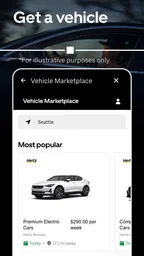
Uber Driver is a business app from Uber Technologies, Inc., built for drivers and food couriers rather than customers requesting a ride. That distinction sounds obvious, but it is easy to download the wrong Uber app when you are just trying to start. The driver app is the one intended for accepting work and managing your activity; a passenger-facing app serves a different purpose.
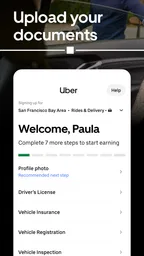
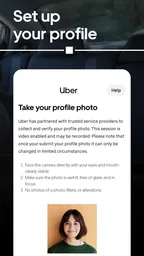
In my view, the first challenge is not tapping through screens but being ready with consistent, accurate account and vehicle information. Before beginning, check that the details you enter match your documents and that the vehicle you plan to use is the one you intend to work with. If onboarding pauses, rushing through the same step repeatedly is rarely helpful. Recheck the information, read the prompt carefully, and follow the in-app instructions before trying again.
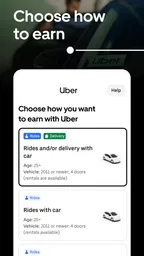
It also helps to decide in advance what kind of work you are considering. Driving passengers and delivering food can involve different routines, even though the same app is associated with both. A driver who prefers planned blocks of focused work may approach the day differently from a courier fitting deliveries between other commitments. Think through parking, traffic, and how far you are willing to travel before going online.
Because this is a work app, a phone that is nearly out of battery or has unreliable mobile service can undermine an otherwise smooth shift. I would start with a charged device, a stable connection, and enough time to resolve any account prompts before relying on the app for a busy period. These are ordinary preparation steps, but they matter more here than they do in an app you can casually close and reopen.
Small checks that prevent bigger interruptions
When something looks wrong during setup, first separate account or onboarding trouble from a temporary phone problem. Confirm that the app is current through your app store, close and reopen it, and check that your connection is working. If a message asks for a specific action, treat that message as the most useful clue rather than guessing at what the app expects.
I would avoid making several changes at once. If you edit account details, switch devices, and retry the same step all at once, it becomes harder to tell what helped. Make one sensible check, try again, and keep track of the exact point where progress stops. If the issue concerns eligibility or account status, a phone restart cannot resolve the underlying decision; use the support path provided in the app instead.
The app is rated for Everyone, but that age label is not a substitute for understanding the responsibilities involved in paid driving or delivery. The work itself calls for attention, safe choices, and compliance with the requirements that apply where you operate. I would not treat an easy installation as proof that a person or vehicle is ready to take requests.
How the day-to-day workflow feels
Once you are able to work, the practical value is having a place to manage the driver side of the job rather than relying on a passenger app or a collection of unrelated tools. The central habit is to check the app before starting a shift, stay attentive to what it asks you to do, and avoid interacting with the screen while driving. For delivery work, I would plan safe places to stop before checking details or deciding what to do next.
A realistic use case is someone with a free afternoon who wants to work only when their schedule allows. They can prepare the vehicle, open the driver app, and decide whether the available work suits that window. The flexibility is useful, but it is not the same as a guaranteed amount of work or income. Waiting, traffic, and the distance between requests can all change how productive that afternoon feels.
One useful habit is to think in terms of a complete shift, not just the time spent moving. Keep a simple personal record of when you start, when you finish, and the costs you incur. That makes it easier to judge whether a particular schedule is worthwhile for you without assuming that the app’s activity alone tells the whole financial story. It is a practical safeguard, especially if you are comparing driving with delivery or another part-time option.
Another trade-off is how much flexibility you actually want. If you need a predictable timetable and dependable pay, an on-demand work pattern may feel frustrating even when the app is functioning normally. If you value being able to fit work around another commitment and can tolerate uneven demand, the model may suit you better. I would try it with modest expectations before reorganizing a week around it.
Recovering when a task or screen goes off track
If the app seems to stall during a shift, pause somewhere safe before troubleshooting. Check whether the phone still has a connection, then reopen the app if appropriate and read any on-screen instructions. Avoid tapping repeatedly while driving or taking actions that could confuse the status of an active task. A calm, deliberate check is safer and usually makes the source of the interruption clearer.
For a problem that returns, note what you were doing when it happened: starting the app, attempting to go online, or handling a particular request. That short description is more useful when seeking help than saying only that “the app is broken.” If the issue is tied to your account or a work request, follow the relevant support guidance rather than assuming reinstalling the app will fix it.
It is also sensible to distinguish a temporary interruption from a completed workflow. Before repeating an action, check the current screen and any status shown there. Repeating a step without knowing whether the first attempt registered can create confusion. When you are unsure, stop in a safe place and use the app’s support options to clarify the situation.
For ordinary technical trouble, a restart and connection check are reasonable first steps. For account access, document review, or an unresolved work issue, the answer may require support rather than further phone troubleshooting. I like this distinction because it prevents wasted time: not every obstacle is a software fault, and not every software-looking problem can be solved by changing settings.
When the cause is outside the app
Driver apps sit at the intersection of a phone, a network connection, a vehicle, and local working conditions. A weak signal can make information slow to load; traffic can make a route or delivery schedule less practical; and a lack of suitable parking can turn a short stop into a stressful one. Those are real limits on the work experience, even when the app itself is behaving as expected.
Demand is another factor I would not confuse with a technical issue. An empty or quiet period does not necessarily mean the app has failed. It may simply be an unproductive time or place for the work you are trying to do. If your schedule permits, compare different times and locations carefully, but do not drive around aimlessly just to chase the possibility of a request. The extra fuel and time may outweigh the benefit.
Likewise, the app cannot make an unsuitable vehicle, uncomfortable schedule, or poor local fit into a good arrangement. If you dislike spending long periods in traffic, passenger driving may be a poor match. If frequent stops and finding places to leave a vehicle safely are your main frustration, delivery may not be an improvement. I would compare the actual demands of each routine before choosing one based only on the promise of flexibility.
For someone who wants a stable employer-set schedule, a conventional job or another work option with clearer hours may be a better fit. For someone who already has a suitable vehicle and wants to explore flexible driving or delivery, Uber Driver gives that person a dedicated starting point. The right choice depends less on the app’s reputation than on the day-to-day conditions where you intend to work.
Who I’d recommend it to
The app has a 4.6 average from around 6.4 million ratings, and it has been installed over 100 million times. Those figures suggest broad adoption, but they cannot tell you whether the work will be worthwhile in your area or whether the workflow suits your preferences. I would use them as context, not as a substitute for testing the experience yourself.
It is a stronger fit for someone who wants to explore flexible driving or food delivery and is comfortable managing a workday that may vary. It is less suitable for someone who needs a guaranteed schedule, dislikes handling changing conditions, or expects the app to calculate whether the work is profitable after personal expenses. The app helps organize the work; you still have to assess the economics and practical demands for yourself.
Compared with a regular local driving job, this approach can offer more control over when you try to work, but usually asks you to shoulder more uncertainty in planning. Compared with arranging deliveries through a different courier service, the day-to-day experience and local opportunities may differ, so it is worth comparing the actual options available to you rather than assuming one platform is automatically better. A traditional job may be preferable if consistency matters more than flexibility.
Uber Driver is free and has been available since November 14, 2014. For me, its main strength is being purpose-built for people doing Uber driving or delivery work, while its main limitation is that an app cannot remove the unpredictability of that work. I would install it if I had a realistic plan, a suitable vehicle, and time to learn the workflow without depending on immediate results.
My practical recommendation is to prepare your account and phone before a shift, begin with a schedule you can afford to treat as a trial, and keep your own notes on time and expenses. If you value flexible work and can handle quiet periods and everyday logistics, it is worth considering. If your priority is predictable hours and income, I would look at more structured alternatives first.
What we like
- Flexible hours let drivers choose when to go online.
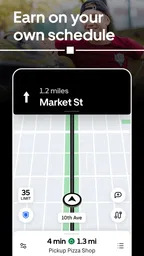
- In-app navigation helps drivers find pickup and drop-off locations.
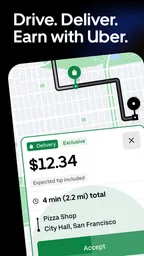
- Trip details appear before drivers accept a ride.
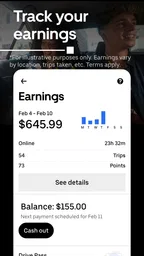
- Earnings summaries help drivers track their work.
- Delivery requests can provide another way to earn.
What could be better
- Demand can vary significantly by location and time.
- Drivers cover fuel and vehicle maintenance costs.
- Navigation estimates may not reflect current road conditions.
- Ratings can be affected by factors outside a driver's control.
- Some app features may depend on local availability.





