



Square Point of Sale: Payment review
 Analysis by Appsdrops
When I sell something in person, the annoying part is often not the sale itself. It is switching between a card reader, a notebook, a calculator, and a separate way to send a receipt or follow up on an unpaid invoice. Square Point of Sale is designed to bring much of that work into one mobile workflow. I find its appeal less about flashy tools and more about avoiding small interruptions that add up during a busy day.
Turning scattered checkout tasks into one routine
This is a business app from Block, Inc., aimed at people who take payments or manage customer-facing work. Square Point of Sale has been available since May 11, 2010, and its current version is 7.33. It is free to download and rated for Everyone. Its scale is notable too: it has more than 10 million installs, around 261,000 ratings, and an average rating of 4.6. Those figures suggest broad use, though they do not tell me whether it fits every kind of business.
Why a mobile register can matter
The everyday problem it tackles is fragmentation. A market seller may take a payment on one device, write down the item sold elsewhere, and later try to reconcile the day from memory. A small service business may need to book work, collect payment, and keep track of invoices without running a full office system. A mobile point of sale can shorten those handoffs by keeping checkout and related tasks close together.
That convenience matters most when the business is small enough that the owner is also the cashier, stock checker, and person answering customer questions. Instead of treating every transaction as an isolated card charge, I can think of Square as a practical home base for sales activity. The key question is whether its tools match the way I actually work; a broad feature set is useful only if it does not slow down the most common task.
Start with the checkout you use most
My advice is to begin with a narrow setup rather than trying to configure every possible business workflow at once. Add the products or services that come up most often, organize them in a way that makes sense at the counter, and run through a typical sale before relying on the app during a rush. A short test helps expose awkward item names, confusing choices, or extra taps while there is still time to fix them.
For a business that sells a mix of set-price items and occasional custom work, I would make the regular items easy to find and keep less common adjustments deliberate. That reduces the chance of hunting through a long list while a customer waits. If you offer appointments or invoices as well as walk-in sales, introduce those workflows one at a time. The useful test is not whether every section is filled in, but whether a real customer interaction feels clear from start to finish.
There is also a trade-off in how much detail to enter. A carefully maintained catalogue can make checkout more consistent and help reduce manual entry, but building it takes attention and ongoing upkeep. A very simple setup is quicker to begin with, yet it can leave more work to do after the sale. I would choose the level of organization that the business can realistically maintain, rather than creating a detailed system that becomes stale.
What a working day looks like
Imagine a maker selling at a weekend market. During a quiet moment, they can prepare the products they expect to offer. When a customer chooses several items, the seller can ring them up from the phone instead of calculating a total separately and then entering it elsewhere. Between customers, they can check that the day’s sales are being recorded in the same place as checkout. The benefit is not a dramatic transformation; it is fewer chances to lose track of a small task while the line is moving.
A service provider has a different rhythm. Someone who takes bookings may use an appointment-oriented workflow for scheduled work, then use checkout when the customer is ready to pay. Sending or managing an invoice can also be more appropriate when payment is due later rather than at the end of a visit. I would still keep the appointment book and payment process clear in my own routine: a tool can support those steps, but the business needs a reliable habit for confirming what has been booked and what has been paid.
For a small restaurant or retail counter, the central test is speed under pressure. If staff can find common items quickly and complete a sale without awkward navigation, keeping checkout on a mobile device may suit a compact operation. If the menu or product range is complex, or several people need a highly specialized register workflow, I would trial it with the actual staff and busiest transactions first. A calm demonstration is not a good substitute for a realistic service period.
Where it can save effort—and where it cannot
The strongest practical gain is reducing repeated entry. When sales, invoices, appointments, and retail or restaurant activity are handled in a connected mobile environment, there may be less need to copy details from one tool into another. That can save time at closing as well as at the point of sale. It can also make a small operation feel more organized without immediately adopting a large desktop business suite.
One useful workflow tip is to treat item organization as a speed tool, not merely a record-keeping chore. Put the choices staff need most in the places they can reach quickly, and review that arrangement after a few real shifts. Another is to distinguish a sale that is paid now from work that needs an invoice or a scheduled appointment; forcing every customer into the same checkout pattern creates avoidable confusion. These small decisions often matter more to daily ease than adding every available option.
There is a limit to the promise of an all-in-one mobile register: it still depends on a sensible setup and consistent use. If product names are duplicated, staff are unsure which workflow to choose, or records are not reviewed, the app cannot make the business process tidy by itself. I would also avoid assuming that a phone-based system automatically replaces every specialist tool. Complex inventory, accounting, staff controls, or detailed operational reporting may call for a dedicated system, depending on the business’s needs.
Choosing it over familiar alternatives
Compared with a basic card-payment app, Square Point of Sale is more appealing when the business wants checkout to sit alongside sales records and other customer workflows. Compared with a spreadsheet plus separate payment and scheduling tools, it may reduce the number of places an owner has to check. The trade-off is that a spreadsheet can be more flexible for a person who likes building a custom process, while a specialized register may be a better fit for a larger operation with tightly defined service or inventory needs.
I would not choose it solely because it covers several categories. A freelancer who only needs to send occasional invoices may prefer a simpler invoicing tool. A shop with a complicated catalogue and demanding stock processes should compare dedicated retail systems before committing. A restaurant with specialized ordering needs should test the actual service flow rather than assume that a general mobile POS will match its established setup. Square makes the most sense when the business values a shared, mobile place for everyday selling and can keep its workflow straightforward.
My verdict for small businesses
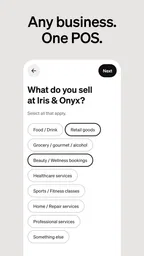
Square Point of Sale is worth considering if you want to handle in-person sales without stitching together a collection of unrelated tools. Its range makes it relevant to retailers, restaurants, appointment-based services, and independent sellers, while its free download lowers the barrier to trying the app. I would start with the core checkout routine, then add invoices or appointment workflows only when they solve a real problem in the business.
The app is not a shortcut around planning, and broader coverage does not guarantee that every feature will suit a particular operation. Still, for a small business where one person handles several parts of the customer experience, reducing repeated steps can be meaningful. My recommendation is to test it with your most common sale and one less typical scenario before changing your routine. If both feel clear, it may save enough time and friction to earn a place in the daily workflow; if your business relies on specialized controls or a highly customized register, a more focused alternative may serve you better.
What we like
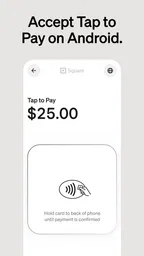
- Accepts contactless and chip payments through compatible hardware.
- Supports digital receipts to reduce paper use.
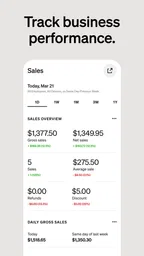
- Offers sales reports that help track business performance.
- Can manage product inventory from the point of sale.
- Includes tools for creating invoices and tracking payments.
What could be better
- Card processing fees can reduce profit margins.
- Some features require a paid subscription.
- Compatible payment hardware may cost extra.
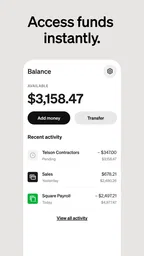
- Account reviews can delay access to funds.
- Availability of payment features varies by country.





