


Proton Mail: Encrypted Email review
 Analysis by Appsdrops
I’d recommend Proton Mail if you want email privacy to be part of your everyday routine rather than an extra setting you rarely think about. Its strongest appeal is the combination of a familiar inbox with protection-focused tools, including encrypted messages, spam filtering, and email aliases. In my experience, that makes it a practical choice for personal correspondence and sign-ups where I’d rather not hand out my main address. It is less compelling if your priority is a frictionless fit with every existing email account or the broadest possible set of conveniences.
A privacy-minded inbox that still feels usable
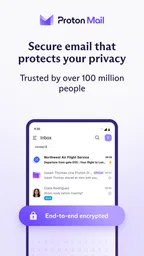
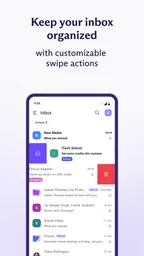
This is a communication app from Proton AG, built around the idea that an inbox should not expose more than necessary. The basic experience remains recognizable: messages arrive in a list, conversations can be opened and answered, and everyday email does not require learning a new way to communicate. The privacy emphasis is most valuable when it supports ordinary habits instead of making each message feel like a technical project.
The distinction matters because email is often used for everything from conversations with friends to account recovery and receipts. I like having a separate address option for less important registrations, rather than using my primary inbox everywhere. If a sign-up starts producing unwanted mail, an alias gives me a way to isolate that traffic. It is a small workflow change, but over time it can make an inbox easier to manage and reduce how often I need to share my main address.
Proton Mail has an average rating of 4.5 from around 97,000 ratings, and it has passed 10 million installs. Those figures suggest that its privacy-oriented approach has found a substantial audience, though they do not mean every user will find it a perfect replacement for a long-established email setup. I would judge it by whether its protections and routines suit the way you actually use email.
Where the privacy tools make a practical difference
Encryption is the central reason to consider this app, but I would not treat the word as a blanket promise that every email, regardless of recipient or circumstances, behaves identically. The useful question is what kind of conversation you need to protect and whether the person receiving it can use the relevant secure-message workflow. For routine messages, the app can still serve as a straightforward inbox; for sensitive exchanges, it encourages more deliberate choices than a standard account often does.
That distinction is helpful for setting expectations. If I am sending a casual note to someone who already uses a compatible secure service, the privacy focus can feel natural. If I need to communicate with someone who expects a conventional email with no extra steps, I would first consider whether a protected message will be convenient for them. Privacy tools are only effective in practice when both sides can complete the exchange without confusion.
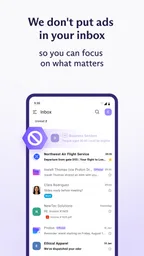
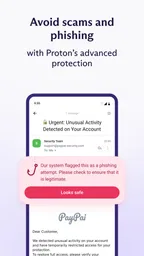
The spam filter is another feature I value most when it quietly reduces clutter. It is not a substitute for careful sign-up habits, and no filter should be treated as infallible. I still check unexpected messages before acting on them, especially when they ask me to reset an account or open an attachment. The benefit is that filtering and address separation can work together: aliases help limit exposure, while filtering helps keep the inbox readable.
A useful tip is to reserve your main address for people and services you trust, then use an alias for a one-off download, a newsletter, or a shop you may not use again. That gives you a clearer sense of where unwanted messages may have come from. It also avoids the common mistake of changing your main email every time one registration becomes noisy. I see this as one of the app’s more practical advantages because it turns privacy into an everyday organizing habit.
What it is like to make it your main email app
As a free app for general audiences, Proton Mail is approachable for someone who wants to try a privacy-focused inbox without paying before deciding whether it fits. The age rating is Everyone, and the app’s current version is 7.11.12. It was released on March 16, 2016, so this is not a brand-new experiment; it has had years to become a recognizable option for people who care about protecting their communications.
Still, switching email is rarely as simple as installing an app. Your address may be tied to work, banking, shopping, family contacts, and password recovery. I would not move everything in one rushed afternoon. A more sensible approach is to start with personal correspondence or new registrations, update important accounts gradually, and keep access to the old inbox while you confirm that critical messages are reaching the right place.
That gradual transition is especially useful if you rely on a familiar account for shared calendars, workplace systems, or other services. Proton Mail’s privacy focus is a strong reason to use it, but the best email setup is the one that does not cause you to miss a password reset or an urgent note. Before making it your only inbox, I would test the accounts and contacts that matter most to me and make sure the routine feels comfortable on my phone.
People also ask whether they can try it without a subscription. The app is free to use, while in-app purchases range from $4.99 to $119.88 per item. That gives newcomers a way to explore the core experience first, but anyone comparing paid options should check the current in-app choices against their own needs before deciding. I would avoid paying simply because privacy sounds appealing; first see whether you enjoy the inbox and whether its tools solve a real problem for you.
The trade-off: privacy can ask for more from the user
My main reservation is that a privacy-first service can involve more thought than a familiar mainstream inbox. Secure communication is not always as effortless as sending an ordinary message, particularly when the recipient is outside the same ecosystem or does not understand why a message is handled differently. If your daily work depends on fast exchanges with many people using different services, that extra coordination may feel like friction rather than reassurance.
There is also a difference between wanting better privacy and wanting a complete change in email habits. Someone who has built years of folders, addresses, and routines around another provider may find the move disruptive even if the new inbox itself is easy to understand. I would not switch solely because the app has encryption; I would switch when I am willing to maintain a more deliberate address strategy and accept that some contacts may need a conventional approach.
For example, imagine signing up for a local event, ordering a household item, and exchanging sensitive personal details in the same week. I would use an alias for the event or purchase if I did not want those messages mixed with private correspondence, while treating the sensitive exchange as a separate decision about how the recipient can receive it securely. That is more considered than using one address for everything, but it also takes a moment of planning. Users who want every email task to happen with no choices may prefer the convenience of their existing provider.
Compared with the usual large free email services, Proton Mail makes privacy the reason to choose it rather than treating the inbox mainly as a gateway to a wider bundle of everyday tools. That is a meaningful difference, not an automatic win. If you mainly want familiar integrations and established routines, a mainstream alternative may be easier. If you value a protected inbox and want to limit exposure of your primary address, Proton Mail offers a more focused experience.
Who I think will get the most from it
I would point privacy-conscious individuals toward it first: people who want a dedicated personal inbox, are tired of using one address for every registration, or regularly exchange information they would rather keep private. It can also suit someone who is setting up a fresh email identity and wants to build sensible habits from the start instead of reorganizing an old inbox later.
It is a weaker fit for someone who must use a particular workplace email system, depends on a highly customized setup, or cannot ask recipients to accommodate a secure-message workflow when needed. It may also disappoint people who expect an alias to eliminate spam entirely or assume encryption means they never need to think about recipient compatibility. I would keep another account available during a transition if missed messages would create a serious problem.
For families or less technical users, I would focus on the actual routine rather than the privacy vocabulary. Can they find a message, recognize a suspicious request, and reply without needing you to troubleshoot each exchange? The app’s familiar email format helps, but the more protected workflows may still call for a brief explanation. A good setup is one the whole household can use consistently, not merely one that sounds safer in theory.
My recommendation
After weighing the convenience against the extra thought involved, I see Proton Mail as a strong choice for people who want email privacy to shape their habits in concrete ways. The combination of encrypted communication, spam filtering, and aliases is more useful than a single headline feature because it can influence how I share an address, sort incoming mail, and decide how to handle a sensitive conversation.
I would start with a few low-risk sign-ups and personal messages, learn how aliases fit my routine, and test the secure exchange process with a willing contact before relying on it for important correspondence. If the experience feels natural, moving more of my email over makes sense. If I mainly want maximum convenience across a large network of conventional accounts, I would keep my current provider or use Proton Mail alongside it rather than forcing a complete switch.
Overall, I recommend it to anyone who values privacy enough to make a few deliberate choices in return. The free starting point makes it approachable, while the subscription options leave room for users who decide they want more. It is not a universal replacement for every inbox, and that is precisely why I would choose it for a clear purpose: a more privacy-conscious place for the messages and sign-ups I do not want tied indiscriminately to my main email identity.
What we like
- End-to-end encryption helps protect messages between Proton Mail users.
- Messages can be set to expire after a chosen period.
- Aliases help keep your main email address private.
- The app includes a built-in calendar and contact manager.
- A free plan lets you try the service before upgrading.
What could be better
- Some encryption features require extra steps when emailing non-Proton users.
- The free plan has limited storage and daily message capacity.
- Advanced search options are less extensive than in some email apps.
- Switching from another email provider can take time.
- Some features and storage limits vary by subscription plan.





