



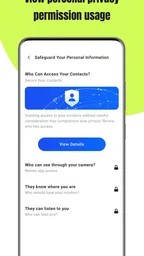
Permission Guard review
 Analysis by Appsdrops
I like the idea behind Permission Guard because app permissions are easy to approve once and forget. This Android security app puts the focus on managing those permissions, giving me a reason to revisit what apps can access instead of treating the first setup prompt as the end of the conversation. Its value is practical: a little more awareness and control over the access I have already granted.
Permission management, made the point
Permission Guard is a business-category app from VY Technology Services, although its appeal is personal as well as professional. Rather than replacing Android’s own permission controls, it gives permission management a dedicated place in your routine. That distinction matters: the system settings remain the underlying control, while a focused app can make it easier to think about access as something worth reviewing.
The central question is simple: does an installed app need the access it has? A map app may have a convincing reason to use location while you navigate, for instance, whereas a utility you rarely open may not need broad access all the time. Permission Guard’s purpose is to help you manage app permissions, so I would approach it as a review aid—not as an automatic security fix or a guarantee that every app is safe.
That focused scope is both its strength and its boundary. It is relevant if you want to check and manage permissions without turning the exercise into a general device-cleaning project. If you are looking for antivirus protection, account monitoring, or a detailed explanation of every privacy risk, permission management alone will not cover those needs.
How I would use it in practice
The most useful way to approach a permissions tool is to start with a question, not a blanket cleanup: which apps have access that no longer matches how I use them? I would review apps I installed for a one-off task, services I have not opened in months, and apps whose purpose does not obviously call for sensitive access. That produces a more thoughtful result than simply switching off everything that looks unfamiliar.
It also helps to make changes one at a time. If a feature stops working after access is changed, you can connect the problem to the permission you just adjusted and decide whether to restore it. This is especially sensible for apps that depend on location, camera, microphone, or files for a particular feature. Permission Guard can support that decision-making, but you still need to judge whether the access is genuinely useful to you.
A practical example: imagine you install an app to scan a document, use it once, then leave it on your phone. Later, a permission review is a good moment to ask whether that app still needs the same access now that the task is finished. If you use it again, you can reassess then. This small, purpose-based habit is more reliable than assuming every installation deserves permanent access.
Another useful workflow is to review after changing how you use your phone. A work app you relied on last year may no longer be part of your routine; a travel app may only be useful during a trip. Instead of making permission choices solely at installation, revisit them when the app’s role changes. That is where a dedicated management tool can become a recurring prompt rather than a one-time download.
One trade-off is that permission changes can affect convenience. Restricting access may interrupt a feature, and restoring it can take an extra step. I would avoid making several changes at once if you depend on an app for work or daily tasks. A gradual review makes it easier to spot which adjustment caused friction and to keep the settings that actually improve your comfort.
A good fit for a permission check-up
For someone setting up a new phone, I would use Permission Guard as part of a short privacy check after installing the essentials. The first pass can be broad: identify apps that are not important, then consider whether their access is justified. A later pass can focus on the apps you use every day, where convenience and privacy need to be balanced more carefully.
This approach is particularly helpful for people who install lots of temporary apps. Event, shopping, travel, and utility apps can accumulate over time, and the permissions granted during a quick setup may outlast the reason for installing them. The useful insight is not that every permission is suspicious; it is that an old decision may no longer fit your current use.
I would also recommend a cautious approach for shared or work devices. If an app is essential to a job, changing access without checking how its features depend on it can create avoidable disruption. Review first, adjust selectively, and test the feature you rely on. For a managed workplace device, follow the organization’s guidance rather than assuming a personal preference should override work requirements.
Compared with opening Android settings directly, a dedicated permission app can make the task feel more intentional and easier to remember. The system settings are still the natural alternative for people who already know where controls live and prefer not to install another tool. Permission Guard is most compelling when its focused purpose helps you actually do the review, not merely when you want another layer of security branding.
Where the limits matter
Permission Guard should be understood as a tool for managing access, not as a substitute for careful app choices. A permission review cannot tell you everything about an app’s behavior, and changing access does not remove every possible privacy concern. I would pair it with ordinary habits: install apps you trust, pay attention to why an app requests access, and reconsider permissions when your needs change.
There is also a human limit: permission management takes judgment. A user who wants every app to work without interruptions may find reviews tedious, while someone who disables access indiscriminately may break useful functions. The best result comes from matching access to purpose. If you do not want to spend time making those distinctions, the app’s central task may feel like maintenance rather than a benefit.
Before changing anything, think about whether you can reproduce the app’s main task afterward. For a rarely used service, that might be easy; for a tool needed during a call or while travelling, it may not be. I would make sensitive or potentially disruptive changes when I have a moment to test the app, rather than just before I need it.
People also ask whether they need a separate app if Android already offers permission controls. My view is that it depends on habit. If you comfortably navigate the system settings and check access periodically, those controls may be enough. If a dedicated focus makes you more likely to examine forgotten grants, Permission Guard can earn its place by helping you follow through.
It is free, rated for Everyone, and has reached over one million installs. Its average rating is 4.7 from around 9,700 ratings, with 593 written reviews. Those figures suggest that many users have tried it, but I would treat them as context, not proof that it suits every device or every privacy routine.
Who benefits most from the focused approach
The app is best for Android users who want a clearer routine for checking permissions, especially those with a crowded app library or a habit of installing tools for short-term needs. It also makes sense for people who know they should review access but tend to postpone opening system settings. In that case, the dedicated focus is the point.
It is less suitable for someone seeking a full security suite, automatic decisions, or a hands-off guarantee. It is also unnecessary for users who already manage permissions comfortably through Android and do not want another app for a task they handle well. I would not install it expecting it to judge every permission on my behalf; I would use it to make my own decisions more deliberate.
The current version is 2.9.7, and the app requires Android 7.0 or later. It was released on March 4, 2025. Those details make it straightforward to check basic compatibility before installing, while its simple purpose helps set expectations: this is about app access, not every aspect of device security.
My recommendation is to try Permission Guard if permission reviews are something you keep meaning to do but rarely complete. Start with apps you no longer use, change access carefully, and test anything important afterward. Its strongest benefit is turning forgotten permissions into a manageable, purposeful check; if that is the privacy habit you need, it is a sensible tool to consider.
What we like
- Shows which permissions are granted to installed apps.
- Makes it easier to spot apps with broad access.
- Can help users review privacy settings in one place.
- Permission details support more informed security decisions.
- Useful for auditing rarely used apps.
What could be better
- Changing permissions may break some app features.
- Android limits permission control on newer versions.
- Some permissions cannot be revoked through the app.
- Permission lists can be difficult for beginners to interpret.
- It cannot guarantee that an app handles data safely.





