PDF Zone - Read PDF review
 Analysis by Appsdrops
I judge a document app less by how impressive it feels on the first day than by whether I still reach for it when routine work piles up. PDF Zone - Read PDF is aimed at that everyday business need: keeping PDF reading close at hand rather than treating each file as a one-off task. Its appeal is easy to understand, but the lasting value depends on whether a simple document hub fits the way you already receive, sort, and revisit paperwork.
Quick to try, useful when PDFs are routine
The first-week case for PDF Zone is straightforward. If invoices, forms, reference sheets, or work instructions arrive on your phone, having a dedicated place to read them can feel more convenient than repeatedly hunting through recent files or opening whichever app happens to claim a document. The app’s focus is narrow enough to make sense: it is a business app centered on PDF reading and document access.
I would consider it most useful for someone who needs to consult documents on the move, not for someone looking for a complete office suite. Think of a person who gets a form in a message before an appointment, checks it on the way, then later needs to refer to the same paperwork while filling out another task. A dedicated PDF app can reduce the small interruptions in that sequence, even if it does not replace the tools used to create or manage the underlying files.
The practical test is not whether you can open one PDF, but whether the app becomes a dependable stop in a repeated workflow. During the first few days, I would try it with the kinds of documents I actually handle: a long reference file, a short invoice, and a form I need to return to. That reveals more than testing a single convenient sample. It also makes clear whether the app’s reading experience suits your habits or whether your existing file viewer already does the job with less friction.
PDF Zone is free, and its age rating is Everyone, so it is approachable for a broad range of users. It is developed by Ahmed-Pro-deve. The current version is 1.1.4, and it requires Android 8.0 or later. That makes the Android requirement worth checking before installing, particularly if you keep an older phone as a work device.
A sensible first-week workflow
For a useful trial, I would avoid moving every document habit over at once. Open a few current PDFs, then notice whether you can get back to the right file without retracing your steps. If you often receive documents from several channels, make a simple routine: open the file in PDF Zone when you need to read it, and keep your existing storage or filing method as the place where the original is organized. This separates reading convenience from long-term record keeping.
That distinction matters. A reader can be a good place to view a document without being the best system for naming, archiving, sharing, or tracking every version. For a sole proprietor, student, or employee who mainly needs quick reference, that may be entirely enough. For a team with formal approval steps or shared records, a reader alone should not be mistaken for a document-management process.
One useful habit is to check whether a file is the final version before relying on it in a meeting or submitting it elsewhere. Mobile document workflows can leave duplicates and old attachments in circulation. PDF Zone may make the reading step easier, but the user still needs to know which copy is authoritative. I would keep critical files in a clearly named folder or established business storage system and use the reader as the viewing layer.
What gives it month-to-month value
For ongoing use, the strongest reason to keep a PDF reader is repetition. If PDFs appear in your work every week, even small reductions in friction can add up: checking a bill, reviewing a policy, or referring to instructions without shifting to a desktop. If you only open a PDF every few months, a phone’s built-in viewer or a broader file app may be a simpler choice.
The app has a 4.2 average from around 500 ratings, with more than 100,000 installs. Those figures suggest that it has found an audience, but they are not a guarantee that its particular workflow will suit you. I would treat them as a reason to consider trying it, not as a substitute for checking how it handles the documents you depend on.
Compared with a general file manager, a dedicated reader is appealing when the task is primarily to read PDFs. A file manager is better when the main challenge is locating and arranging many kinds of files. A full office suite is a better fit when you need to edit content, collaborate, or move between documents and spreadsheets. PDF Zone makes the most sense in the middle: a focused reading option for people who want a PDF-oriented stop without turning their phone into a whole office workflow.
There is also a trade-off in keeping a separate app. Every additional tool creates another place to remember and another point where a habit can break. If your current viewer opens files reliably and makes them easy to find again, installing a second reader may add little. The more often PDFs interrupt your day, the more likely a dedicated option is to earn its place.
Maintenance: keep the workflow tidy
The app’s ongoing burden is less about complex setup than about the document habits around it. A reader cannot compensate for a crowded downloads folder, several copies with vague names, or files that arrive in different places and are never filed. To make any PDF app useful over time, I would periodically clear out temporary downloads and give important documents names that distinguish them from drafts or older copies.
A practical approach is to decide what belongs in the reader workflow and what belongs in permanent storage. Use PDF Zone when you want to consult a file; keep essential records in the location you already trust for backups and organization. This avoids treating a reading app as the only home for a contract, tax document, or other record you may need years later.
I would also test the exact actions that matter before relying on the app under pressure. Open a document from the way you commonly receive it, then check that you can return to it later. If your work depends on passing a PDF to another person, verify that your usual sharing route still works for your needs. These are small checks, but they expose workflow mismatches early, when switching back is easy.
Because the app is free, trying it does not require a purchase decision. The more important cost is attention: learning where it fits and remembering to use it. I would not install it just because PDFs are common; I would keep it only if it solves a recurring annoyance better than the viewer already on my device.
Where fatigue can set in
The likely source of fatigue is not the idea of a PDF reader, but redundancy. If a phone already opens documents quickly and provides a reliable way to revisit them, a separate app can become one more icon that is rarely tapped. The first impression of having a dedicated hub fades unless the app is tied to a regular task, such as checking incoming work documents each morning or reviewing reference PDFs before a shift.
Another limitation is the scope implied by a reading-focused tool. People who expect a full business document system may find that reading alone is not enough for their needs. If your work requires robust editing, collaboration, detailed file governance, or a formal archive, choose a suite or service designed around those jobs. The sensible choice is to avoid making a focused reader carry responsibilities it was not selected to handle.
There is a personal trade-off, too: keeping important paperwork on a phone is convenient, but convenience should not replace careful storage. I would avoid relying on any single app as the sole record of an important document. Preserve critical files in your normal backup routine, especially if you use your phone for both personal and business paperwork. That advice applies to a PDF workflow generally, but it is particularly important when a handy reader makes opening files feel like the same thing as managing them.
Finally, a free app is not automatically the best long-term choice. If you value a familiar interface, accessibility options, or integration with the storage system you already use, compare those needs against the effort of adding a separate reader. The right option is the one that makes your recurring task simpler without creating a parallel system you have to maintain.
Who should keep it installed?
I can see PDF Zone suiting people who regularly consult PDFs on Android and want a dedicated place in their routine for reading them. It is especially worth trying if you handle work paperwork on a phone, often need to check documents between other tasks, and do not need a complex editing or team-management environment. Its business focus is relevant to freelancers and employees as well as people who simply deal with practical documents outside a formal office.
I would skip it if PDFs are rare in your week, your built-in viewer already feels effortless, or your main requirement is editing and collaboration rather than reading. I would also be cautious about making it the center of a shared business filing system without first confirming that it meets the team’s organization and retention needs. A specialized reader is not a replacement for a company’s document policy.
There are 17 written reviews alongside the app’s broader rating activity, so I would not base a decision on a small handful of comments alone. Instead, try the app with your own real files and ask a simple question after a week: did it make a repeated task easier, or did I merely open it because it was new? That answer is a better predictor of whether it deserves lasting space.
My long-term verdict
PDF Zone - Read PDF earns consideration as a focused, free Android option for people whose work regularly brings PDFs to their phone. Its lasting value is not in being a substitute for every office tool; it is in making the reading part of document work feel easy enough to repeat. The app’s 1.1.4 release and support for Android 8.0 and above give prospective users a clear compatibility check before they build it into a routine.
My recommendation is to treat it as a practical trial, not an automatic permanent fixture. Bring it into one recurring workflow, keep important files organized and backed up elsewhere, and compare the experience with your current viewer. If you find yourself reaching for it naturally whenever a work PDF arrives, it has earned its place. If you have to remember why you installed it, your existing file tools are probably the better long-term choice.
What we like
- Opens PDF files quickly for convenient everyday reading.
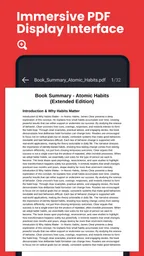
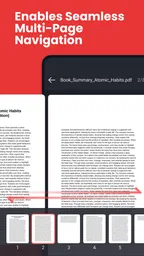
- Simple controls make it easy to navigate documents.
- Useful for viewing PDFs without a complicated setup.
- Keeps reading focused with a straightforward interface.
- Handy for checking documents while on the go.
What could be better
- Advanced PDF editing tools may be limited.
- Large documents can take longer to load.
- Some PDFs may not display perfectly.
- Reading comfort may depend on your device screen.
- The app may include ads or promotional content.





