PDF Mate - Launcher review
 Analysis by Appsdrops
PDF Mate - Launcher makes most sense when I think of it as a small adjustment to a daily work routine, rather than a replacement for a full document system. Its appeal is straightforward: keep PDF reading and frequently used apps close to the home screen, so there is less hunting around when a workday gets going. That can be genuinely useful, but it works best alongside habits for naming, storing, and revisiting documents. A launcher can shorten the path to a file; it cannot decide which file matters or keep a messy archive tidy for you.
A shorter path from home screen to work
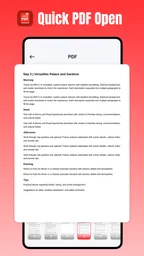
Before using PDF Mate - Launcher, a common routine is to unlock a phone, look for a PDF reader, open a document, then switch back and forth between it and the app needed to act on it. The friction is small each time, yet repeated searches can interrupt a task. This app’s business-oriented role is to bring PDF reading and everyday app access into a familiar home-screen setting. I see that as a practical convenience, especially for someone who handles documents in short bursts throughout the day.
The important distinction is that this is not the same proposition as choosing a dedicated PDF editor or a full business file manager. A reader-centered workflow is about getting to documents and apps with fewer detours. If you need to make substantial edits, annotate carefully, manage a team’s shared files, or maintain a structured archive, a specialist tool may still be the better center of your setup. PDF Mate is most compelling when your bottleneck is access rather than document processing.
As a business app from IdTech Media, it has a clear everyday audience: people who open work PDFs on a phone and want useful apps within easy reach. It is free, rated for Everyone, and shows an average rating of 4.6 from around 2.8K ratings. Those figures offer a broad sign of interest, not a guarantee that its approach will suit every person. I would judge it by whether its home-screen role fits the way you already work, rather than expecting it to solve every document problem.
Make the home screen serve a real routine
A useful first step is to decide which tasks deserve a place near your thumb. For example, if you regularly consult a schedule, check messages, and open a PDF, those actions belong in a repeatable sequence. Keep the home screen focused on that sequence instead of treating it as a dumping ground for every app you might use someday. This is a small but valuable trade-off: a deliberately simple launch point can save attention, while a crowded one just moves the search problem to a different screen.
That distinction matters for people who already use a phone launcher mainly for visual customization. PDF Mate’s value is less about decoration and more about putting document reading and daily apps into a work-friendly starting point. If your existing home screen is already carefully organized and you rarely open PDFs, changing it may create more adjustment than benefit. If you often unlock your phone with a specific work task in mind, a consistent starting point is easier to justify.
Keep document capture separate from document order
PDF work often begins outside the reader: a document arrives in a message, is saved from another app, or is needed for an appointment. A reliable system starts by deciding where that incoming file belongs and how you will recognize it later. I recommend using clear, descriptive filenames and a small number of sensible folders in whatever storage setup you already trust. Then use the launcher as the fast route to reading, not as a substitute for that filing decision.
This separation is a concrete advantage in practice. When a PDF is hard to find, people often blame the reader, although the real problem is that several versions have vague names or sit in different places. A launcher can help you get into a reading routine, but good capture habits prevent the same document from being downloaded repeatedly. I would save or file a document at the moment it arrives, then open it from the home-screen workflow when it is time to review it.
Another useful habit is to keep a short, visible distinction between documents that need action and those kept only for reference. You do not need a complicated system: a clear folder or a consistent naming convention can be enough. The point is to avoid relying on memory after opening a PDF once. PDF Mate can reduce the friction of getting to the reading step, while your own filing method carries the responsibility for what happens before and after it.
Build a repeatable reading loop
For a realistic day-to-day example, imagine checking a work document before a meeting. I would open the phone from the same home-screen starting point, read the relevant PDF, switch to the app needed for the next action, and put the file back in its intended place afterward. The routine is deliberately modest. Its benefit comes from repeating it, not from assuming the app will automatically organize a meeting’s paperwork or connect every step on my behalf.
One non-obvious trade-off is that a convenient reading shortcut can encourage quick consultation without encouraging follow-through. If you glance at a document and then leave it open-ended, you may still forget to send a response or record a decision. I would pair the reading step with a simple next-action habit: after reviewing a PDF, immediately move to the relevant task or communication app, then make sure the document remains easy to identify. The launcher helps with the transition; the habit closes the loop.
It also helps to separate frequent access from permanent importance. A file you need today may not deserve to remain prominent on your home screen indefinitely. Review your routine occasionally and remove shortcuts or app placements that no longer support current work. That keeps the home screen useful rather than turning it into an accumulation of yesterday’s priorities. This kind of light maintenance is more sustainable than repeatedly rebuilding your setup from scratch.
Where the workflow can still snag
The first possible point of friction is expectation. A product centered on PDF reading and app access should not be mistaken for a full document-management suite. If your work depends on detailed annotation, document comparison, form handling, or carefully controlled collaboration, check that your chosen specialist tools cover those jobs. A convenient entry point is valuable, but it does not remove the need for the right tool once a task becomes more demanding.
The second is fit with an existing setup. People who already rely on a different launcher, have a carefully arranged home screen, or prefer to reach files through their current file manager may find that another starting point adds a layer rather than removing one. I would try it only if the current path to PDFs feels needlessly long. If the phone already gets you from a notification to the right document in a couple of deliberate steps, there may be little to gain from changing your routine.
A third issue is that easier access can expose weak organization rather than fix it. If several similar PDFs are scattered across downloads and messages, a quicker route to reading still leaves you choosing the right version. Keep names informative, avoid saving duplicate copies without a reason, and decide where completed documents belong. These are simple practices, but they prevent a launcher from becoming a faster doorway into the same clutter.
Finally, phone reading has natural limits. A small screen is convenient for checking a page or reviewing a document while away from a desk, but it is not always comfortable for long reading sessions or careful layout work. For dense reports, extended review, or tasks where comparing pages matters, I would switch to a larger screen and an appropriate PDF tool. PDF Mate is better understood as a mobile access point than as a reason to do every document task on a phone.
Who will get the most from it
I would recommend giving PDF Mate - Launcher a try if PDFs are a regular part of your work and your current phone routine involves too much app-hunting. It is especially plausible for someone who handles quick reference documents, checks files between other tasks, or wants a consistent home-screen route into a small set of everyday apps. With over 500K installs and a current version of 7.0.1, it has reached a substantial audience, though popularity alone cannot tell you whether its workflow matches yours.
It is less suited to someone looking for a feature-rich PDF editing environment, a complete business archive, or a replacement for a carefully established launcher. Those users may be better served by keeping their current home screen and choosing a dedicated PDF application for the work itself. Likewise, if you rarely read PDFs on your phone, the specialized starting point may not earn its place in your daily routine.
The app is listed for devices running Android 7.0 or later, so that is worth checking before planning a switch. Its free price makes trying the approach relatively low-commitment, but I would still evaluate it against a real week of use: do you reach documents faster, do you remember to file them, and does the home screen stay clear? Those practical questions matter more than whether a new layout feels convenient on the first day.
My overall view is that PDF Mate is most useful as one part of a sustainable productivity system: a predictable launch point, supported by sensible document naming and a repeatable follow-through habit. It can make mobile PDF reading feel less scattered, but it cannot replace good filing or specialist tools when a document task gets complex. If easier access is the missing piece in your workday, it is a reasonable free option to consider; if the missing piece is editing power or archive control, I would look elsewhere for that job.
What we like
- Provides quick access to PDF-related tools from the home screen.
- A launcher can make frequently used PDF features easier to find.
- May help keep PDF shortcuts separate from other app icons.
- Lightweight launcher-style design can suit users who prefer a focused home screen.
- Useful for people who regularly open PDF files on their device.
What could be better
- A dedicated launcher may replace parts of your familiar home screen.
- The app may offer limited value if you rarely work with PDFs.
- Launcher features may vary across Android versions and device brands.
- You may need to change default home app settings to use it.
- Check permissions carefully before granting access to device features.





