

Messages Text SMS review
 Analysis by Appsdrops
When a household shares plans across busy days, text messages can be more practical than another group chat or a calendar everyone forgets to check. Messages Text SMS is a communication app built around SMS, with a caller ID, private vault, message backup, scheduling, and a dialer among its advertised tools. I see its strongest case as a more feature-rich place to handle ordinary texting—not as a family-management system or a substitute for agreeing who owns a device and its messages.
One inbox for everyday household coordination
In a typical shared-use scenario, one person might be arranging a pickup by text while another is waiting for a delivery call. An SMS-focused app can keep those conversations and calls close at hand, and the caller ID and dialer make the app’s scope broader than a basic inbox. That combination may suit someone who wants fewer separate communication tools on their phone.
The useful distinction is that the app helps organize communication on a device; it does not, by itself, make a household’s messages shared between people. If a parent uses a personal phone to coordinate with a teenager, for example, the conversation remains tied to the phone and its setup. I would not choose it on the assumption that other family members can see the same inbox or manage one another’s messages.
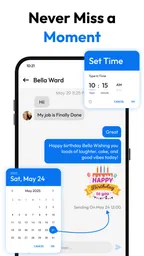
The scheduling feature has a clear everyday role: I would use it to prepare a reminder or a routine message when I know I’ll be busy later. It can help reduce the chance of forgetting to send a text, but it is still worth checking the recipient and wording before relying on a scheduled message. For urgent changes, I’d send a message manually and confirm the other person has received it.
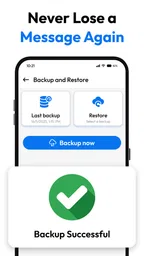
Backup is also relevant when a phone is replaced or messages matter for practical reasons. It offers a way to think about preserving conversations, but I would treat it as a safeguard to configure and understand rather than assume every message is automatically available on every device. Anyone changing phones should check that the backup process has completed before wiping or handing over the old one.
What the extra tools change
Compared with the messaging app that comes preinstalled on many phones, this app’s appeal is its bundle: texting sits alongside caller ID, a dialer, scheduling, backup, and a private vault. If I mostly send short texts and rarely need extra organization, a familiar default app may be simpler. If I regularly switch between texting and calling, or want to explore those additional tools in one place, Messages Text SMS has a more specific reason to try it.
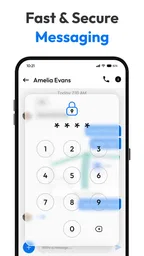
The private vault deserves a careful interpretation. A vault can be useful for keeping selected material apart from the ordinary message flow, but the name alone does not establish exactly what it protects or how access works. I would inspect its settings and test the workflow with non-sensitive content first. It should not be treated as a guarantee that a message is invisible to someone who can access the phone or its account.
Set boundaries before sharing a device
For a shared phone, I would begin by deciding whose device it is and who is allowed to open the messaging app. SMS conversations can contain personal information, verification messages, addresses, and other details that were not intended for every person in a household. A private vault may help with organization, but it does not replace a clear agreement about device access.
That boundary matters especially when a phone is passed between adults and children. A household can use the app to coordinate logistics, but it should not imply that one person can quietly monitor another’s conversations. If several people need access to the same information, a deliberately shared channel or family calendar may be more suitable than relying on one person’s SMS inbox.
I would also separate a shared-use routine from account ownership. Before another person uses the phone, check which conversations and calling tools are available from the current setup, and avoid leaving sensitive chats open. If the device is handed down or reassigned, review what needs to be retained and what should be removed, and confirm any backup before resetting it. These are sensible precautions for any SMS app, but the vault and backup options make them particularly relevant here.
There is a practical trade-off: consolidating texting, calling, and related tools can make one person’s daily use more convenient, while putting everything in one place can make that phone a more important privacy boundary. I would choose convenience only if the person responsible for the device is comfortable managing that access. For a household that needs separate profiles or shared oversight, I would look for a solution explicitly designed around those needs rather than assume this app provides them.
Scheduling works best with a human check
Message scheduling can be useful for non-urgent coordination: sending a reminder at a sensible time, or preparing a note while the details are fresh. A concrete example is drafting a pickup reminder the evening before and setting it to go out the next day. The main benefit is reducing reliance on memory; the main risk is sending outdated information if plans change.
My practical approach would be to use scheduling for stable plans and keep last-minute changes manual. Before setting a message, check the recipient, date, and wording, then revisit it if the plan shifts. A scheduled text is not the same as a confirmed arrangement, so I would still ask for an acknowledgment when timing or safety depends on it.
This is also where SMS differs from a shared calendar or group-chat app. Texts are direct and familiar, but they can be scattered across individual conversations. A calendar is often better when multiple people need to see the same changing schedule; a group chat is better when everyone should discuss a plan together. Messages Text SMS makes more sense when the task is sending individual texts, not coordinating a complex household timetable.
Age suitability and trust
The app has an Everyone content rating, which describes its store age classification. That is useful context, but it is not a recommendation that every child should use an unrestricted messaging setup. The appropriate choice still depends on the child’s age, the phone’s broader settings, and the household’s expectations about contacts, privacy, and spending.
It is listed as free to install, with in-app purchases ranging from $0.49 to $99.99 per item. For a child or a shared household device, I would review purchase controls before letting someone use it, and I would not assume that the free download means every option is free. This is a general precaution, not a claim about which particular tool requires payment.
The developer is Messages SMS Text Messenger. The app has an average rating of 4.2 from around 4.9 thousand ratings, with about 293 written reviews, and has passed one million installs. Those figures suggest that many people have tried it, but I would still judge it by whether its extra tools fit the way your household actually communicates. A high-level rating cannot tell you whether a particular vault or backup workflow matches your privacy expectations.
It was released on July 29, 2024, and the current version is 1.4.4. It requires Android 11 or later, so an older Android phone is not a fit. The version and system requirement are worth checking before making the app part of a household routine, especially if the phone is an older hand-me-down.
Who should choose it—and who should not
I would consider Messages Text SMS if I wanted an SMS-first app that also brings calling tools, scheduled messages, backup, and a vault into the same experience. It is most appealing to an individual who manages a lot of practical texting and values having these options nearby. In a household, it can support coordination through one person’s phone, as long as everyone understands that this is not the same as a shared family communication account.
I would skip it if I wanted a dedicated family organizer, a shared calendar, multiple household profiles, or built-in parental supervision. I would also lean toward the standard messaging app if I wanted the least complicated setup and had no interest in the added tools. For private conversations on a shared device, I would prioritize strong device-level boundaries rather than relying on the app’s vault as a complete privacy solution.
Overall, this is a reasonable SMS option for someone who wants more than a bare inbox, but its value depends on using those extras thoughtfully. For household coordination, I’d use scheduled texts for reminders, backup as a deliberate phone-change precaution, and the dialer and caller ID when keeping calls close to messages is useful. I would keep shared plans in a genuinely shared tool and make privacy expectations explicit. That balance lets the app help with everyday communication without asking it to solve account boundaries or family organization on its own.
What we like
- Supports SMS and MMS messaging in one app.
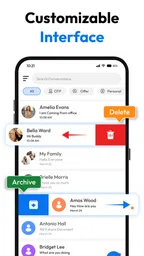
- Offers a straightforward inbox for managing conversations.
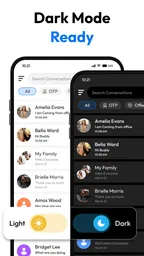
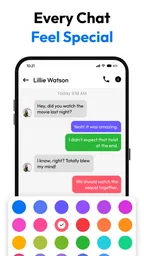
- Lets you personalize the look with themes.
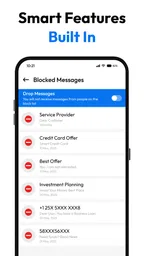
- Includes options for blocking unwanted senders.
- Makes it easy to start a message from a contact.
What could be better
- Some features may require permissions to access contacts or messages.
- Availability of features can vary by device and Android version.
- MMS delivery may depend on carrier settings and charges.
- Theme choices may be limited compared with dedicated customization apps.
- The app may not be available for iOS devices.





