
isolved People Cloud review
 Analysis by Appsdrops
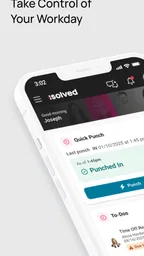
I look at isolved People Cloud as a work tool first, not an app I would install for casual browsing. It is a business app from Infinisource, intended to bring everyday HR tasks within reach when you are away from a desk. That makes its value less about flashy features and more about whether it fits the way your employer handles HR. If your workplace already uses isolved, having a mobile option can make routine checks easier; if it does not, the app is unlikely to be useful on its own.
What to expect when opening it
The first thing I would keep in mind is that an HR app’s speed depends on more than the phone. Your organization’s setup and the information or task you are trying to reach can shape the experience, so I would not judge it solely by how quickly one screen opens. For a quick check between errands, a mobile HR tool can save the effort of finding a computer, but it is still best treated as a companion to your workplace’s HR process rather than a universal employee portal.
isolved People Cloud is free to install, and its broad purpose is access to essential HR functions from different devices. That sounds useful, but it does not mean every employer offers the same set of tasks through the app. Before relying on it for a particular job—such as submitting a request or checking a workplace record—I would confirm that your employer has enabled that workflow and that your account can access it.
A practical routine, not a replacement for every HR task
Imagine you are commuting home and want to check a work-related detail before making plans for the next day. If that information is available through your organization’s isolved setup, using your phone may be more convenient than waiting until you are back at a laptop. The useful habit is to check the app when you have a moment, then handle anything complicated through the channel your employer normally recommends. That keeps a quick mobile check from turning into an assumption that every HR issue can be resolved on a small screen.
This distinction matters because HR is not one single activity. A brief lookup is different from reviewing a long record, correcting information, or discussing a sensitive issue. I would use a mobile interface for tasks that are clearly supported and easy to verify, while leaving detailed or consequential work for a setting where I can read carefully and follow up if needed.
Busy moments and the limits of mobile use
The app’s practical test is not just whether it opens during a quiet moment, but whether it remains convenient when you are switching between work and personal tasks. A phone is handy when you need a short check away from your desk; it is less comfortable when you have to compare several details, type a careful explanation, or think through a complicated request. That is a screen-size trade-off, not a flaw unique to this product, but it affects how much I would try to do in one session.
One useful approach is to separate the task into two stages: use the app to find out what you need, then decide whether the next step is suitable for mobile. For example, if a question leads to a longer explanation or requires checking other information, I would pause rather than rush through it on a phone. This reduces the chance of overlooking a detail and makes the app more useful for quick access instead of forcing it to serve as a full desktop replacement.
I would also avoid treating repeated refreshing as a solution if a screen seems slow or incomplete. A delay can come from the connection, the organization’s setup, or the particular task, and repeatedly retrying may not clarify which one is responsible. A sensible recovery routine is to check the connection, reopen the app once, and then use your employer’s usual support route if the same issue persists. That is more practical than assuming the app can fix an account or workplace configuration problem by itself.
Reliability depends on the whole HR workflow
For an employee, reliability means more than an app staying open. You need the right information to appear, the account to be usable, and a clear way to proceed when something does not look right. Since isolved is tied to workplace HR processes, I would consider the employer’s configuration part of the experience. A mobile app can make an established workflow easier to reach, but it cannot guarantee that every organization has configured every function in the same way.
That is why I would test the basic path before depending on it for a time-sensitive task: sign in when you have a calm moment, find the section you expect to use, and make sure you understand what the app lets you do. If access is unavailable or something appears inconsistent, contact the appropriate workplace administrator rather than repeatedly submitting the same action. This small check is especially useful before a deadline, when discovering a setup issue at the last minute is frustrating.
The app has an average rating of 3.4 from around 2,000 ratings, alongside 786 written reviews. I take that as a reason to set measured expectations, not as proof that every person will have the same experience. Ratings for workplace software can reflect account access, employer configuration, and individual needs as well as the app itself. The practical lesson is to try the exact workflow you care about instead of assuming a rating predicts how it will work in your organization.
Device fit and choosing the right tool
The listed minimum operating system is Android 6.0, which gives the app a broad baseline for Android compatibility. Still, compatibility does not tell you how comfortable the experience will be on every device. On an older phone, I would leave enough free space for normal updates and avoid judging performance while several demanding apps are running. Those are sensible general precautions, not claims that this app requires unusually powerful hardware.
The app is rated for Everyone and has passed 500,000 installs, which suggests it is used across a substantial range of workplaces and employees. Neither fact means it will suit every HR environment. Its value is strongest when your organization already relies on isolved and you want an accessible way to handle the functions made available to you. If you need a standalone system for managing a business’s HR operations, or your employer uses a different platform, a general HR app or your organization’s existing web tools may be the more relevant choice.
Compared with relying only on a desktop portal, a phone app is more convenient for brief checks while away from work. Compared with a general-purpose messaging or notes app, it is the more appropriate place for supported HR work because it belongs to the employer’s chosen system. But those alternatives have different jobs: messaging can help you ask a question, and a desktop may be better for careful review. I would not use convenience as a reason to put sensitive details into an unrelated app or to expect the mobile version to handle every complex task.
Updates, recovery, and sensible expectations
The current version is 66.20260915.1, and the app was released on October 3, 2023. I would keep it updated through the app store so that I am using the available build, while remembering that an update does not necessarily solve a problem caused by account access or employer settings. If an issue begins after an update, I would first check whether the app opens and whether the same problem occurs on another available device or through the usual workplace route. That helps distinguish a local hiccup from a broader access issue without making unsupported assumptions about the cause.
For recovery, the most useful preparation is knowing where your employer directs employees when mobile access is unavailable. The app can be convenient, but a phone should not be your only plan for an urgent HR matter. Save or remember the workplace contact method you already use, and avoid delaying a time-sensitive question while troubleshooting repeatedly. This is a modest precaution, yet it makes a mobile tool more dependable in real life because you know what to do when the easy path is not working.
I also think it is worth checking the screen before completing anything important. Small displays encourage quick taps, and a brief pause to review what you have selected or entered is worthwhile whenever the task has consequences. For long explanations, complicated corrections, or anything you would want to double-check, switching to a larger screen is a better choice than trying to finish in a hurry.
Who I would recommend it to
I would recommend trying isolved People Cloud if your employer uses isolved and you regularly need quick access to supported HR functions while away from a computer. It is especially promising for people who want to fit short work-related checks into an ordinary day rather than set aside time at a desk for every small question. The app is free, so trying it does not require a purchase, though its usefulness still depends on having the right workplace account and available access.
I would be more cautious if you expect it to work without employer involvement, if your HR needs are mostly long or complex, or if you need a standalone business-management product. In those cases, the app may not match the job you have in mind. I would also avoid making it the sole route for urgent issues until you have confirmed that your organization’s setup supports the workflow you need and that you know how to get help if access fails.
Overall, I see this as a practical mobile doorway into an employer’s isolved HR environment, rather than a complete substitute for a desktop or for direct workplace support. Its strongest case is convenience: a suitable task can be handled or checked when a computer is not nearby. Its main trade-offs are the dependence on employer configuration and the natural limits of doing careful HR work on a phone. If you already use isolved at work, I would install it, test the everyday tasks that matter to you, and keep a backup contact route in mind. That is the most realistic way to judge whether it earns a place in your routine.
What we like
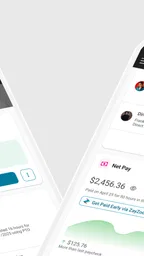
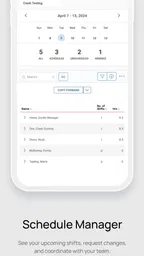
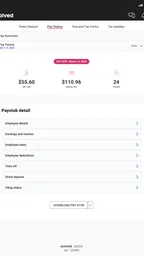
- Employees can review pay statements and tax documents on a mobile device.
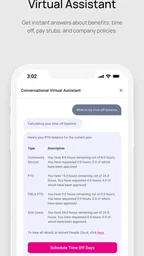
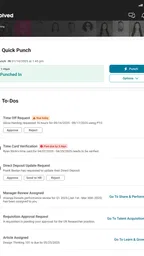
- Time-off requests are easy to submit and monitor.
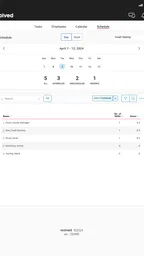
- The app brings several workplace tools together in one place.
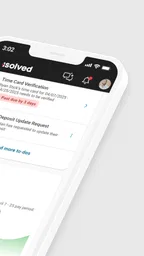
- Push notifications can help users stay informed about requests.
- A clean layout makes common tasks straightforward to find.
What could be better
- Available features depend on the employer's isolved configuration.
- Some tasks may require access through a web browser.
- Login issues can make essential employee information hard to reach.
- Notifications may not arrive promptly on every device.
- The app offers limited value to people whose employer does not use isolved.





