

FedEx Mobile review
 Analysis by Appsdrops
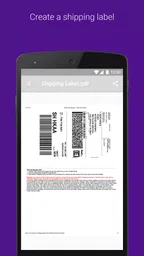
I judge a shipping app by what it helps me do when I have only a few minutes, one hand free, and a parcel that needs attention. FedEx Mobile is built for that practical moment: it brings FedEx tasks onto a phone rather than asking me to wait until I am back at a computer. Its focus is useful, but a mobile layout is not automatically easy for everyone. Readability, physical interaction, and the conditions in which someone can use it matter just as much as the list of shipping tools.
Finding your way through shipping tasks
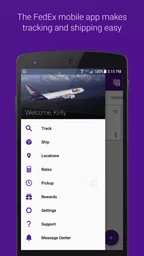
FedEx Mobile is a free business app from FedEx, and the intended audience is broader than office staff: anyone checking a delivery, arranging a shipment, or handling a parcel while away from a desk may find it relevant. The app is rated for Everyone. Its role is to make common FedEx business and delivery tasks available on the go, rather than to act as a general-purpose shopping or messaging app.
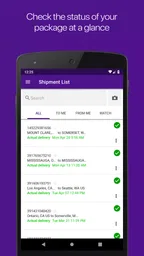
In a good shipping workflow, the next step should be obvious: check a parcel, work out whether action is needed, then move on. A phone app can make that sequence easier than opening a desktop site, especially when I am already out. But it can also make information feel cramped. Tracking details, addresses, and shipment choices are all more demanding to scan on a small screen than a short notification, so I would use the app for focused tasks rather than assume it replaces every part of a full shipping workspace.
My practical tip is to treat tracking as a quick check, not as a reason to keep reopening the app throughout the day. If I am expecting something important, I would look at the parcel when I have time to read the status carefully and decide what to do. That habit reduces the chance of overlooking a meaningful change in a rush. For someone managing several parcels, checking them in a deliberate batch can also be less mentally tiring than repeatedly switching between separate updates.
The app has a 3.7 average from around 299,000 ratings, with roughly 36,000 written reviews. That gives a prospective user a useful sense that experiences are mixed rather than universally smooth. I would not take a rating as a verdict on whether it suits my own needs: a recipient checking one delivery has a very different job from a small business owner arranging shipments regularly.
Readable information is useful only when it is easy to interpret
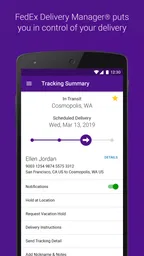
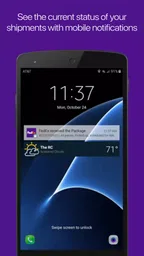
Shipping language can be confusing when a status changes or a delivery needs attention. I value an app that lets me inspect the parcel’s progress without having to search through unrelated material. At the same time, a status label is not the same as a clear explanation of what I should do next. If a delivery is time-sensitive, I would read the full on-screen details rather than infer too much from a brief status or notification.
That distinction matters for people who prefer plain, uncluttered information, including readers using larger text or relying on screen-reading tools. I cannot responsibly promise that every screen is comfortable with every display setting, so I recommend testing the parts that matter to you early: open a tracking item, inspect its detail view, and see whether the essential information remains understandable. If text feels crowded or the order of information is hard to follow, the app may be better for occasional checks than for managing complicated shipping decisions.
Compared with a carrier-neutral parcel tracker, FedEx Mobile has a narrower purpose: it is the FedEx option, not a single dashboard for every delivery company. That focus can be an advantage when the shipment is with FedEx, because the task stays within the carrier’s own app. If most of my parcels come from different carriers, a multi-carrier tracker may be more convenient for viewing everything together, even if I still need a carrier-specific service for some actions.
Touch, attention, and different ways of using a phone
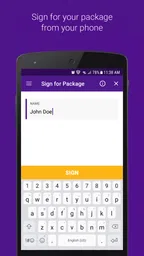
Shipping tasks often involve detail entry, and that is where motor comfort becomes important. Typing an address, correcting a digit, or moving between fields is less forgiving on a phone than on a keyboard. I would avoid entering a complex shipment while walking, carrying bags, or trying to hold a parcel at the same time. A stable surface and a few uninterrupted minutes are a simple but worthwhile improvement to accuracy.
For anyone who has limited dexterity, tremor, or difficulty making precise taps, the best test is not merely whether the app opens. Try the exact action you expect to use: locating a shipment, reviewing its status, or completing the shipping step you need. Small touch targets and dense forms can turn an otherwise useful mobile tool into a frustrating one. If entering details is uncomfortable, doing that work on a larger device may be the better choice, with the phone reserved for quick checks.
Sensory conditions change the experience too. A bright outdoor setting, glare, background noise, or a busy public place can make it harder to read details and concentrate on an address. I would postpone anything that requires careful proofreading until I can focus. For a quick status check, a phone is convenient; for a shipment with several important details, a calmer setting lowers the risk of a rushed mistake.
People who use assistive technology should test their own device settings with the app rather than assume compatibility from its purpose. A screen reader, magnification, or other system-level aid may help with phone use generally, but the decisive question is whether the controls and information in the particular workflow are announced and arranged in a way that makes sense. I would begin with a low-stakes tracking check before relying on it for a time-critical shipment.
Useful away from a desk, with sensible limits
The strongest everyday case is a recipient who wants to check a FedEx parcel while away from home, or a small business owner who needs to handle a shipping task between other commitments. Imagine I am leaving work and remember that a parcel is expected at home. A quick check on my phone can help me decide whether I need to change plans or ask someone to keep an eye out. That is more useful than waiting until I reach a computer, provided I can read the status clearly and act without rushing.
Another useful pattern is separating monitoring from decision-making. I might use the phone to see whether a parcel has progressed, then wait until I have a quiet moment before changing shipment details or checking a complicated issue. This avoids treating a small screen as the ideal place for every task. It is a modest workflow adjustment, but it makes the app more practical for people who have limited time, divided attention, or difficulty with extended phone sessions.
For a business that ships through several carriers, this is not necessarily the best central control panel. A carrier-neutral service may offer a more convenient overview across providers, while a desktop workflow may be preferable for staff who enter many addresses or handle shipments in volume. I would choose FedEx Mobile when FedEx is the relevant carrier and mobile access is valuable, not simply because it is available on a phone.
The app has been available since November 22, 2011, and its current version is 9.33.0. It has over 10 million installs, which suggests that many people have chosen to keep FedEx-related tasks on their phones. Those figures do not tell me whether the current screens will work well for a particular person, so I would still judge it by the specific action I need and the way I use my device.
Where the experience may still fall short
The main trade-off is that convenience can encourage people to do careful work in poor conditions. A phone makes it easy to start a shipment while distracted, but that does not make address entry or decision-heavy tasks easier. I would not recommend relying on a quick glance when a parcel’s timing or destination matters. Take the time to review the details, and switch to a larger screen if the form or information is difficult to inspect.
A second limitation is the app’s carrier focus. It is useful when the shipment is handled by FedEx, but it will not by itself solve the problem of tracking a mixed collection of parcels across different companies. People who mainly want a unified delivery list should compare it with a multi-carrier option. People who need FedEx-specific mobile access have a clearer reason to install this one.
There is also a difference between being technically usable and being comfortable. Someone who can tap through a screen may still find it tiring to read, hard to navigate with one hand, or difficult to use alongside other demands. I would not force every shipping task into a mobile workflow. Keeping a desktop or in-person alternative for longer, more exacting work is a sensible accommodation, not a failure to use the app properly.
A practical choice when the context fits
I would recommend FedEx Mobile to people who regularly need to check or handle FedEx shipments away from a computer, especially when the task is brief and the phone is already at hand. Its free price makes trying it straightforward, and its business focus is clear. The 3.7 average rating also encourages realistic expectations: it may be convenient for a particular workflow without being the right tool for every user or every shipment.
For inclusive use, I would judge it by a real task rather than by the promise of mobile access alone. Check whether the text is comfortable, whether you can reach and understand the controls, and whether your preferred device settings work with the screens you need. If those basics hold up, the app can reduce friction for ordinary FedEx tasks. If they do not, a larger display, a different tracking tool, or another way of handling the shipment may be kinder and more reliable.
Overall, I see it as a useful companion for FedEx-specific errands, not a complete replacement for every shipping setup. It works best when I have a clear goal, enough attention to read the details, and a task that genuinely benefits from being done on a phone. That makes it worth considering for mobile tracking and occasional shipping needs, while leaving room for other tools when accessibility, multiple carriers, or complex data entry matters more.
What we like
- Track packages with timely delivery updates.
- Manage shipments from a single mobile dashboard.
- Find nearby FedEx drop-off and pickup locations.
- View delivery options for eligible packages.
- Receive notifications about shipment status changes.
What could be better
- Some shipment options require signing in.
- Tracking updates may be delayed during busy periods.
- Not every package supports delivery changes.
- Location features require access to device location.
- Some services may not be available in every region.





