






Discord - Talk, Play, Hang Out review
 Analysis by Appsdrops
Discord works best when conversation is part of the activity, not just a way to arrange it. I like it for groups that want a shared place to chat, drop into voice, and keep different interests organized. It can feel like a lively clubhouse for friends or a useful community hub, but it asks more of you than a simple messaging app: servers need tending, conversations can become noisy, and the sheer number of channels can overwhelm newcomers. My verdict is positive for people who enjoy ongoing group spaces, less so for anyone who wants a quiet, straightforward inbox.
Where Discord earns its place
As a communication app from Discord Inc., it has grown far beyond a tool for coordinating online games. The central idea remains distinctive: instead of putting every conversation in one long group chat, a server can split discussion into separate channels. A group might keep plans, game talk, hobby questions, and shared links apart, so a useful answer does not disappear beneath a pile of unrelated messages.
That structure is the strongest reason I reach for it. In a busy group chat, someone asking for recommendations can be buried by jokes and scheduling chatter within minutes. On Discord, a dedicated channel gives that topic room to breathe. It is also easier to dip in when I have time: I can check the channel that interests me rather than feel obliged to catch up with every message in the group.
Voice is another practical strength. A group can talk while playing, working on a shared project, or simply spending time together, without making every exchange a formal call that has to be planned. The difference matters in everyday use: if two friends are already chatting and another person joins later, the conversation can carry on without rebuilding the group around a new call invitation.
One small but valuable habit is to use channels as an information system, not just as labels. I would keep announcements or reference material separate from fast-moving chat, and give recurring questions a clear home. This does not magically make a community organized; it gives its members a place to put things. A server with thoughtful channel choices can feel calm, while one with too many near-duplicate rooms feels like a filing cabinet nobody wants to open.
The app’s popularity reflects how many different groups have adopted that format: it has over 500 million installs and a 4.3 average rating from around 7.1 million ratings. Those figures are not a reason on their own to join, but they help explain why it is common to find an existing community for a game, hobby, or friend group. Its Teen age rating is also worth noticing for families and younger users; I would still encourage them to understand the particular community they are joining and use the available controls thoughtfully.
Why channels and voice work well together
The best Discord experience comes from combining asynchronous and live conversation. Someone can post a question in a text channel, get an answer later, and then move into voice when a topic needs faster back-and-forth. That is more flexible than a group built entirely around calls, and less chaotic than expecting a single chat thread to hold every subject.
For example, imagine a few friends arranging a weekend game session. One channel can hold the time and practical details, another can carry casual discussion, and voice can be used once everyone is ready to play. A friend who cannot join at the planned moment can still see the written context later. This workflow is a genuine advantage over a call-first service, where useful details may be spoken once and then lost to anyone who was absent.
I also find the format useful outside gaming. A book group can keep reading suggestions apart from chapter discussion; a small creative team can separate feedback from general conversation; a local interest group can maintain a focused place for questions. In each case, the benefit depends on people respecting the structure. Discord provides the rooms, but members still need to decide what belongs where.
The friction is real, especially at first
The same flexibility that makes Discord useful creates its biggest barrier. A new user may be asked to understand servers, channels, roles, notifications, and community-specific habits before they can comfortably follow a conversation. If a friend sends an invitation to a well-run server, joining can be simple enough. If the server has dozens of rooms with unclear names, I can easily see a newcomer wondering where to begin.
Notifications need deliberate attention. A lively server may produce activity that is interesting in one moment and distracting the next. I recommend deciding early which channels deserve alerts and which can wait until you open the app. Otherwise, a community intended as a casual place to visit can become a steady stream of interruptions. Muting a noisy space or narrowing what you follow can make a large difference to the experience.
There is also a social trade-off: Discord is built around groups and communities, so it is not always the best choice for a quick one-to-one exchange. If I only need to send a short message to a relative, a familiar phone messenger is usually faster and easier for both people. Discord makes more sense when there is a continuing group context, several topics to keep organized, or a reason to return to the same community over time.
Compared with conventional messaging apps, Discord is less focused on a simple stream of personal chats and more on spaces that can host ongoing discussion. Compared with voice-first services, it offers a stronger written home for the conversations surrounding a call. That distinction is useful, but it also means it does not replace every communication tool. People who mainly want dependable, uncomplicated contact with a small circle may prefer the app their friends already use.
Practical ways to make a server easier to live in
When I join a new server, I first look for an introduction or rules channel, then identify the one or two channels that match why I joined. I do not try to read everything. This is a surprisingly helpful approach because old messages can create the impression that I need to catch up on a whole community before participating. Usually, a focused question or a short introduction is a better entry point.
For a server I help organize, I would start with fewer channels than I think I need. Add a room when a repeated conversation genuinely deserves its own space, rather than creating a channel for every possible subject in advance. This keeps choices clear for members and makes it easier to know where new posts belong. A channel that remains empty or duplicates another one is a sign to simplify.
It is also worth separating urgent information from casual conversation. If event details are mixed into a fast chat, members may miss them; if every message is treated as an announcement, the important ones lose their weight. A clear place for schedules or community guidance, paired with a more relaxed discussion channel, is a practical compromise. That organization is not glamorous, but it is one of the reasons a server can remain useful after its initial burst of activity.
Discord is free to download and use, with in-app purchases ranging from $0.99 to $274.94 per item. I would approach optional purchases as extras rather than a requirement for deciding whether the core group experience suits me. The current Android version is 353.11 - Stable, and the minimum operating system listed is Android 7.0. For someone choosing between platforms, the main question is less about the app’s identity and more about whether their friends or community are already active there.
Who should choose it—and who should not
I would recommend Discord to people who belong to active groups and want more structure than a single chat can offer. It is especially appealing if conversation continues between meetups, if members share several interests, or if voice and text are both part of the routine. It can also suit organizers who are willing to keep a community legible by setting clear channel purposes and keeping notifications under control.
I would hesitate to recommend it to someone who dislikes community spaces, wants every message to be direct and personal, or has no patience for learning a new group’s layout. It is not automatically a better home for every friend group simply because it has more organizational options. If a small group already communicates happily in a basic messenger, moving everyone may add setup and moderation work without solving a real problem.
Parents and younger users should treat the Teen rating as a starting point, not a substitute for judgment. Communities differ in tone and subject, and the experience depends heavily on which servers a person joins and how they manage their participation. I would begin with known groups, review the server’s expectations, and avoid treating an open invitation as a reason to enter every community that appears interesting.
A strong choice when the group has a reason to gather
My overall view is that Discord is at its best when a group needs a shared place that can hold both casual conversation and organized discussion. Its channels give ongoing communities a useful memory, while voice makes it easy to turn a thread into a live hangout. The app is less convincing as a universal messenger: its layered layout and potential noise are unnecessary for people who only want quick, uncomplicated chats.
Developed by Discord Inc. and released on May 7, 2015, it has had time to become a familiar meeting place for many kinds of groups, but its core appeal remains practical rather than mysterious. Set up a small number of clear channels, keep alerts selective, and use voice when text becomes cumbersome. If that sounds like the kind of space you want, I think it is well worth trying; if you want a simple inbox and nothing more, a conventional messaging app will probably feel better.
What we like
- Voice channels let friends drop in without arranging a call.
- Server roles help organize members and manage permissions.
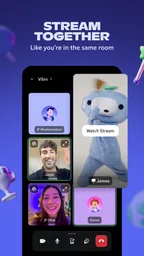
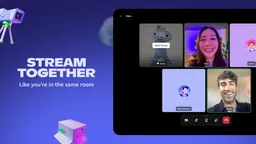
- Screen sharing makes it easy to follow a game or presentation.
- Custom emoji add personality to chats and servers.
- Push-to-talk helps prevent background noise during voice chats.
What could be better
- Busy servers can make important messages easy to miss.
- Some features require a paid Nitro subscription.
- Voice quality depends heavily on your network connection.
- Notifications may become overwhelming across multiple servers.
- Public servers can expose users to spam or inappropriate content.





