

Burner: Second Phone Number review
 Analysis by Appsdrops
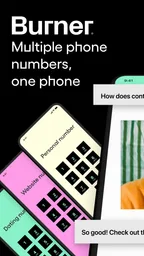
I like the idea of separating conversations without carrying two phones, and that is the problem Burner is built to solve. It gives you a second number for calls and texts, which can be useful when a household shares a device, when you want a boundary between personal and practical conversations, or when you need a number for a short-term purpose. My main takeaway is that it can make communication tidier, but it works best when everyone understands exactly who manages the number and where replies will arrive.
A second line can simplify shared routines
Imagine coordinating a household repair, a neighborhood sale, or a group activity. You may want to give people a number that is not your everyday personal line, then keep those conversations apart from calls from friends and relatives. Burner, a communication app from Ad Hoc Labs, Inc, offers that kind of separation on a phone you already use. It is free to install, while in-app purchases range from $1.99 to $269.99 per item, so it is worth checking the available purchase choices before relying on a number for an ongoing need.
That separation is especially helpful when the phone is shared in a limited, practical way. A household member can use the number for a particular task, while the person who owns the device retains control of the phone itself. But this is not the same as setting up a separate handset or a family account: a second number does not automatically create separate device profiles, private spaces, or household permissions. I would treat it as a communication boundary, not a complete system for managing shared access.
The app’s central benefit is straightforward: it can keep a distinct set of calls and texts from becoming mixed up with your main number. That can reduce the awkwardness of giving out personal contact details to people you may only need to reach for a specific reason. The trade-off is that the new number still needs an owner and a clear purpose. If several people use the same phone, they should agree on who checks incoming messages and who is expected to answer.
Set expectations before sharing the number
For a shared-device arrangement, I would decide three things before handing the number to anyone: what it is for, who can open the app, and who is responsible for responding. Those sound like small details, but they prevent a practical number from turning into a confusing shared inbox. If one person uses it for a repair appointment and another uses it for a school or club conversation, people may not know which messages belong to whom.
A useful approach is to keep the number’s purpose narrow. For example, use it for one household project rather than every conversation that family members would prefer to keep separate. That makes it easier to recognize why someone is calling and to decide whether a message needs a reply. It also gives you a natural point to reconsider whether the number is still useful after the project ends.
Burner is not a substitute for a second physical phone when people need independent access, separate contacts, or separate notification habits. The app lives on the device where it is installed, so a shared phone can still create ordinary shared-phone complications. If two people need to answer at different times, or if one person should not see the other’s conversations, a dedicated device or another arrangement designed for separate users may be more appropriate.
One practical tip is to test the routine with a low-stakes conversation before giving the number to a large group. Confirm that the intended person can find the incoming call or text and knows how to respond. This is less about technical setup than about making sure the household’s real-world handoff works. A number only creates a boundary if the people using it follow that boundary consistently.
Coordination works best with one clear owner
In my view, the strongest shared-use case is coordination that has a defined lead. Say you are arranging a furniture delivery while another household member is at home: the second number can be the contact point for the delivery conversation, and the designated person can keep track of updates. It is less useful if several people assume somebody else has seen a message. Burner can separate the line, but it cannot decide who is on duty.
This distinction matters for time-sensitive plans. If a caller leaves a message or sends a text while the phone is with someone else, the group needs a simple way to pass along the information. I would agree on a backup person and a routine for checking the app, rather than assuming every household member will notice an alert. For a casual sale or a nonurgent appointment, that may be enough. For emergencies or care responsibilities, use a communication method the whole group already monitors reliably.
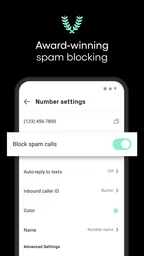
There is also a social advantage to using a separate number for a task: you can avoid turning a temporary contact into an invitation to reach you through your personal line indefinitely. That is useful when arranging a purchase with someone you do not know well or posting contact details for a one-off activity. Still, a separate number is not a promise that every caller will behave well. The app’s store summary includes spam call blocking, which may be useful, but I would not treat any blocking feature as a guarantee that unwanted contact will disappear.
Compared with simply giving out your usual mobile number, Burner offers a more deliberate boundary. Compared with carrying a second phone, it avoids the burden of another device, but it cannot provide the physical separation or independent availability of that device. And compared with a basic messaging app, its focus on a second phone number makes it more relevant when people need to call or text a number rather than merely join a chat. Which option is best depends on whether your contacts need a phone number, a group conversation, or a truly separate line of access.
Privacy is a boundary, not a guarantee
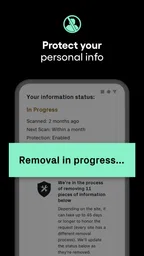
I would use a second number to limit routine exposure of my main contact details, not as a complete privacy strategy. People may still identify you through the context of a conversation, details you share, or the device itself if it is shared. Before using the number for an account, appointment, or ongoing service, think about what happens if you stop using it or if another household member can access the phone. A contact channel is only as private as the device and habits around it.
That is why I would avoid letting a shared number become the sole route for something important unless the household has agreed how it will be monitored. If the person who created the account is away, busy, or no longer managing the phone, others may not know where to find a message. Keep essential contact arrangements understandable to the people who depend on them, and do not assume that a second number itself creates continuity.
It is also sensible to think about the length of the commitment before choosing a paid option. The app is free, but purchases are available at different prices, and the listed range is broad. I would first decide whether the need is temporary or ongoing, then review the in-app choices and terms before paying. For a short project, avoid committing to something without understanding its duration and renewal conditions. For a continuing household role, compare the total cost with a conventional second line or a separate device.
Age and trust matter in a shared household
Burner is rated for Everyone, but an age rating is not the same as a recommendation that every child should manage a second number. In a household, I would consider the child’s maturity, the purpose of the conversations, and whether an adult is responsible for the device. The app does not replace a conversation about unknown callers, sharing personal information, or when to ask for help. If a young person needs a line for a specific activity, an adult should establish clear expectations rather than treating the app as a supervision tool.
For adults sharing a phone, trust and consent are just as important. Everyone should know whether the number is being used by one person or by the household, and who can read incoming messages on the device. A second number can make a shared task easier without making every conversation private from other people who can access the phone. If someone needs confidential communication, a shared handset is probably the wrong setup.
This is where I would draw a firm line: use Burner for convenience and contact separation, not to conceal activity from someone who shares the device or to promise another person that their messages are inaccessible. The practical question is not only whether a separate number exists, but who can see the app and who controls the phone. Honest expectations protect relationships better than assuming that a number alone settles privacy.
What to expect from the app itself
Burner is a mature communication app, released on April 10, 2013, and its current version is 7.36.0.4142.16646604. It has an average rating of 4.3 from around 84,000 ratings, with about 18,000 written reviews and over 5 million installs. Those figures suggest that it is a well-established choice, though popularity does not guarantee that its approach suits every household. It requires Android 10 or later on Android, so check that your device meets the minimum before planning around it.
The app’s basic appeal is easy to understand, but your experience will depend on whether a second number fits your actual communication pattern. If all you need is a temporary channel for calls and texts, the idea is direct. If you need several people to work independently, share responsibility across devices, or maintain a confidential line on a shared phone, those are different requirements. I would compare those needs before adopting it as a household’s central contact method.
One useful habit is to label the purpose of the number in your own household notes and tell relevant contacts what kind of messages belong there. That reduces the chance of an important personal conversation being sent to a line that somebody checks only occasionally. Another is to review the arrangement when the original task ends. A number created for a sale, event, or service call should not quietly become the default contact for unrelated matters without a deliberate decision.
My household verdict
I would recommend Burner to someone who wants a second number for a clear, limited purpose and understands that the app runs on a device they already use. It can help a household coordinate a project, keep casual contacts away from a personal line, or give one person a distinct number for practical calls and texts. The best results come when one person owns the setup, everyone knows what the line is for, and there is a simple plan for checking messages.
I would skip it as the main answer for a household that needs separate private accounts, independent access for multiple people, or dependable emergency coordination across a group. A second phone, a dedicated shared line, or a group messaging setup may suit those situations better, depending on whether the priority is privacy, reachability, or collaboration. The free app is an easy place to start, but in-app purchases mean I would check the cost and commitment before choosing it for long-term use.
Overall, I see it as a practical boundary tool rather than a complete household communication system. Its value is not that it solves every problem around sharing a phone; it is that it gives you another number to use with more intention. If your household can agree on ownership, access, and response duties, that distinction can make everyday coordination simpler. If those agreements are missing, the extra line may add another inbox without making anyone’s responsibilities clearer.
For an individual who wants more distance between personal and task-related calls, I think the case is stronger still. For a shared device, take a moment to discuss who sees the conversations before handing out the number. That small step makes the app’s central benefit more realistic: not perfect privacy, but a useful separation that people can understand and manage.
What we like
- Keeps your primary number private when sharing contact details.
- Offers a separate line for calls and texts.
- Temporary numbers are useful for short-term needs.
- Voicemail helps manage missed calls on the burner line.
- Number options can suit different privacy needs.
What could be better
- A subscription may be needed for continued access.
- Burner numbers may not work for every verification service.
- Some features may depend on your location.
- Contacts may need to save the burner number separately.
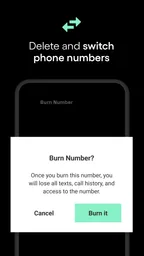
- You may lose access to a number after it expires.





