

Astro Browser review
 Analysis by Appsdrops
I judge a browser less by how many buttons it puts on screen than by whether it helps me get to the page I need without turning a quick check into a long detour. That matters for communication, too: links arrive in chats, email, and group conversations, and opening one can either answer a question quickly or pull me away from the conversation altogether. Astro Browser is positioned as a portable, practical browser, so the useful question is whether it suits those small, everyday moments better than the browser already on your phone.
A browser for the links that keep conversations moving
In practice, a browser is often part of how I communicate even when it is not a messaging app. Someone sends a map, an article, a product page, or a form; I open it, find the relevant detail, and bring that information back into the conversation. Astro Browser belongs to the communication category, and that framing makes sense if you mainly want a straightforward way to follow links while staying focused on the exchange that brought you there.
The app is developed by Adkins Studio and is free, which makes it easy to consider as an additional browser rather than a major commitment. It has an average rating of 4.2 from around 4,400 ratings, and it has passed over a million installs. Those figures suggest that people are giving it a try, but they cannot tell me whether its browsing style will fit your habits. The practical test is whether it handles your regular links comfortably and whether it earns a place alongside, or instead of, your existing browser.
Here is a realistic use case: a friend asks you to check a restaurant menu while you are arranging plans in a group chat. You open the link, look for the opening hours or menu, then return to the chat with a clear answer. A browser can make that exchange feel tidy, but it cannot make the page itself easy to read or guarantee that you will not get drawn into other tabs and recommendations. I would treat Astro as a tool for opening and using web pages, not as a solution to every source of digital distraction.
Where it fits among familiar browser choices
Most people already have a browser that opens links by default, so installing another one needs a reason. The standard browser is usually the simplest choice if you value continuity with your phone, saved pages, or an established routine. Astro Browser is more appealing if you want to try a separate, portable option for everyday browsing and are willing to see whether its approach feels more convenient on your device.
I would not assume that “practical” means faster, more private, or more feature-rich than the alternatives. Those are different claims, and they depend on concrete behavior rather than a broad description. Instead, compare the things you can judge directly: how quickly you can open a link, whether the page is readable, how easy it is to return to the conversation, and whether the browser behaves consistently across the sites you use most.
A useful way to evaluate it is to make Astro your browser for one small category of links at first, such as articles shared in chats. That keeps your regular browser available while you learn whether this app fits your rhythm. If you find yourself repeatedly switching back because a page is awkward or a familiar browser handles your saved information better, that is a good reason not to replace your default.
Keeping a conversation from becoming a browsing session
The main attention cost of opening a link is not always the time spent on the page. It is the transition: a conversation pauses, the browser takes over, and then you have to remember what you were replying to. I find that a small workflow change can help more than chasing a supposedly perfect browser. Before tapping a link, I decide what I need from it: a date, a price, a location, or a quick opinion. That gives the visit a natural stopping point.
For Astro Browser, I would use that approach especially with links that arrive during active planning. Open the page, check the detail that answers the group’s question, and return to the original chat before exploring unrelated material. This is not a hidden app feature; it is a deliberate way to keep a browser serving communication rather than replacing it. The difference matters when you only meant to help choose a time or confirm an address.
There is also a useful distinction between a link that needs immediate attention and one that can wait. If a message contains something you need to act on now, opening it makes sense. If it is a long read sent casually, leaving it for later can protect the flow of the conversation. A browser can open both kinds of pages, but it cannot decide which one deserves your attention. I would not blame Astro for that choice, though it is worth being honest about the role any browser plays in your habits.
When a page is hard to use on a small screen, the most efficient next step may be to open it in the browser you know best, or wait until you have a larger screen. That is a practical trade-off, not a failure of the app. Pages vary widely, and a browser that feels fine for a short article may not be the best tool for a complicated booking or a document you need to read carefully.
Boundaries, privacy, and choosing what to share
Because web links often come from other people, it is easy to treat opening them as a harmless part of chatting. I still recommend a basic boundary: do not enter personal or payment information into a page unless you recognize the service and have checked that you are in the right place. A browser is a doorway to websites, not a guarantee that every site you reach is trustworthy. This is especially relevant when a link arrives unexpectedly or asks you to act urgently.
I also would not choose a browser on the assumption that it automatically provides a particular privacy level. If privacy controls are important to you, examine the app’s available settings and the information shown by the app store before relying on it for sensitive browsing. For confidential work or accounts where you need a specific set of protections, use a browser whose relevant features and behavior you have checked. That is a situation where a familiar, well-understood alternative may be the better choice.
For everyday links, a simple boundary can be enough: use one browser for casual reading and keep important account tasks in the browser you already trust. That separation may help you avoid mixing a quick social link with a task that involves personal details. It is not necessary for everyone, but it can make your own habits easier to understand, particularly if you are testing a new app and do not yet know how it fits your routine.
What to expect when trying it on your phone
Astro Browser is free and has an Everyone content rating, so it is presented as suitable for a broad audience. Its current version is 1.1.7, and the minimum operating system requirement is 8.0. If your device meets that requirement, the next question is not just whether it installs, but whether the pages and links you use regularly behave well on it. I would test a few ordinary tasks before making it the default: open a link from a conversation, return to that conversation, and repeat the process with a page that you often revisit.
That short trial can answer the questions a description cannot. Does the app feel comfortable for quick checks? Can you find your way back to the source of a link without losing your place? Do the websites you rely on display as expected? These are more useful measures than judging a browser by a single first impression. If you browse mostly through links sent by friends, the return journey to the chat may matter as much as the page itself.
One practical tip is to test a task with a clear endpoint, such as checking a shop’s opening hours, rather than beginning with an open-ended browsing session. You will get a better sense of how Astro fits into a real routine and whether it helps you finish the task without unnecessary switching. Then try a longer article or a page with several sections. A browser that works well for short visits may still feel less comfortable for extended reading, and it is reasonable to keep another option for that purpose.
Who should give it a try—and who may prefer another option
I can see Astro Browser suiting someone who wants a free, separate browser for everyday links and prefers to make a personal comparison rather than assume the preinstalled option is the only choice. It may also appeal to people who want to experiment with a simpler browsing routine around conversations: open what is relevant, get the detail, then return to the person who sent it. The app’s appeal is less about transforming communication and more about giving you another place to handle the web activity that accompanies it.
I would skip it, or at least avoid making it your main browser immediately, if your current browser already fits your needs and you depend on its established workflow. The same goes if your priority is a specific privacy capability, a particular reading tool, or a feature you have not confirmed is available here. In those cases, choose the browser that demonstrably meets that need instead of relying on a general promise of practicality.
Astro Browser will not change how quickly someone replies, make group chats more organized, or prevent distractions by itself. Its value is narrower and more believable: it gives you another way to open and handle web pages on a phone. Whether that improves your communication depends on how cleanly you can move between a link and the conversation around it. I would keep the test grounded in your own common links rather than expect a new browser to fix broader attention habits.
My verdict on Astro Browser
My view is that Astro Browser is worth trying if you want a free alternative for ordinary browsing and are curious whether it fits the way links arrive in your day. Its strong point, based on its intended role, is the straightforward idea of a portable browser you can use for practical tasks. The most important limitation is that a short description cannot tell you how it compares with the browser you already know on the pages and routines that matter to you. Your own small trial will.
I would install it, test it on a handful of links from real conversations, and keep it only if it makes those exchanges feel more focused or convenient. If it adds another step, or if your usual browser already handles your needs comfortably, there is no reason to switch for the sake of switching. For me, the best browser in this context is the one that helps me answer the person who sent the link and return to the conversation without making the web the main event.
That is the social verdict: Astro Browser is a reasonable option to explore, not a must-have communication tool. Try it for quick, low-stakes browsing; keep sensitive or specialized tasks with a browser whose behavior you understand; and let everyday use decide whether it deserves a permanent spot on your phone. The app is most useful when it supports your attention boundaries, while the choice to close the page and rejoin the conversation still belongs to you.
What we like
- Includes an ad blocker for a cleaner browsing experience
- Offers private browsing to help keep sessions separate
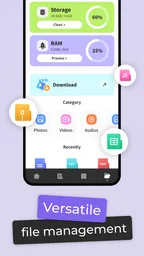
- Provides a built-in download manager for saved files
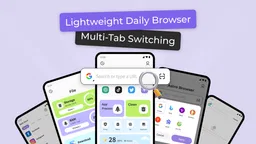
- Supports multiple tabs for switching between pages
- Has a simple interface that is easy to navigate
What could be better
- Some websites may not work properly with ad blocking enabled
- Private browsing does not hide activity from network providers
- Download speeds depend on your connection and the source site
- Advanced customization options may be limited
- Browser availability and updates can vary by device





